Explore the Reach Lift Truck Simulator’s Industrial Controls

Preparing operators to work in narrow warehouse aisles requires more than teaching basic lift truck movement. Trainees must learn to coordinate steering, travel, braking, fork positioning, and load handling while working from a stand-up, side-stance position.

In this video, explore the industrial controls available for Simlog’s Reach Lift Truck Personal Simulator. The USB-ready control console combines authentic operator controls with a portable design to create a realistic and practical training experience for educational institutions, workforce development programs, warehouses, and distribution centers.

Authentic Reach Lift Truck Operator Controls

Simlog developed its industrial controls to more closely reproduce the operating experience of a real stand-up reach lift truck. The console is designed for standing use and can be configured with an OEM-style control handle that matches controls used by several leading reach truck brands.

Industrial Control Features

  • OEM control handle: Provides realistic control of travel, fork movement, and other machine functions.
  • Steering tiller: Reproduces the look, position, and feel of a reach lift truck steering control.
  • Foot brake pedal: Helps trainees develop coordinated braking and machine-control skills.
  • Viewpoint pushbuttons: Allow the operator to quickly switch between alternative simulated views.
  • Viewpoint mini-joystick: Lets trainees pan and tilt their view within the simulation.
  • Emergency power disconnect: Provides a prominent emergency stop control on the console.
  • Locking front panel: Helps restrict access to the computer housed inside the console.
  • Heavy-duty casters: Make it easier to move the simulator between training areas.
  • Fatigue mat: Supports trainees during stand-up simulation exercises.

Designed for Stand-Up, Side-Stance Operation

Reach lift truck operators frequently work from a side-stance position, looking forward, sideways, and backward as they maneuver through warehouses and narrow aisles. Simlog supports this operating environment with either a single-display configuration or a three-display setup.

With three displays positioned to the left, front, and right, trainees can practice the visual scanning and directional awareness required during realistic material-handling operations. Programs with limited space may use a single display and the integrated viewpoint controls.

How the Simulator Fits into Operator Training

  1. Introduce operators to reach lift truck controls and basic machine movements.
  2. Build coordination through increasingly challenging simulated exercises and material-handling tasks.
  3. Use performance results to identify skills that need additional practice before training continues on real equipment.

Simulation supplements, but does not replace, the formal instruction, practical hands-on training, and workplace evaluation required for powered industrial truck operator certification.

Build a Safer, More Flexible Training Environment

Simulation allows new operators to practice equipment-control skills without immediately placing them in an active warehouse or putting products, racking, and equipment at risk. Trainees can repeat exercises, learn from mistakes, and build confidence before transitioning to a real reach lift truck.

The industrial console arrives assembled and connects to the simulator computer through USB. Training programs may provide their own compatible computer or select a PC bundle with the Simlog software installed and licensed.

Talk with Tech-Labs About Reach Lift Truck Training

Tech-Labs can help educational institutions, workforce development organizations, and industrial facilities evaluate Simlog simulator configurations, controls, displays, software, and implementation requirements.

Ready to strengthen your lift truck operator training program? Contact Tech-Labs at 800-445-1088 or request more information about the Simlog Reach Lift Truck Personal Simulator.

  • Reach Truck Personal Simulator

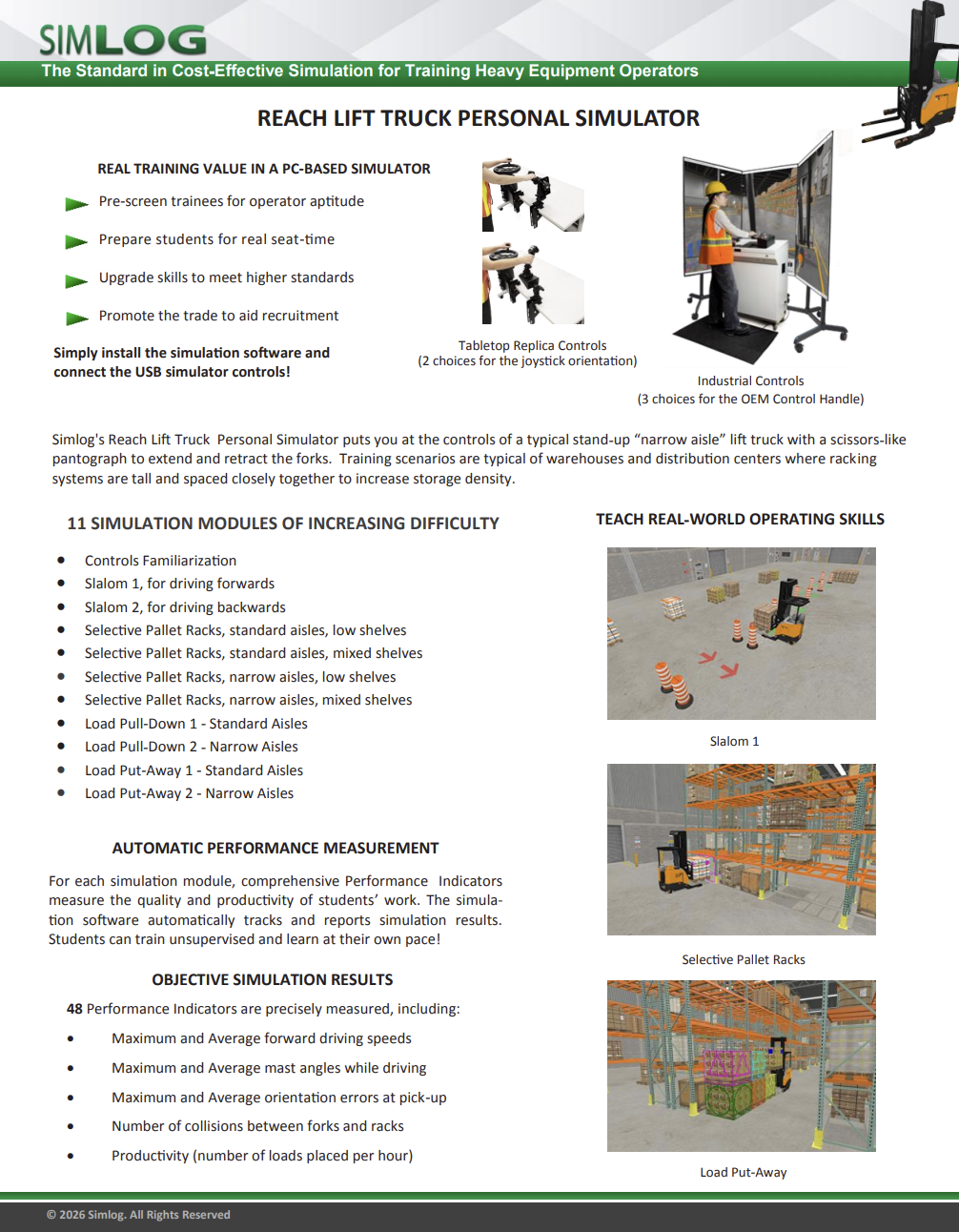
Simlog's Reach Lift Truck Personal Simulator puts you at the controls of a typical stand-up “narrow aisle” lift truck with a scissors-like pantograph to extend and retract the forks. Training scenarios are typical of warehouses and distribution centers where racking systems are tall and closely spaced to increase storage density.

  • Scalable, Immersive Operator Training with the Vortex Advantage

Scalable, Full-Immersion Operator Training Platform

The Vortex Advantage by CM Labs is a high-performance, full-immersion training simulator designed for hands-on, realistic instruction in heavy equipment operations. Engineered for flexibility and longevity, it supports a wide variety of crane and earthmoving equipment with hot-swappable control sets and scalable display configurations.

Built with a rugged steel frame and industrial-grade components, the Vortex Advantage withstands the demands of round-the-clock training—whether in classrooms or mobile trailers. Its three-screen and five-screen options offer lifelike equipment sightlines, while the motion platform replicates real equipment vibrations and movement, enhancing operator realism and skill transfer.

Operators can easily navigate training modules using a built-in touchscreen interface that replicates the operator dashboard, including LMI/SLI indicators, auxiliary controls, and more. Instructors benefit from built-in classroom management tools and optional instructor stations, enabling progress tracking, exercise switching, and even multi-simulator crew coordination for tandem lift training.

  • CM Labs Construction Equipment Simulation

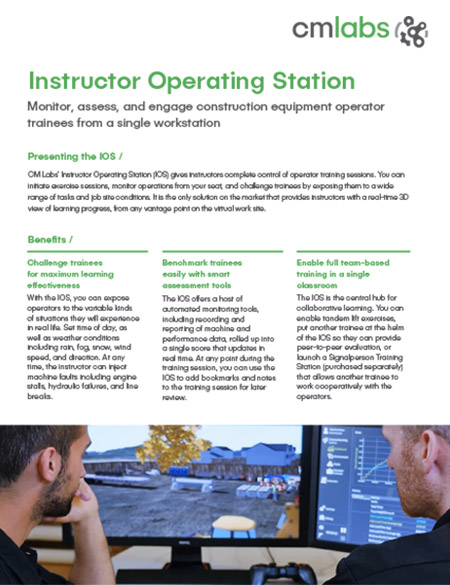
Monitor, assess, and engage construction equipment operator trainees from a single workstation

CM Labs’ Instructor Operating Station (IOS) gives instructors complete control of operator training sessions. You can initiate exercise sessions, monitor operations from your seat, and challenge trainees by exposing them to various tasks and job site conditions. It is the only solution on the market that provides instructors with a real-time 3D view of learning progress from any vantage point on the virtual work site.

Benefits

  • Challenge trainees for maximum learning effectiveness
  • Benchmark trainees easily with smart assessment tools
  • Enable full team-based training in a single classroom
  • CM Labs Flexible Training Solution

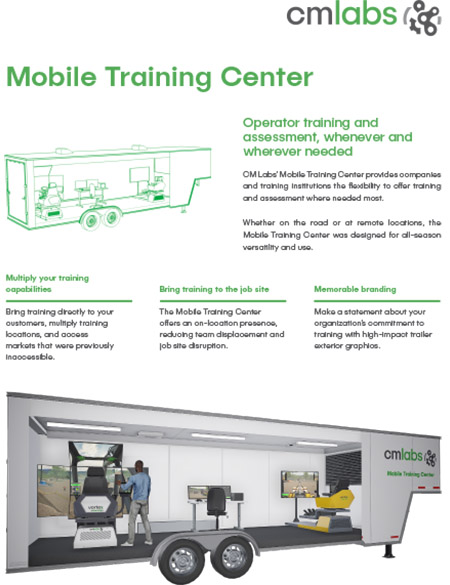
Operator training and assessment, whenever and wherever needed.

CM Labs’ Mobile Training Center allows organizations to offer training and assessment where needed most. Whether on the road or at remote locations, the Mobile Training Center was designed for all-season versatility and use.

Benefits

  • Multiply your training capabilities
  • Bring training to the job site
  • Memorable branding
  • CM Labs Simulation Training Solutions

Train to worksite standards in the classroom

With CM Labs Simulations’ Signalperson Training Station, trainees learn critical worksite skills, such as communication and teamwork, in a safe environment. While one trainee operates a crane on a Vortex simulator, another works cooperatively within the virtual job site, providing signals and guiding the operation through to successful completion via a webcam and picture-in-picture display.

Trainees can move around the worksite to inspect the lifting area, recognize potential hazards, gain a clear view of all site activities, and provide hand signals to the crane operator.

Together, they either fail as a team — or succeed as a team. The result: new operators that are better prepared for any job site.

  • CM Labs Simulators for Operator Training

Simulator Adoption Made Easy with CM Labs’ SimGuide Service

CM Labs’ SimGuide Service is designed to simplify the integration of your new simulator. We’ll guide you throughout the process of setting up and implementing your simulator, no matter what your objective.

With the SimGuide Service, you get a complete road map detailing how and when to use your simulator to meet your targets.

The SimGuide Service is for organizations at any stage of simulator adoption, whether developing a simulation-based training program for the first time, or extending the use of existing their CM Labs simulators.

  • CM Labs’ Excavator Simulator Training Pack

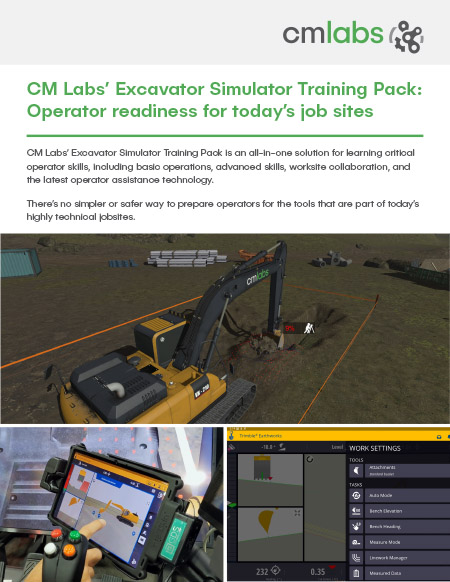
CM Labs’ Excavator Simulator Training Pack: Operator readiness for today’s job sites.

CM Labs’ Excavator Simulator Training Pack is an all-in-one solution for learning critical operator skills, including basic operations, advanced skills, worksite collaboration, and the latest operator assistance technology.

There’s no simpler or safer way to prepare operators for the tools that are part of today’s highly technical job sites.

  • CM Labs Simulation-Based Learning Solutions

Vortex simulators: best-in-class training

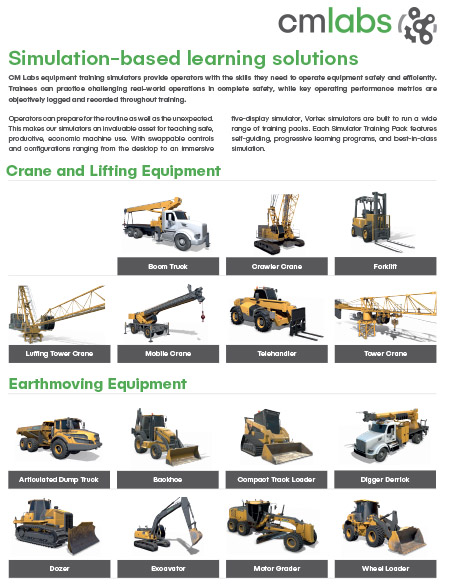
CM Labs equipment training simulators provide operators with the skills to operate equipment safely and efficiently. Trainees can practice challenging real-world operations in complete safety while key operating performance metrics are objectively logged and recorded throughout training.

Operators can prepare for the routine and the unexpected. This makes our simulators invaluable for teaching safe, productive, economic machine use. With swappable controls and configurations ranging from the desktop to an immersive five-display simulator, Vortex simulators are built to run a wide range of training packs. Each Simulator Training Pack features self-guiding, progressive learning programs, and best-in-class simulation.

  • Crane and Lifting Equipment
  • Earthmoving Equipment
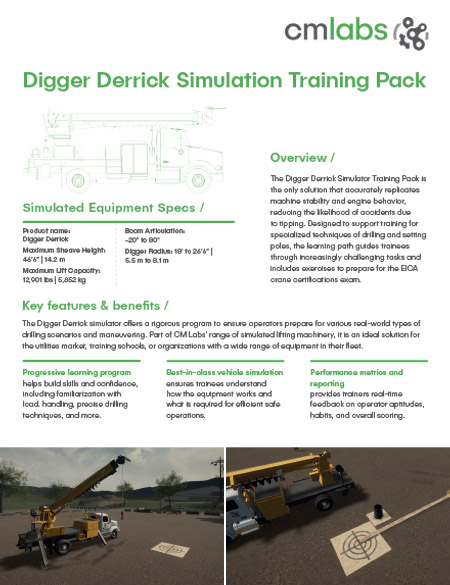
  • CM Labs Digger Derrick Simulators

The Digger Derrick Simulator Training Pack is the only solution that accurately replicates machine stability and engine behavior, reducing the likelihood of accidents due to tipping. Designed to support training for specialized techniques of drilling and setting poles, the learning path guides trainees through increasingly challenging tasks. It includes exercises to prepare for the EICA crane certifications exam.

Key features & benefits

The Digger Derrick simulator offers a rigorous program to ensure operators prepare for various real-world drilling scenarios and maneuvering. Part of CM Labs’ range of simulated lifting machinery, it is an ideal solution for the utility market, training schools, or organizations with a wide range of equipment in their fleet.

Pages

  • Amatrol T7082 Air Conditioning and Heat Pump Operations Learning System
    Item Number:
    T7082
    Teach air-conditioning and heat-pump operation with Amatrol’s T7082 HVAC/R trainer featuring a working refrigeration circuit and hands-on curriculum.
    09/11/2026 - 9:39am
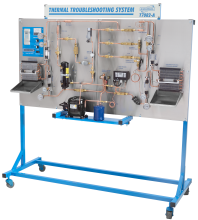
  • Amatrol T7082A Air Conditioning and Heat Pump Troubleshooting Learning System
    Item Number:
    T7082A
    Teach systematic HVAC/R diagnostics with Amatrol’s T7082A air-conditioning and heat-pump trainer featuring FaultPro and 24 realistic faults.
    09/11/2026 - 9:40am
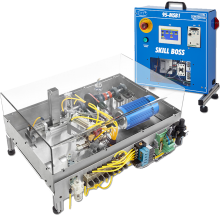
  • CPT Training with MSSC standards
    Item Number:
    95-MSB1
    Amatrol's Skill Boss Manufacturing is a hands-on training and assessment tool for CPT+ certification that meets MSSC standards easily integrates into manufacturing programs.
    08/29/2025 - 8:46am
  • Amatrol 87-TMS Smart Factory Tabletop Mechatronics — Bench-Top Industry 4.0 Trainer
    Item Number:
    87-TMS
    Train future technicians with Amatrol’s Tabletop Smart Factory and Cobot-Integrated Mechatronics systems—hands-on, compact training with real industrial components, Rockwell Automation integration, and FANUC CRX collaborative robotics.
    10/07/2025 - 8:05am
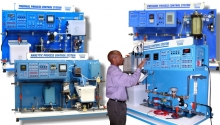
  • Amatrol Advance Manufacturing Trainers
    Each Advanced Manufacturing topic incorporates the skill development needed for modern industry. From operation to complex troubleshooting, Amatrol’s learning systems deliver job-ready skills.
    09/17/2020 - 8:06am
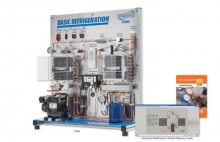
  • Amatrol HVAC Trainer | T7045
    Item Number:
    T7045
    Amatrol’s Basic Refrigeration training system (T7045) offers hands-on learning of a working refrigeration system in a compact tabletop unit.
    09/11/2026 - 8:38am
  • Amatrol T7200 refrigeration installation training workstation with compressor, evaporators, and copper tubing components
    Item Number:
    T7200
    Teach hands-on HVAC/R installation, copper tubing, brazing, refrigerant-line routing and leak testing with the Amatrol T7200 learning system.
    09/11/2026 - 9:40am
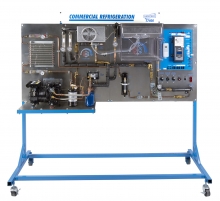
  • Amatrol Commercial Refrigeration (T7400)
    Item Number:
    T7400
    Teach commercial refrigeration with Amatrol’s T7400, featuring smart controls, multi-evaporator systems, and hands-on FaultPro troubleshooting.
    09/11/2026 - 9:40am
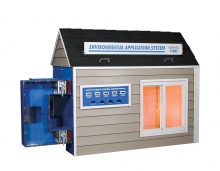
  • HVAC Training Equipment
    Item Number:
    T7083
    Teach residential HVAC performance with Amatrol's T7083. Explore heat loads, insulation, humidity, airflow, and heat-pump sizing in a model house.
    09/11/2026 - 9:40am
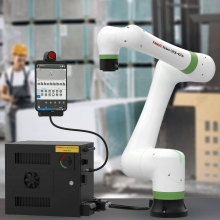
  • FANUC CRX Robot Price List
    Item Number:
    CRX Collaborative Robots: 3iA–30iA
    Explore FANUC CRX collaborative robots for education, workforce training and university research, including six models, intuitive programming, ROS 2 and Python.
    09/05/2026 - 6:06am

Pages