• SimSpray Go default parts content pack with 18 geometric coating shapes

Build foundational coating skills with 18 geometric shapes that progress from basic panels to more complex surfaces.

The SimSpray Go Default Parts Content Pack introduces common coating challenges through panels, curves, boxes, corners, cylinders, spheres, grooves, cutouts, and raised shapes. These parts support basic curriculum and customizable paint or powder material systems.

What Is Included?

  • Eighteen fundamental geometric shapes
  • Horizontal, vertical, curved, and complex panels
  • Interior and exterior corners
  • Boxes, cylinders, combined shapes, and a half sphere
  • Panels with grooves, raised shapes, and cutouts
  • Customizable paint or powder material systems
  • Basic learning curriculum

Paint and Powder Compatibility

The Default Parts Content Pack is available for SimSpray Go models configured with Paint processes or Powder Coating. A SimSpray Go model does not combine Paint and Powder Coating processes in the same unit configuration.

How to Use This Guide

  1. Review the progression of shapes and coating challenges.
  2. Select parts that match the learner's current skill level.
  3. Confirm whether the system is configured for Paint or Powder Coating.

Content availability depends on the selected SimSpray Go configuration and software version.
Refer to current VRSim documentation for final compatibility information.

  • SimSpray Go furniture and cabinetry content pack with wood finishing parts

Practice painting and finishing techniques on furniture, cabinetry, panels, and detailed wooden components.

The SimSpray Go Furniture & Cabinetry Content Pack includes 15 parts, a virtual woodshop, customizable wood stains, paints and material systems, and specialized curriculum. Learners can progress from flat panels and cabinet components to furniture with more complex geometry.

Content Pack Features

  • Fifteen furniture and cabinetry training parts
  • Virtual woodshop training environment
  • Customizable wood stains, paints, and material systems
  • Specialized learning curriculum
  • Content for SimSpray Go models configured with Paint processes

Included Furniture and Cabinetry Parts

The collection includes a four-panel door, railing, bookshelf, cabinet door and drawer, small through large cabinet frames, dining chair and table, refrigerator end panel, headboard, lattice, party chair, and wood panel.

How to Use This Guide

  1. Review the included parts, finishes, and woodshop environment.
  2. Match parts to furniture finishing, cabinetry, woodworking, or manufacturing objectives.
  3. Confirm compatibility with the selected SimSpray Go Paint configuration.

Content availability depends on the selected SimSpray Go configuration and software version.
Refer to current VRSim documentation for final compatibility information.

  • SimSpray Go structural content pack with beams and bridge coating parts

Practice coating beams, bridge components, panels, and complex industrial structures in a virtual work environment.

The SimSpray Go Structural Content Pack includes nine industrial parts, industry-specific paint and material systems, a bridge training environment, and specialized curriculum. The parts introduce learners to recessed areas, edges, shelves, channels, and larger surfaces common in structural coating work.

Content Pack Features

  • Nine structural and industrial training parts
  • Industry-specific paint and material systems
  • Virtual bridge training environment
  • Specialized learning curriculum
  • Content for SimSpray Go models configured with Paint processes

Included Structural Parts

The collection includes large and small H-beams, large and small I-beams, a half barrel, large panel set, vertical piece, bridge section, and shelved panel structure.

How to Use This Guide

  1. Review the included beams, panels, and bridge components.
  2. Identify projects that complement structural painting and protective-coating instruction.
  3. Confirm compatibility with the selected SimSpray Go Paint configuration.

Content availability depends on the selected SimSpray Go configuration and software version.
Refer to current VRSim documentation for final compatibility information.

  • SimSpray Go portable virtual reality painter training system and parts guide

Review the processes, training features, default parts, and optional industry content available for SimSpray Go.

This guide provides an overview of the portable SimSpray Go virtual reality training system. It explains how programs can use immersive projects, visual cues, live performance feedback, curriculum tools, and Paintometer® reporting to support foundational painting and coating skills.

Information Covered in the Guide

  • Portable, streamlined system setup
  • HVLP, airless, air-assisted airless, and powder coating configuration options
  • Visual technique cues and live performance feedback
  • Paintometer ROI tracking
  • Integrated curriculum and performance tracking
  • Customizable paint and material systems
  • Multilanguage training support
  • Eighteen default geometric training parts

Available Industry Content

The guide introduces optional content for automotive, aerospace, furniture and cabinetry, building trades, structural coating, and edge-blending applications. Each package adds relevant parts, projects, materials, or training environments.

How to Use This Guide

  1. Compare the available painting and coating process configurations.
  2. Review the default geometric parts and optional industry content.
  3. Use the information to plan a SimSpray Go configuration that aligns with program objectives.

SimSpray Go is configured for selected Paint processes or Powder Coating; both process families are not combined in one model.
Features and compatibility may change with software and hardware updates.

  • SimSpray Go mobile virtual reality powder coating training and parts guide

Explore mobile, simulation-based powder coating practice with realistic equipment, feedback, and specialized parts.

The SimSpray Go Powder guide introduces a compact virtual training system for schools and specialty manufacturers. It outlines the system's motion-tracked applicator, visual cues, live performance feedback, curriculum tools, material customization, and performance reporting.

Powder Coating Training Content

  • Eighteen fundamental geometric shapes
  • Ten specialized powder coating parts
  • Customizable powder material
  • Basic learning curriculum
  • Visual technique cues and live performance feedback
  • Paintometer® ROI tracking
  • Integrated curriculum and performance tracking
  • Multilanguage training support

Specialized Powder Coating Parts

The collection includes L-channels, an outdoor chair, quarter box, large and small U-channels, a vertical panel with holes, wheel well, panel sampler, propeller, and acute crease. These parts introduce learners to recessed areas, edges, holes, channels, curves, and other powder coating challenges.

How to Use This Guide

  1. Review the SimSpray Go Powder training features and included curriculum.
  2. Examine the geometric and specialized parts used to build coating skills.
  3. Use the guide to evaluate how virtual practice can complement live powder coating instruction.

This content is designed for SimSpray Go models configured for Powder Coating.
A Powder Coating configuration does not combine Paint processes in the same SimSpray Go model.

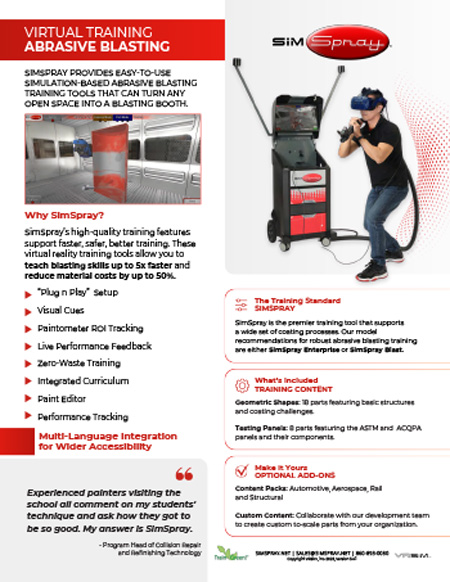
  • SimSpray 3.0 virtual abrasive blasting training information and parts guide

Turn an open training area into a virtual blasting booth with immersive, simulation-based abrasive blasting practice.

SimSpray 3.0 helps instructors teach blasting technique without consuming blast media or preparing a physical workpiece for every repetition. Visual cues, live feedback, integrated curriculum, and performance tracking give learners objective information they can use to adjust their approach.

Abrasive Blasting Training Features

  • Plug-and-play system setup
  • Visual technique cues and live performance feedback
  • Zero-waste virtual practice
  • Integrated curriculum and performance tracking
  • Paintometer® return-on-investment tracking
  • Material editor and multilanguage support

Included Blasting Content

The guide covers 18 geometric shapes and eight ASTM and ACQPA testing panels. Available blast media include garnet, plastic, sodium bicarbonate, and steel. Optional Automotive, Aerospace, Rail, and Structural content packs extend training into industry-specific parts.

Recommended SimSpray Models

VRSim recommends SimSpray Blast or SimSpray Enterprise for comprehensive abrasive blasting instruction. According to VRSim, SimSpray training tools can help teach skills up to five times faster and reduce material costs by up to 50% compared with conventional practice alone.

How to Use This Guide

  1. Review the system features, available blast media, and included parts.
  2. Compare optional industry content with program objectives.
  3. Confirm model, process, and content-pack compatibility.

This guide describes SimSpray 3.0 abrasive blasting content and compatible system options.
Features and compatibility may change with software and hardware updates.

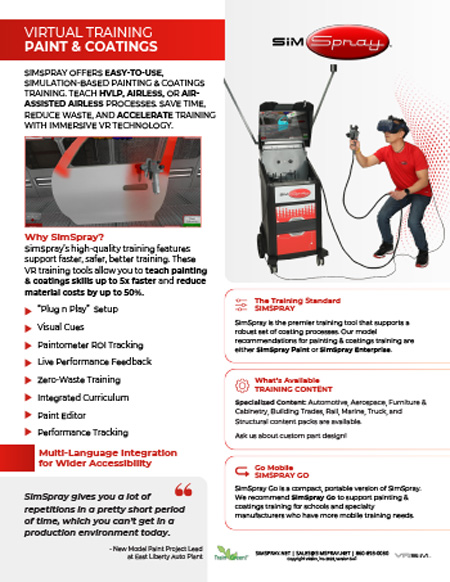
  • SimSpray 3.0 virtual paint and coatings training information and parts guide

Teach HVLP, airless, and air-assisted airless spray processes with immersive practice, immediate feedback, and no paint waste.

SimSpray 3.0 provides simulation-based painting and coatings training for education and industry programs. Learners can repeat projects, use visual technique cues, review performance data, and build consistent gun control before applying materials in a physical spray booth.

Paint and Coatings Training Features

  • HVLP, airless, and air-assisted airless processes
  • Plug-and-play system setup
  • Visual cues and live performance feedback
  • Zero-waste virtual practice
  • Paintometer® return-on-investment tracking
  • Integrated curriculum, material editing, and performance tracking
  • Multilanguage support

Available Training Content

Default content includes 18 geometric shapes and eight ASTM and ACQPA testing panels. Optional content packs address Automotive, Aerospace, Furniture & Cabinetry, Building Trades, Rail, Marine, Truck, and Structural applications. Custom part development may also be available.

Recommended SimSpray Models

VRSim recommends SimSpray Paint or SimSpray Enterprise for comprehensive painting and coatings programs. SimSpray Go offers a more compact option for schools and specialty manufacturers with mobile training requirements.

How to Use This Guide

  1. Compare the supported spray processes and system features.
  2. Review default parts and optional industry content packs.
  3. Confirm the model and content configuration that aligns with program objectives.

According to VRSim, SimSpray training can help teach skills up to five times faster and reduce material costs by up to 50%.
Features and compatibility may change with software and hardware updates.

  • SimSpray 3.0 virtual powder coating training information and parts guide

Transform an available training area into a virtual powder booth with repeatable practice and immediate performance feedback.

SimSpray 3.0 provides simulation-based powder coating training without consuming powder or requiring cleanup between repetitions. Learners can practice coverage and gun control on shapes that introduce edges, curves, holes, channels, creases, and recessed surfaces.

Powder Coating Training Features

  • Plug-and-play system setup
  • Visual technique cues and live performance feedback
  • Zero-waste virtual practice
  • Paintometer® return-on-investment tracking
  • Integrated curriculum and performance tracking
  • Material editor and multilanguage support

Included Powder Coating Content

The guide covers 18 fundamental geometric shapes and 10 specialized powder coating parts. Powder parts include L-channels, an outdoor chair, quarter box, large and small U-channels, a vertical panel with holes, wheel well, panel sampler, propeller, and acute crease.

Recommended SimSpray Models

VRSim recommends SimSpray Powder or SimSpray Enterprise for comprehensive powder coating instruction. SimSpray Go Powder provides a compact alternative for schools and specialty manufacturers with mobile training needs.

How to Use This Guide

  1. Review the training features and included geometric shapes.
  2. Examine the specialized parts and the coating challenges they introduce.
  3. Confirm model and process compatibility before selecting content.

SimSpray 3.0 Powder Coating configurations do not support the additional industry content packs described for Paint and Abrasive Blasting.
Features and compatibility may change with software and hardware updates.

  • SimSpray 3.0 edge-blending add-on with three automotive repair projects

Build automotive refinishing skills with focused virtual reality practice for blending new and existing paint.

The SimSpray 3.0 Edge-Blending Add-On provides three projects that help learners practice spray-gun movement across a repair area. A specialized visual cue guides spray distance and angle while learners develop the controlled arcing motion used to create a gradual blend.

Edge-Blending Training Content

  • Vertical panel repair
  • Door and fender repair
  • Car hood repair
  • Visual guidance for spray distance and angle
  • Practice using HVLP, airless, and air-assisted airless spray processes

Focused Automotive Refinishing Practice

The projects give instructors a repeatable way to introduce edge blending before learners work with paint, vehicles, and spray-booth resources. Immediate visual guidance helps learners recognize how gun position and movement affect the transition between repaired and existing finishes.

How to Use This Guide

  1. Review the three included automotive repair projects.
  2. Identify the spray processes that align with the program's training objectives.
  3. Confirm compatibility with the selected SimSpray 3.0 Paint configuration.

This add-on is available for SimSpray 3.0 models configured with Paint processes.
Content availability may vary by software version and system configuration.

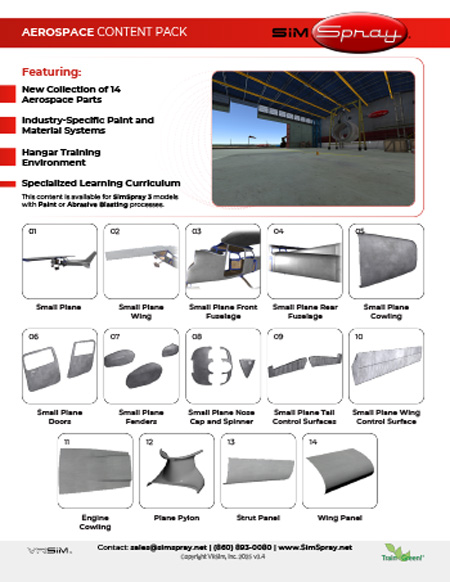
  • SimSpray 3.0 aerospace content pack with 14 aircraft coating parts

Expand SimSpray 3.0 training with aircraft parts and scenarios designed for aerospace painting and abrasive blasting practice.

The Aerospace Content Pack adds 14 aircraft components, industry-specific paint and material systems, a virtual hangar environment, and specialized curriculum. Learners can practice approaching curves, control surfaces, panels, doors, and other geometry encountered in aerospace coating work.

Aerospace Training Content

  • Fourteen aerospace parts
  • Industry-specific paint and material systems
  • Virtual aircraft-hangar training environment
  • Specialized learning curriculum
  • Support for Paint or Abrasive Blasting configurations

Included Aircraft Parts

Parts include a small plane, wing, front and rear fuselage sections, cowling, doors, fenders, nose cap and spinner, tail and wing control surfaces, engine cowling, plane pylon, strut panel, and wing panel.

How to Use This Guide

  1. Review the included aircraft components and virtual environment.
  2. Match parts to aerospace painting, refinishing, or blasting objectives.
  3. Confirm compatibility with the selected SimSpray 3.0 configuration.

This pack is available for SimSpray 3.0 models configured with Paint or Abrasive Blasting processes.
Content availability may vary by software version and system configuration.

Pages

  • Amatrol T7082 Air Conditioning and Heat Pump Operations Learning System
    Item Number:
    T7082
    Teach air-conditioning and heat-pump operation with Amatrol’s T7082 HVAC/R trainer featuring a working refrigeration circuit and hands-on curriculum.
    09/11/2026 - 9:39am
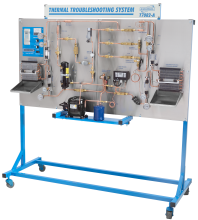
  • Amatrol T7082A Air Conditioning and Heat Pump Troubleshooting Learning System
    Item Number:
    T7082A
    Teach systematic HVAC/R diagnostics with Amatrol’s T7082A air-conditioning and heat-pump trainer featuring FaultPro and 24 realistic faults.
    09/11/2026 - 9:40am
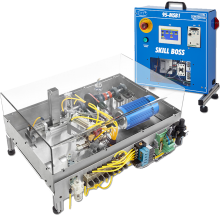
  • CPT Training with MSSC standards
    Item Number:
    95-MSB1
    Amatrol's Skill Boss Manufacturing is a hands-on training and assessment tool for CPT+ certification that meets MSSC standards easily integrates into manufacturing programs.
    08/29/2025 - 8:46am
  • Amatrol 87-TMS Smart Factory Tabletop Mechatronics — Bench-Top Industry 4.0 Trainer
    Item Number:
    87-TMS
    Train future technicians with Amatrol’s Tabletop Smart Factory and Cobot-Integrated Mechatronics systems—hands-on, compact training with real industrial components, Rockwell Automation integration, and FANUC CRX collaborative robotics.
    10/07/2025 - 8:05am
  • Amatrol Advance Manufacturing Trainers
    Each Advanced Manufacturing topic incorporates the skill development needed for modern industry. From operation to complex troubleshooting, Amatrol’s learning systems deliver job-ready skills.
    09/17/2020 - 8:06am
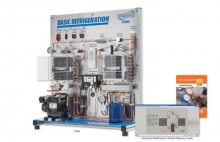
  • Amatrol HVAC Trainer | T7045
    Item Number:
    T7045
    Amatrol’s Basic Refrigeration training system (T7045) offers hands-on learning of a working refrigeration system in a compact tabletop unit.
    09/11/2026 - 8:38am
  • Amatrol T7200 refrigeration installation training workstation with compressor, evaporators, and copper tubing components
    Item Number:
    T7200
    Teach hands-on HVAC/R installation, copper tubing, brazing, refrigerant-line routing and leak testing with the Amatrol T7200 learning system.
    09/11/2026 - 9:40am
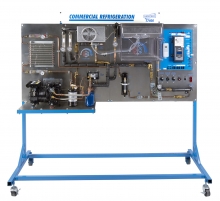
  • Amatrol Commercial Refrigeration (T7400)
    Item Number:
    T7400
    Teach commercial refrigeration with Amatrol’s T7400, featuring smart controls, multi-evaporator systems, and hands-on FaultPro troubleshooting.
    09/11/2026 - 9:40am
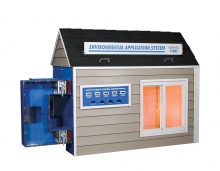
  • HVAC Training Equipment
    Item Number:
    T7083
    Teach residential HVAC performance with Amatrol's T7083. Explore heat loads, insulation, humidity, airflow, and heat-pump sizing in a model house.
    09/11/2026 - 9:40am
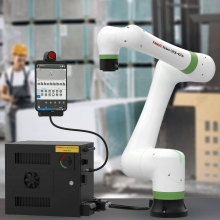
  • FANUC CRX Robot Price List
    Item Number:
    CRX Collaborative Robots: 3iA–30iA
    Explore FANUC CRX collaborative robots for education, workforce training and university research, including six models, intuitive programming, ROS 2 and Python.
    09/05/2026 - 6:06am

Pages