Oil & Gas training aids include a Gas Lift Process trainer & working demonstrators covering 3-Phase Separators, Cooling Towers, and Floating Roof Tanks.
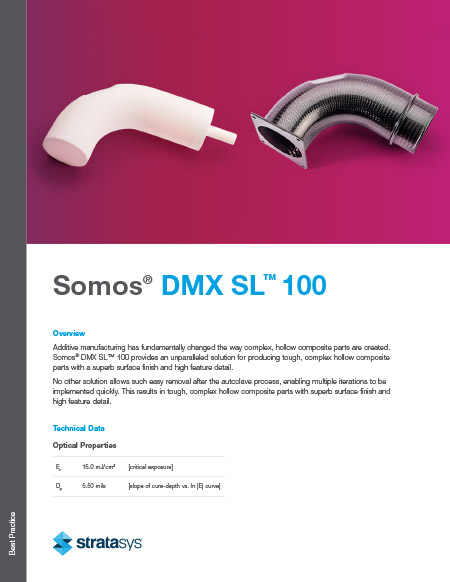
Additive manufacturing has fundamentally changed how complex, hollow composite parts are created. Somos® DMX SL™ 100 provides an unparalleled solution for producing tough, complex hollow composite parts with a superb surface finish and high feature detail.
No other solution allows such easy removal after the autoclave process, enabling multiple iterations to be implemented quickly. This results in tough, complex hollow composite parts with superb surface finish and high feature detail.
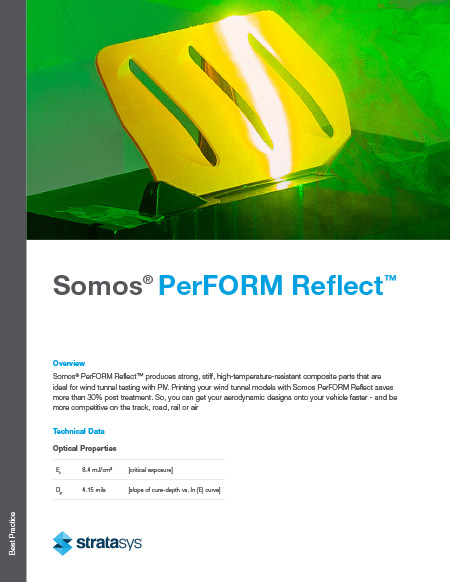
Somos® PerFORM Reflect™ produces strong, stiff, high-temperature-resistant composite parts ideal for wind tunnel testing with PIV. Printing your wind tunnel models with Somos PerFORM Reflect saves more than 30% post-treatment. So, you can get your aerodynamic designs onto your vehicle faster - and be more competitive on the track, road, rail, or air.
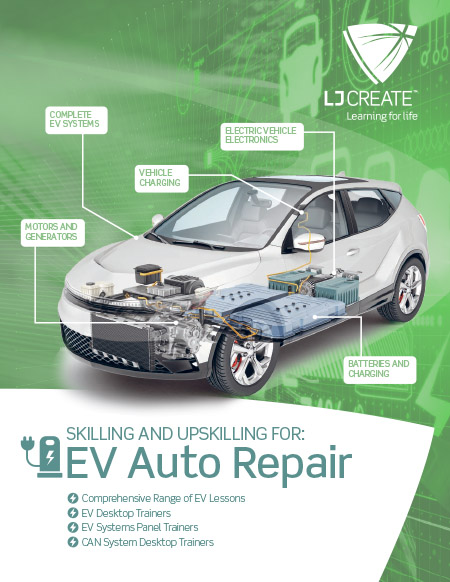
Skilling and Upskilling for EV Auto Repair
LJ Create's latest range of Automotive trainers and associated lessons are designed to provide students with the skills and knowledge required to maintain and repair Electric and Hybrid vehicles.
Three Levels of Instruction Provided:
- Complete Vehicle Systems
- Common EV Sub-Systems
- EV Electrical and Electronics Fundamentals
How Toyotetsu America’s Onboarding Reduced the Use of Real Lift Trucks by 50% with Training Simulation
Toyotetsu America Incorporated (TTAI) operates more than 100 lift trucks to support their automotive parts manufacturing. In 2018 TTAI became a Simlog customer and has since trained about 600 Lift Truck Operators. The onboarding program consists of three steps:
- Two days of classroom "orientation"
- Half-day of training simulation
- Half-day of “obstacle course” work at the controls of a real lift truck.
In addition, when an incident occurs on the shop floor and the “root cause analysis” points to a lift truck problem, the Floor Manager can send the operator back to the Forklift Personal Simulator for “refresher” training, to help improve the operator’s skills.
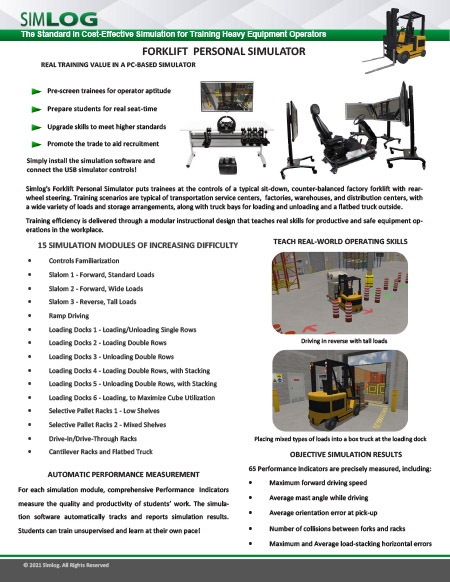
Simlog's Forklift Personal Simulator puts trainees at the controls of a typical sit-down, counter-balanced factory forklift with rear-wheel steering. Training scenarios are typical of transportation service centers, factories, warehouses, and distribution centers, with a wide variety of loads and storage arrangements, along with truck bays for loading and unloading and a flatbed truck outside.
Training efficiency is delivered through a modular instructional design that teaches real skills for productive and safe equipment operations in the workplace.
Simlog’s Personal Simulators are recognized for offering the lowest cost-per-station on the market, especially when customers take advantage of common requirements for simulator controls. Since many of Simlog's Personal Simulators can use the very same controls, we can offer you the unique cost-efficiency of multi-purpose (multi-software) simulator stations.
Multi-Purpose configurations are available in both tabletop mounting and operator chair options. Select the Personal Simulator software that fits your training requirements, along with the corresponding Multi-Purpose simulator controls that can be used for multiple Personal Simulators. Thanks to the convenience of USB connectivity, simply connect the specific elements needed for each Personal Simulator. Here are some examples. (No displays are presented here, because the number of possible displays varies with each product, from just one to four.)
Multi-Purpose Replica Control Tabletop
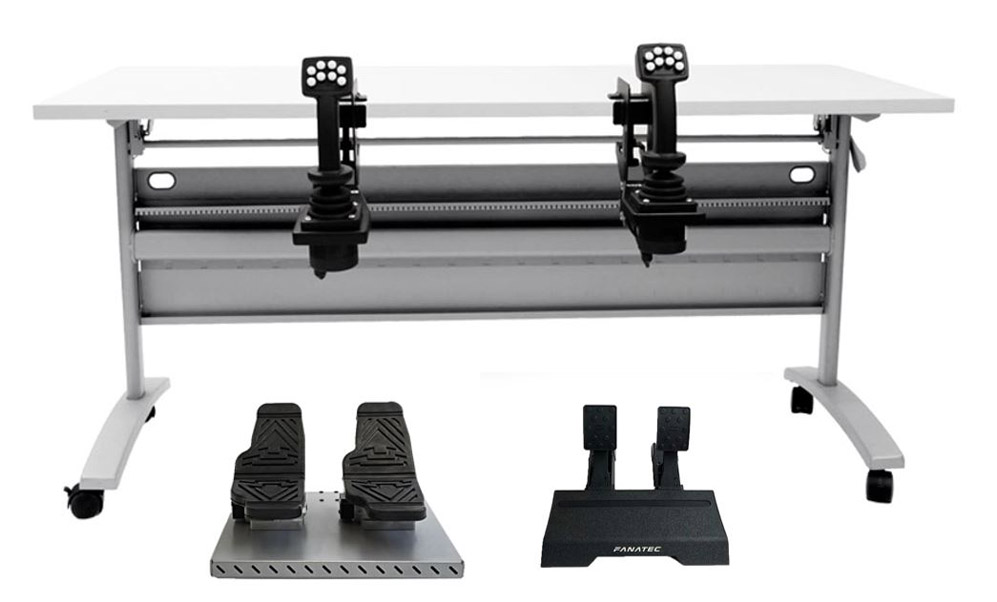
With two multi-purpose joysticks, these Replica Controls are suitable for our Skid Steer Loader and Mobile Crane Personal Simulators. Add the toe-down/heel-down 2-pedal unit to work with the Hydraulic Excavator Personal Simulator, or the 2-pedal unit to work with our Bulldozer Personal Simulator.
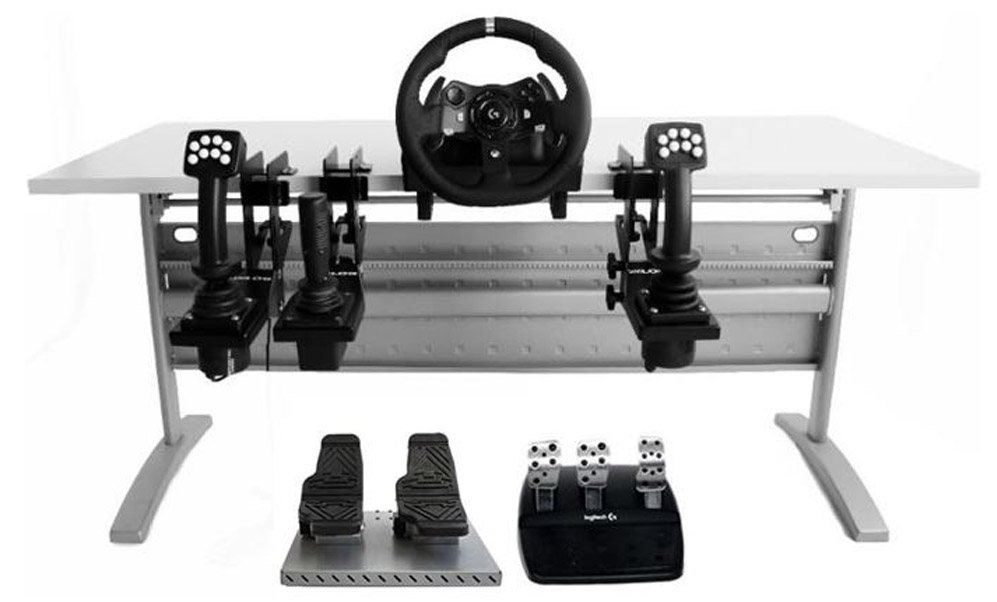
By adding the Logitech “G920 Driving Force Racing Wheel” consisting of a steering wheel and a three-pedal unit, and the Transmission Control Lever, you can create a comprehensive multi-purpose station suitable for our Backhoe Loader, Wheel Loader, Skid Steer Loader, Bulldozer, and Mobile Crane Personal Simulators. Add the 2-pedal unit to work with the Hydraulic Excavator Personal Simulator. The same setup is also suitable for our Forklift Personal Simulator (using joysticks), or you can add levers with additional brackets (not pictured).
Multi-Purpose Operator Chair
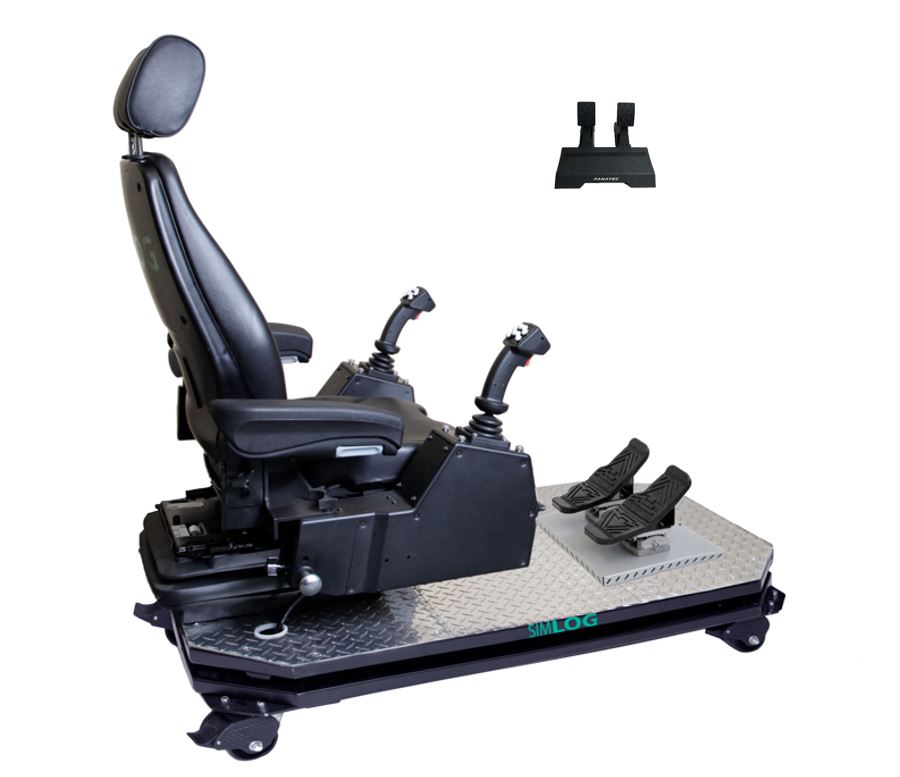
This Operator Chair with two-multi-purpose joysticks can be used with the Skid Steer Loader and Mobile Crane Personal Simulators. Add the toe-down/heel-down 2-pedal unit to work with the Hydraulic Excavator Personal Simulator, or the 2-pedal unit to work with our Bulldozer Personal Simulator.
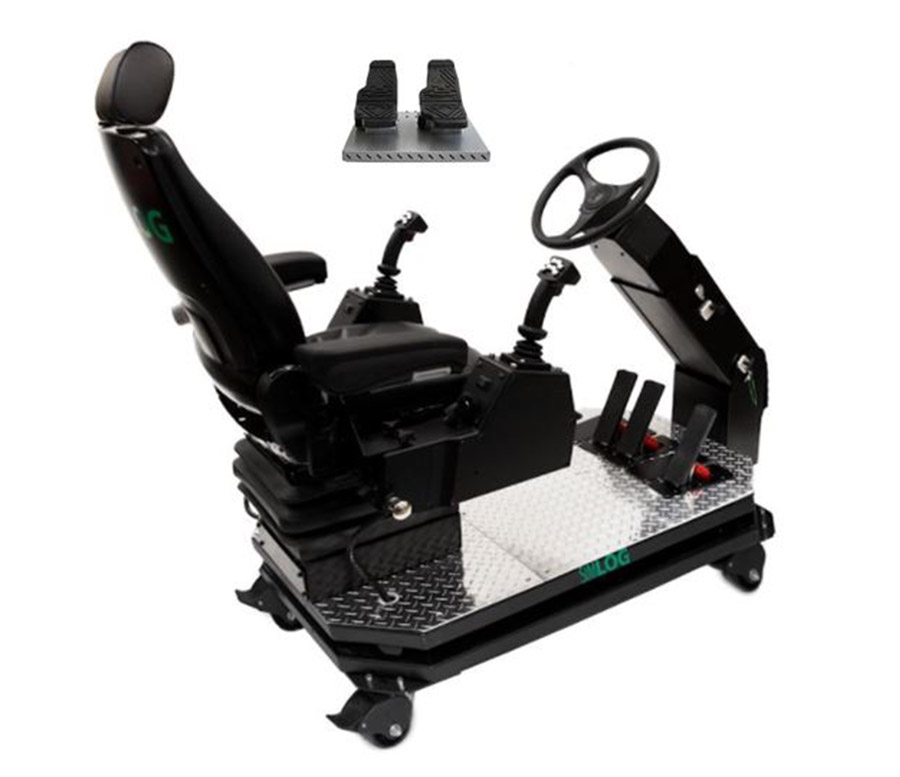
This Operator Chair with industrial steering wheel and pedals, can be configured with two-multi-purpose joysticks to work with our Backhoe Loader, Wheel Loader, Skid Steer Loader, Bulldozer, and Mobile Crane Personal Simulators. Add the 2-pedal unit to work with our Hydraulic Excavator Personal Simulator. The same setup is also suitable for Forklift (using joysticks), or you can add levers and a special bracket for the right hand (not pictured).
Simlog’s Forklift Personal Simulator Version 2 puts trainees at the controls of a typical sit-down, counter-balanced factory forklift with rear-wheel steering. Training scenarios are typical of factories, warehouses, and distribution centers, with various loads and storage arrangements, truck bays for loading and unloading, and a flatbed truck outside.
Operator Chair
A superior simulation experience with an authentic operator seat.
Key Benefits:
- Fully assembled with USB controls
- Steel platform on casters
- Adjustable seat, steering, and arm consoles
- 6 configurations available for the most common forklifts
- Integrated F/N/R Transmission Control Lever on the steering column
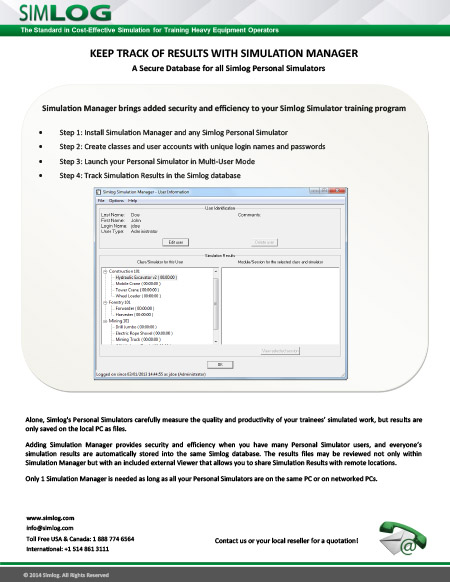
Alone, Simlog’s Personal Simulators save simulation results as files on your PC, with filenames that incorporate the date and time. But adding Simulation Manager will let you save all simulation results in a Simlog database, provide security, and simplify keeping track of who’s done what. Just one software license is needed, since the same Simulation Manager can be used with all of our Personal Simulators.
Software Description
Using the Simulation Manager, you can:
- Create a unique “account” for each simulator user, with a unique login name and password
- Restrict access to simulation results by assigning users to different categories (Students, Instructors, Administrators)
- Group users into “classes”. In this way, if you are using the same PC to host several Simulators, you can authorize different classes to use different Simulators
- Work with multiple databases at the same time
- Save all simulation results in the Simlog database, indexed by user.
Note that the database is archived locally (remember that with Simlog, there is no Internet connection). In particular, nothing is stored “in the cloud” where your data could be subject to cyber-theft or tampering. In this way, everything stays private and confidential, at your premises.
Simlog also offers a free Viewer so that people off-site can also review the same simulation results, using a local copy of the Simlog database.
Why Simulation Manager
The following table summarizes the advantages of using Simulation Manager.
With Simulation Manager,
Personal Simulators in Multi-User Mode
Personal Simulators in Multi-User Mode
No Simulation Manager,
Personal Simulators in Single-User Mode
Personal Simulators in Single-User Mode
The Personal Simulator “knows” who you are, thanks to your user account login name and password.
The Personal Simulator does not know who you are.
Results for each simulation “session” are saved as entries in the same Simlog database, indexed by user (login name).
Results for each simulation “session” are saved in the form of individual files identified by the date and time.
Reporting includes total training time and total number of trials (exercises) for each simulation module (all simulation sessions), and total training time and total number of trials for each Personal Simulator (all simulation modules).
There is no such reporting.
Off-site monitoring of simulation results is easy: have someone onsite pass along the database file, and then have people off-site use Simlog’s free Viewer to browse that database.
Off-site monitoring of simulation results is difficult. The onsite people must pass along all the results files, and each one must be viewed individually using a Web browser.
Simulation results are confidential. For example, a Student user can only review his/her simulation results, but an Instructor can review the simulation results of all the Students.
Anyone can review anyone’s simulation results by browsing the Results files.
Simulator use is secure. Only people with valid login names and passwords can use the simulator.
Anyone can use the simulator.
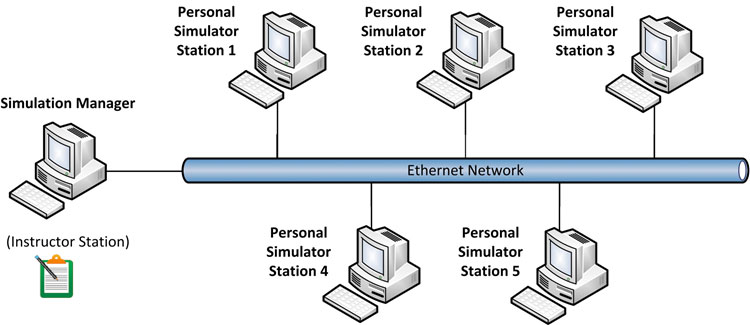
Finally, note that in the case of a simulator lab, the simulation results at each station will be saved in the same database (so long as all of the simulator PCs are all networked together), as shown here for the example of five simulator “stations” (for five people training at the same time).
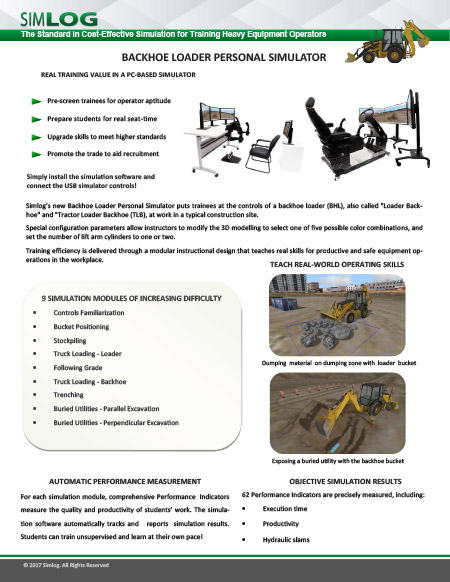
Simlog’s Backhoe Loader Personal Simulator puts trainees at the controls of a backhoe loader (BHL), also called "Loader Backhoe" and "Tractor Loader Backhoe (TLB), at work in a typical construction site.
Special configuration parameters allow instructors to modify the 3D modeling to select one of five possible color combinations and set the number of lift arm cylinders to one or two.
Training efficiency is delivered through a modular instructional design that teaches real skills for productive and safe equipment operations in the workplace.
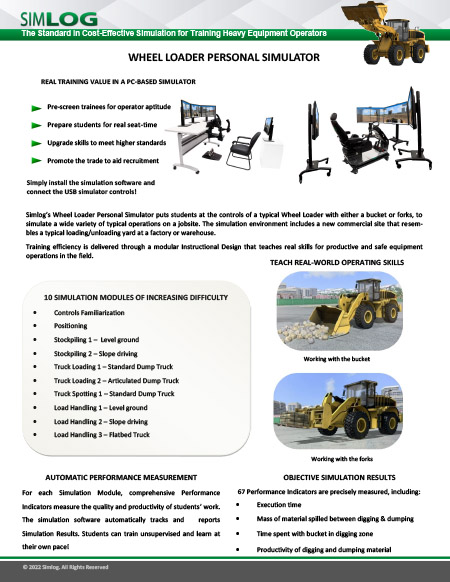
Simlog’s Wheel Loader Personal Simulator puts students at the controls of a typical Wheel Loader with either a bucket or forks, to simulate a wide variety of typical operations on a job site. The simulation environment includes a new commercial site that resembles a typical loading/unloading yard at a factory or warehouse.
Training efficiency is delivered through a modular Instructional Design that teaches real skills for productive and safe equipment operations in the field
Pages
-
 Item Number:140-GLPT | 142-3PS | 142-CT2 | 142-FRT
 -
 Bayport Technical’s trainers are hands-on training systems designed to give students real-world experience working on equipment they will encounter first-hand on the job. Each trainer has the look and feel of real industrial equipment, build with full-sized, industrial-quality components that will stand up to repeated use.
 -
 Bayport Technical's Working Demonstrators offer realistic, first-hand visualization into the inner workings of industrial components and structures. From cooling towers and distillation towers to storage wells and charcoal filters, Bayport's Working Dissectibles offer incredible educational and training aids.
 -
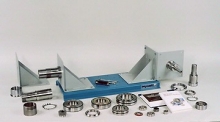 Item Number:204-000DAC Worldwide’s Bearing Maintenance Training System (204-000) is a heavy-duty learning package that allows for in-depth training in the identification, installation, and removal of a variety of industrial-quality rolling element bearings.
 -
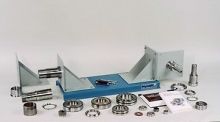 Item Number:204E-PACDAC Worldwide’s Bearing Maintenance Training System Plus (204-PAC) is a heavy-duty learning package that allows for in-depth training in the identification, installation, and removal of a variety of industrial-quality rolling element bearings.
 -
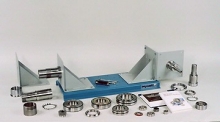 Item Number:204-PACDAC Worldwide’s Bearing Maintenance Training System Plus (204E-PAC) is a heavy-duty learning package that allows for in-depth training in the identification, installation, and removal of a variety of industrial-quality rolling element bearings.
 -
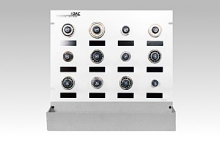 Item Number:835-PACDAC Worldwide's Bearing Sample Board (835-PAC), designed for hands-on learning of essential bearing types crucial for industrial maintenance technicians, includes industry-standard bearing samples, shields, seals, and magnetic tags, enhancing practical skills transferable to real-world settings. Perfect for training in bearing operation, maintenance, and troubleshooting, with adaptable courseware for instructor-led or self-directed study.
 -
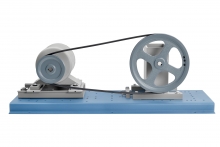 Item Number:201-000DAC Worldwide’s Belt Drive Training System (201-000) is a heavy-duty, multi-functional training fixture that allows for convenient training in the identification, installation, tensioning, and alignment of common belt drives types found in industry. A steel baseplate and aluminum components combine to create a lightweight, yet realistic and stable device.
 -
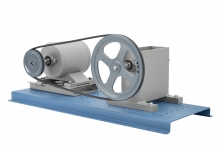 Item Number:201-PACDAC Worldwide’s Belt Drive Training System Plus (201-PAC) is a heavy-duty, multi-functional belt drive training fixture that allows for convenient training in the identification, installation, tensioning, and alignment of common belt drive types found throughout industry. The benchtop training system is also packaged with hardware for applications related to multiple matches belts, fractional horsepower belts, positive drive belts, and variable pitch sheaves.
 -
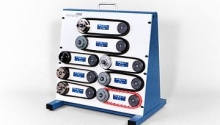 Item Number:837-PACDAC Worldwide’s Belt Sample Board (837-PAC) is an introductory, hands-on teaching aid designed to supplement courses in belt drive, sheave selection, and maintenance. It includes samples of eight (8) industrial-quality belts for users to learn to identify.