DAC Worldwide’s Fan Balancing Training System Plus (202-PAC) is a hands-on industrial training system that allows learners to gain experience with fan balancing to achieve maximum fan efficiency and stability.
How Toyotetsu America’s Onboarding Reduced the Use of Real Lift Trucks by 50% with Training Simulation
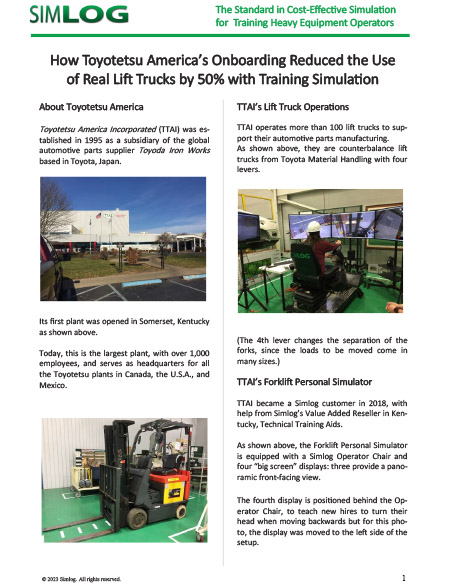
Toyotetsu America Incorporated (TTAI) operates more than 100 lift trucks to support their automotive parts manufacturing. In 2018 TTAI became a Simlog customer and has since trained about 600 Lift Truck Operators. The onboarding program consists of three steps:
- Two days of classroom "orientation"
- Half-day of training simulation
- Half-day of “obstacle course” work at the controls of a real lift truck.
In addition, when an incident occurs on the shop floor and the “root cause analysis” points to a lift truck problem, the Floor Manager can send the operator back to the Forklift Personal Simulator for “refresher” training, to help improve the operator’s skills.
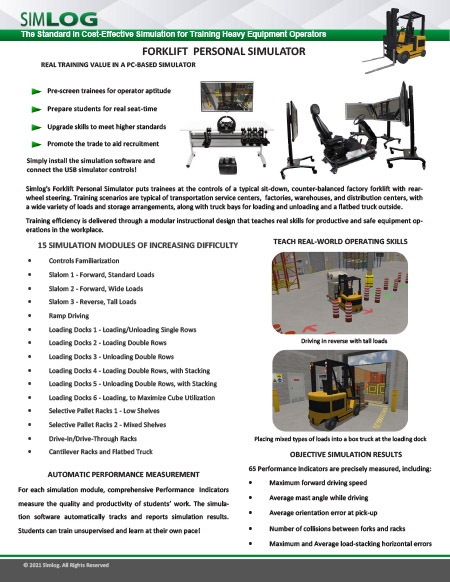
Simlog's Forklift Personal Simulator puts trainees at the controls of a typical sit-down, counter-balanced factory forklift with rear-wheel steering. Training scenarios are typical of transportation service centers, factories, warehouses, and distribution centers, with a wide variety of loads and storage arrangements, along with truck bays for loading and unloading and a flatbed truck outside.
Training efficiency is delivered through a modular instructional design that teaches real skills for productive and safe equipment operations in the workplace.
Simlog’s Personal Simulators are recognized for offering the lowest cost-per-station on the market, especially when customers take advantage of common requirements for simulator controls. Since many of Simlog's Personal Simulators can use the very same controls, we can offer you the unique cost-efficiency of multi-purpose (multi-software) simulator stations.
Multi-Purpose configurations are available in both tabletop mounting and operator chair options. Select the Personal Simulator software that fits your training requirements, along with the corresponding Multi-Purpose simulator controls that can be used for multiple Personal Simulators. Thanks to the convenience of USB connectivity, simply connect the specific elements needed for each Personal Simulator. Here are some examples. (No displays are presented here, because the number of possible displays varies with each product, from just one to four.)
Multi-Purpose Replica Control Tabletop
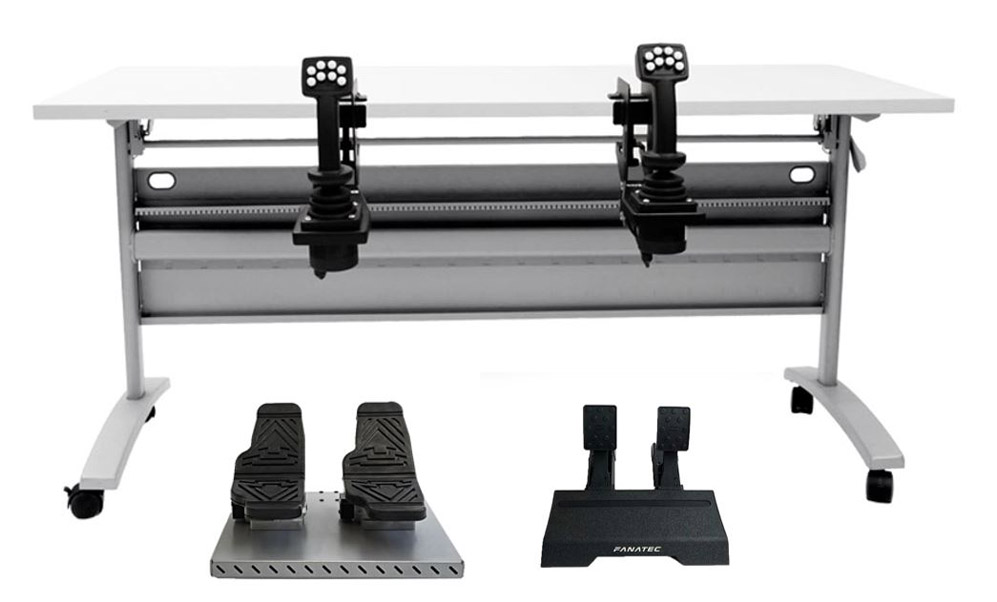
With two multi-purpose joysticks, these Replica Controls are suitable for our Skid Steer Loader and Mobile Crane Personal Simulators. Add the toe-down/heel-down 2-pedal unit to work with the Hydraulic Excavator Personal Simulator, or the 2-pedal unit to work with our Bulldozer Personal Simulator.
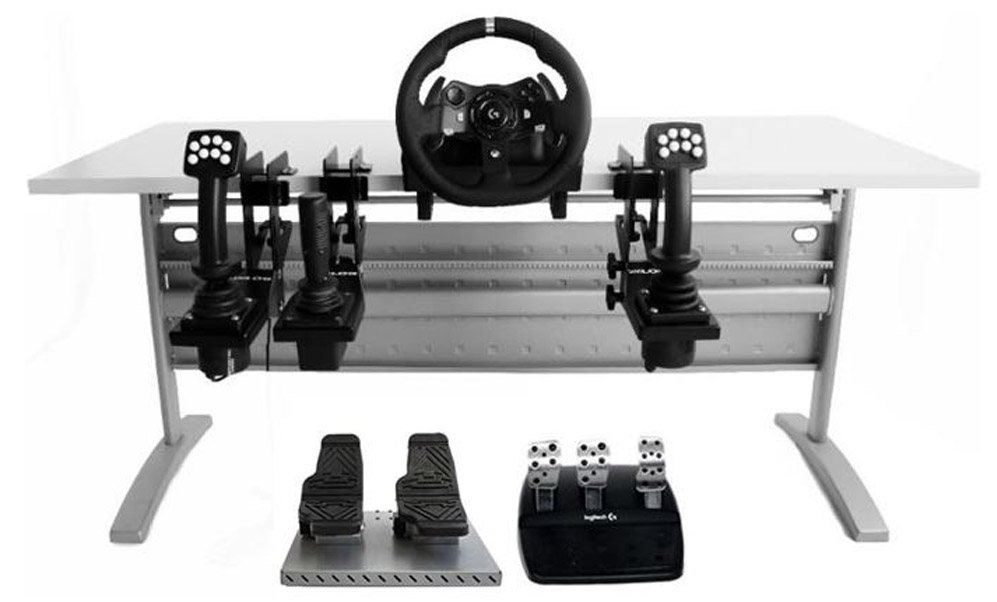
By adding the Logitech “G920 Driving Force Racing Wheel” consisting of a steering wheel and a three-pedal unit, and the Transmission Control Lever, you can create a comprehensive multi-purpose station suitable for our Backhoe Loader, Wheel Loader, Skid Steer Loader, Bulldozer, and Mobile Crane Personal Simulators. Add the 2-pedal unit to work with the Hydraulic Excavator Personal Simulator. The same setup is also suitable for our Forklift Personal Simulator (using joysticks), or you can add levers with additional brackets (not pictured).
Multi-Purpose Operator Chair
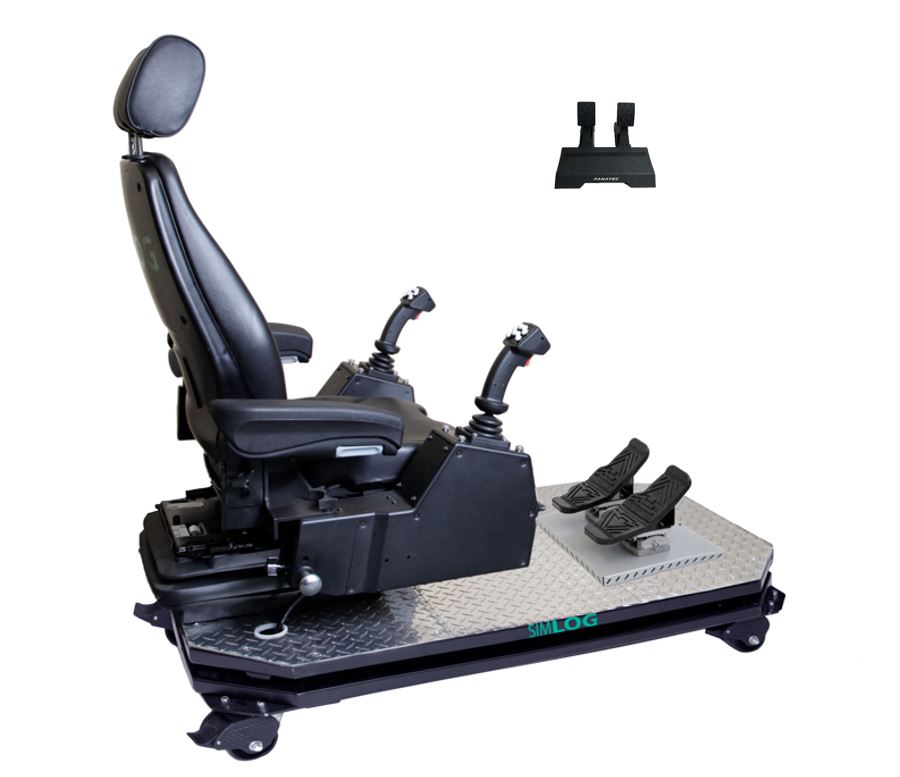
This Operator Chair with two-multi-purpose joysticks can be used with the Skid Steer Loader and Mobile Crane Personal Simulators. Add the toe-down/heel-down 2-pedal unit to work with the Hydraulic Excavator Personal Simulator, or the 2-pedal unit to work with our Bulldozer Personal Simulator.
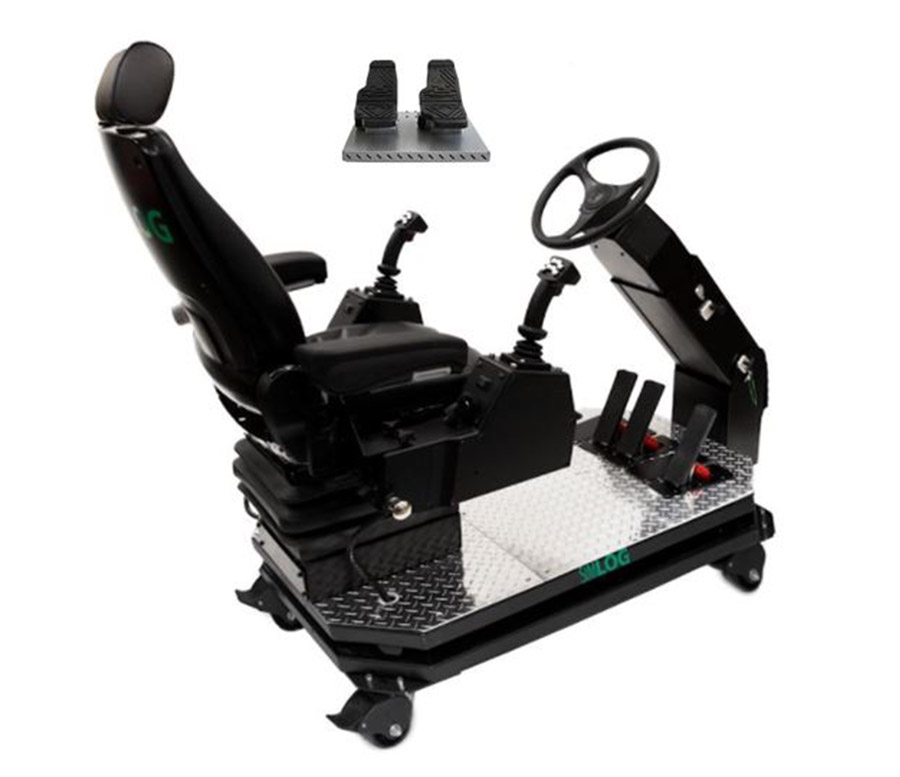
This Operator Chair with industrial steering wheel and pedals, can be configured with two-multi-purpose joysticks to work with our Backhoe Loader, Wheel Loader, Skid Steer Loader, Bulldozer, and Mobile Crane Personal Simulators. Add the 2-pedal unit to work with our Hydraulic Excavator Personal Simulator. The same setup is also suitable for Forklift (using joysticks), or you can add levers and a special bracket for the right hand (not pictured).
Simlog’s Forklift Personal Simulator Version 2 puts trainees at the controls of a typical sit-down, counter-balanced factory forklift with rear-wheel steering. Training scenarios are typical of factories, warehouses, and distribution centers, with various loads and storage arrangements, truck bays for loading and unloading, and a flatbed truck outside.
Operator Chair
A superior simulation experience with an authentic operator seat.
Key Benefits:
- Fully assembled with USB controls
- Steel platform on casters
- Adjustable seat, steering, and arm consoles
- 6 configurations available for the most common forklifts
- Integrated F/N/R Transmission Control Lever on the steering column
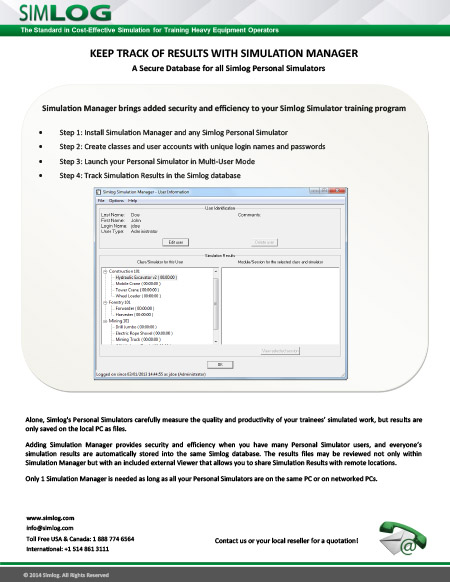
Alone, Simlog’s Personal Simulators save simulation results as files on your PC, with filenames that incorporate the date and time. But adding Simulation Manager will let you save all simulation results in a Simlog database, provide security, and simplify keeping track of who’s done what. Just one software license is needed, since the same Simulation Manager can be used with all of our Personal Simulators.
Software Description
Using the Simulation Manager, you can:
- Create a unique “account” for each simulator user, with a unique login name and password
- Restrict access to simulation results by assigning users to different categories (Students, Instructors, Administrators)
- Group users into “classes”. In this way, if you are using the same PC to host several Simulators, you can authorize different classes to use different Simulators
- Work with multiple databases at the same time
- Save all simulation results in the Simlog database, indexed by user.
Note that the database is archived locally (remember that with Simlog, there is no Internet connection). In particular, nothing is stored “in the cloud” where your data could be subject to cyber-theft or tampering. In this way, everything stays private and confidential, at your premises.
Simlog also offers a free Viewer so that people off-site can also review the same simulation results, using a local copy of the Simlog database.
Why Simulation Manager
The following table summarizes the advantages of using Simulation Manager.
With Simulation Manager,
Personal Simulators in Multi-User Mode
Personal Simulators in Multi-User Mode
No Simulation Manager,
Personal Simulators in Single-User Mode
Personal Simulators in Single-User Mode
The Personal Simulator “knows” who you are, thanks to your user account login name and password.
The Personal Simulator does not know who you are.
Results for each simulation “session” are saved as entries in the same Simlog database, indexed by user (login name).
Results for each simulation “session” are saved in the form of individual files identified by the date and time.
Reporting includes total training time and total number of trials (exercises) for each simulation module (all simulation sessions), and total training time and total number of trials for each Personal Simulator (all simulation modules).
There is no such reporting.
Off-site monitoring of simulation results is easy: have someone onsite pass along the database file, and then have people off-site use Simlog’s free Viewer to browse that database.
Off-site monitoring of simulation results is difficult. The onsite people must pass along all the results files, and each one must be viewed individually using a Web browser.
Simulation results are confidential. For example, a Student user can only review his/her simulation results, but an Instructor can review the simulation results of all the Students.
Anyone can review anyone’s simulation results by browsing the Results files.
Simulator use is secure. Only people with valid login names and passwords can use the simulator.
Anyone can use the simulator.
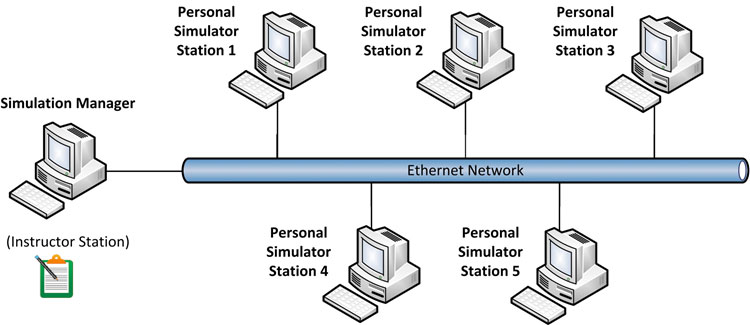
Finally, note that in the case of a simulator lab, the simulation results at each station will be saved in the same database (so long as all of the simulator PCs are all networked together), as shown here for the example of five simulator “stations” (for five people training at the same time).
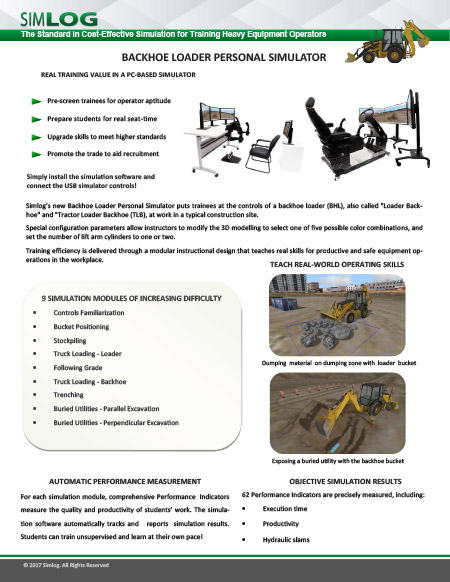
Simlog’s Backhoe Loader Personal Simulator puts trainees at the controls of a backhoe loader (BHL), also called "Loader Backhoe" and "Tractor Loader Backhoe (TLB), at work in a typical construction site.
Special configuration parameters allow instructors to modify the 3D modeling to select one of five possible color combinations and set the number of lift arm cylinders to one or two.
Training efficiency is delivered through a modular instructional design that teaches real skills for productive and safe equipment operations in the workplace.
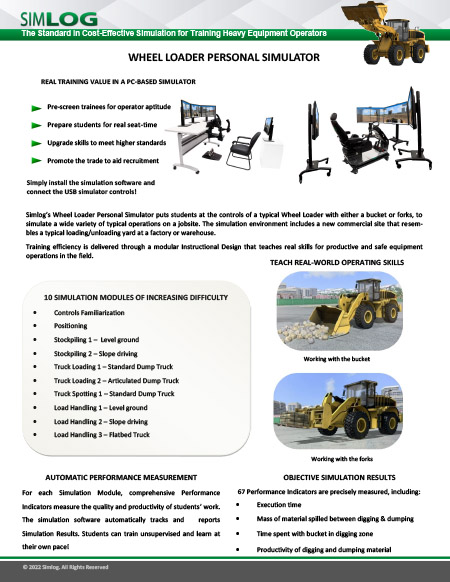
Simlog’s Wheel Loader Personal Simulator puts students at the controls of a typical Wheel Loader with either a bucket or forks, to simulate a wide variety of typical operations on a job site. The simulation environment includes a new commercial site that resembles a typical loading/unloading yard at a factory or warehouse.
Training efficiency is delivered through a modular Instructional Design that teaches real skills for productive and safe equipment operations in the field
One of Lincoln Electric's many core competencies is providing complete welding and training systems to our customers as well as assistance and support. The ClassMate® Robotic Trainers are a family of unique robotic educational cells that help improve quality, lower costs, and help educators enhance their training environments. Through design, integration, world-class customer service, and unparalleled welding expertise, we are the industry leader in automated arc welding and tooling solutions. We have served industries as diverse as automotive, aerospace, transportation, shipbuilding, petrochemical and heavy industry.
Advancing the Manufacturing Skills of the Next Generation
As businesses of all sizes now compete on a global stage, manufacturing companies are challenged to increase productivity, improve quality and reduce costs.
These challenges, coupled with the critical skilled labor shortage, drive many manufacturers to implement automated welding fabrication. Employers everywhere are demanding that prospective employees be trained in robotic fabrication technologies. Educators are rapidly moving to respond.
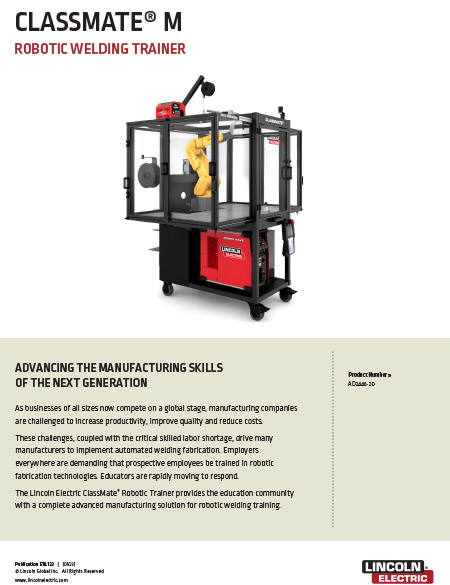
The Lincoln Electric ClassMate® Robotic Trainer provides the education community with a complete advanced manufacturing solution for robotic welding training.
Advance Manufacturing Skills for the Next Gen
The Lincoln Electric ClassMate® Robotic Trainers are a family of individual robotic educational cells that help improve quality, lower costs, and help educators enhance their training environments. Lincoln Electric is the industry leader in automated arc welding and tooling solutions through design, integration, world-class customer service, and unparalleled welding expertise.
Features
- Complete educational software/assets at an affordable price
- Everything you need to teach the class safely and productively
- Four models to satisfy the current academic/training needs in welding/laser/cobot production
- Advanced manufacturing and technology capabilities
- Transformational capabilities and processes
Typical Applications
- MIG Welding
- Laser Welding
Which ClassMate model will work best for your facility?
Pages
-
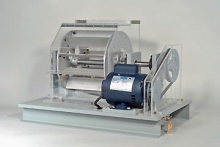 Item Number:202-PAC
 -
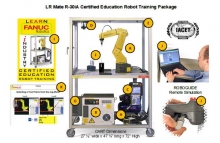 A large working envelope with a reach of 717 mm, and a payload of 7 kg, combine to provide solutions for high productivity handling and assembly applications.
 -
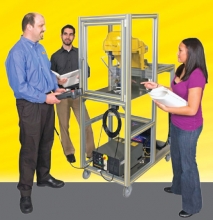 With FANUC Robotics’ CERT Program, new courses and project based activities prepare students for a workplace that will be increasing in robotic automation. The Fanuc Robotics Education Training Cart incorporates the compact M-1+A robot housed in a self contained, mobile enclosure. The lightweight parallel-link M-1+A robot is designed for small part handling, high speed picking and assembly applications.
 -
 FANUC America now offers Certified Education Robot Training (CERT) to qualifying High Schools, Community Colleges, and Universities. With FANUC America's educational robots, students can learn to utilize the latest automation technology while applying Science, Technology, Engineering, and Math. Industrial robotics training in the classroom can safely be achieved through the CERT program. FANUC America provides the necessary training to the instructor as well as a curriculum to introduce students to robot applications.
 -
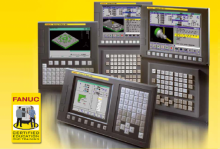 The FANUC CNC Certified Education Training program is an industry certification available to qualified high schools, community colleges, and universities. The program certifies instructors at educational institutions to train their students to program, set-up and operate CNC machine tools using FANUC’s control platform.
 -
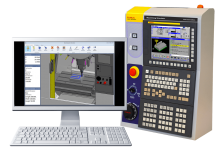 Item Number:D73F-0320-PB00Experience the cutting-edge in CNC machining simulation with FANUC's D73F-0320-PB00 simulator. Equipped with real kinematics, live machine movement, and advanced features like collision detection, immerse yourself in a true-to-life machining experience. Discover the power of virtual milling or lathe operations with our software-only version for seamless integration. Get ready to revolutionize your CNC training!
 -
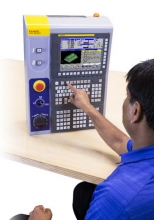 Item Number:A02B-0158-B100#USThe FANUC CNC simulator is a perfect addition to the classroom and an essential component to gain maximum exposure to FANUC CNC controls when actual machine time is limited.
 -
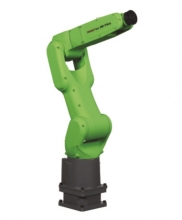 Item Number:CR-7iA/LAllows for a collaborative operation with human operators due to no need of safety fences, and enables to locate the robots close together in the manufacturing processes where operators also work, with using the compact size.
 -
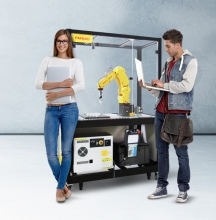 Item Number:FANUC ER-4iADesigned with students in mind, this all-in-one robotics-training bundle enables individuals to gain first-hand experience of programming and operating cutting-edge industrial robots. Package content is highly relevant for modern factory applications and contains everything instructors require to teach students to program and operate robots.
 -
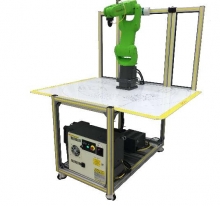 The FANUC Fenceless Collaborative Cert Cart was developed by combining FANUC DCS Position and Speed Check software with an Allen Bradley SafeZone Mini Safety Laser Scanner. The result is FANUC’s NEW FENCELESS CERT Cart, which still fits through a standard door and runs off 110V power. The FENCELESS cart allows a greater work envelope and introduces students to the latest integrated safety products from FANUC and Allen Bradley.