LinkedIn
X
Facebook
YouTube
Contact Tech-Labs
Search
Reach Lift Truck Personal Simulator Version 2
RLT
Eleven Modules. Forty-Eight Performance Indicators. One Flexible Training System.
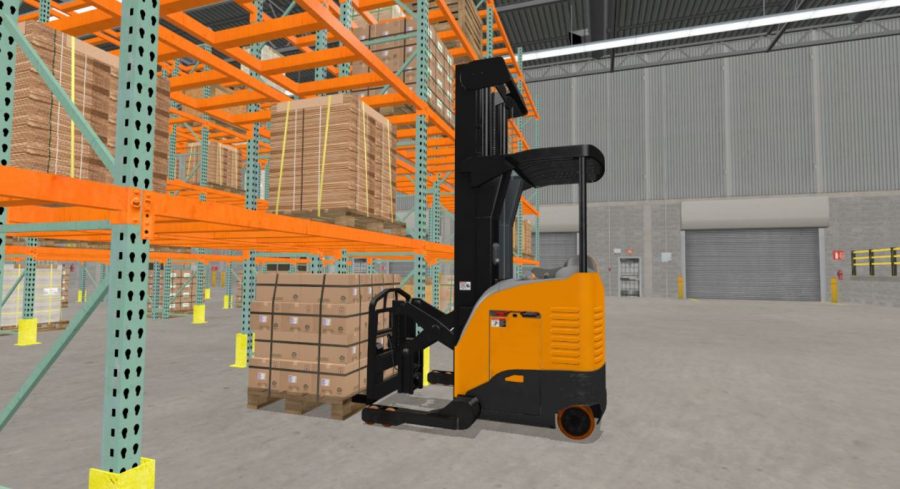
Simlog’s Reach Lift Truck Personal Simulator Version 2 puts learners at the controls of a typical stand-up, narrow-aisle reach truck with a scissors-like pantograph that extends and retracts the forks. Designed for education and industry, the simulator helps learners develop foundational operating skills in a controlled environment before working with real equipment.
Version 2 introduces improved simulation graphics and instructional design, including four new modules inspired by real-world operator certification and recertification practices. The simulator is suitable for use within OSHA Class 2 operator training programs; however, simulation is one component of training and does not replace the practical evaluation required on the type of powered industrial truck an operator will use.
Need training for other lift truck configurations? Tech-Labs also offers Simlog’s Forklift Personal Simulator for sit-down counterbalanced lift trucks and the Stand Up Counterbalanced Lift Truck Personal Simulator.
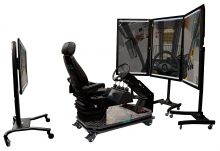
What’s New in Reach Lift Truck Personal Simulator Version 2?
- 11 progressive simulation modules, increased from seven in Version 1
- Four new certification-preparation modules for Put Away and Pull Down work in standard and narrow aisles
- 48 unique performance indicators, including a new productivity measure for loads placed per hour
- Improved simulation graphics for a more effective operator training experience
- Optional semi-transparent mast that helps new learners see how the forks interact with loads; instructors can turn it off as skills develop
- Upgrade path for Version 1 customers that allows existing simulator controls to be reused with the Version 2 software upgrade
Build Skills for High-Density Warehouse Operations
Reach trucks are used in warehouses and distribution centers where tall racking and narrow aisles help increase storage density. Simlog recreates these operating conditions so learners can practice steering, load handling, mast positioning, pantograph operation, side shifting, fork tilting, and efficient travel without placing personnel, equipment, racks, or inventory at risk.
An overhead map displays the reach truck, loads, and target positions during racking exercises. This encourages learners to plan each task and develop efficient work habits—not simply complete isolated maneuvers.
Eleven Progressive Simulation Modules
The instructional sequence advances from control familiarization and basic travel to increasingly complex load-handling work in standard and narrow aisles.
- Controls Familiarization
- Slalom 1 — Forward Driving
- Slalom 2 — Reverse Driving
- Selective Pallet Racks 1 — Standard Aisles, Low Shelves
- Selective Pallet Racks 2 — Standard Aisles, Mixed Shelves
- Selective Pallet Racks 3 — Narrow Aisles, Low Shelves
- Selective Pallet Racks 4 — Narrow Aisles, Mixed Shelves
- Load Pull-Down 1 — Standard Aisles
- Load Pull-Down 2 — Narrow Aisles
- Load Put-Away 1 — Standard Aisles
- Load Put-Away 2 — Narrow Aisles
The final four modules are designed to help learners prepare for certification activities performed on a real reach truck. Put Away simulates inbound work—moving loads from the floor into racking—while Pull Down simulates outbound work—moving loads from racking to the floor for shipment. Three additional demonstration environments support freestyle practice in standard and narrow aisles.
Objective Performance Measurement
The simulator measures 48 unique performance indicators so instructors and learners receive diagnostic feedback instead of only a consolidated pass/fail score. Measures include task completion time, forward and reverse travel speeds, load pickup and placement accuracy, collisions, and loads placed per hour.
The software also identifies incorrect operating conditions through procedure errors. Serious safety conditions—such as a truck overturn, a falling load, or pantograph damage caused by a collision—trigger a fatal error and immediately stop the simulation.
Simulation Manager
Results can be saved for review, including procedure and fatal errors. Simlog’s optional Simulation Manager database helps instructors organize learner records, monitor progress, and manage results across compatible Personal Simulators.
Choose Industrial or Replica Controls
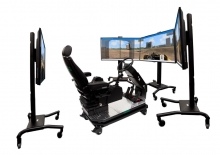
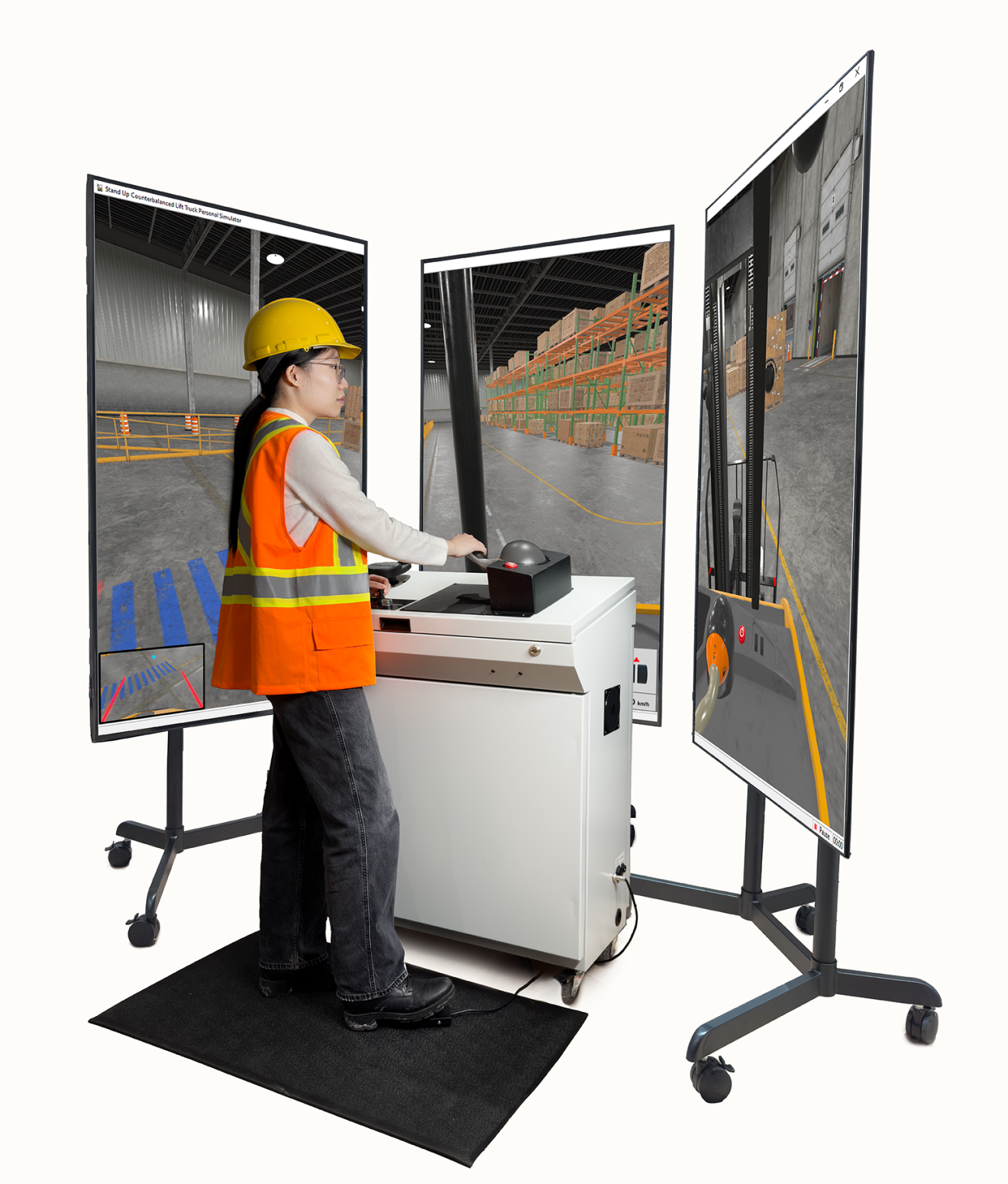
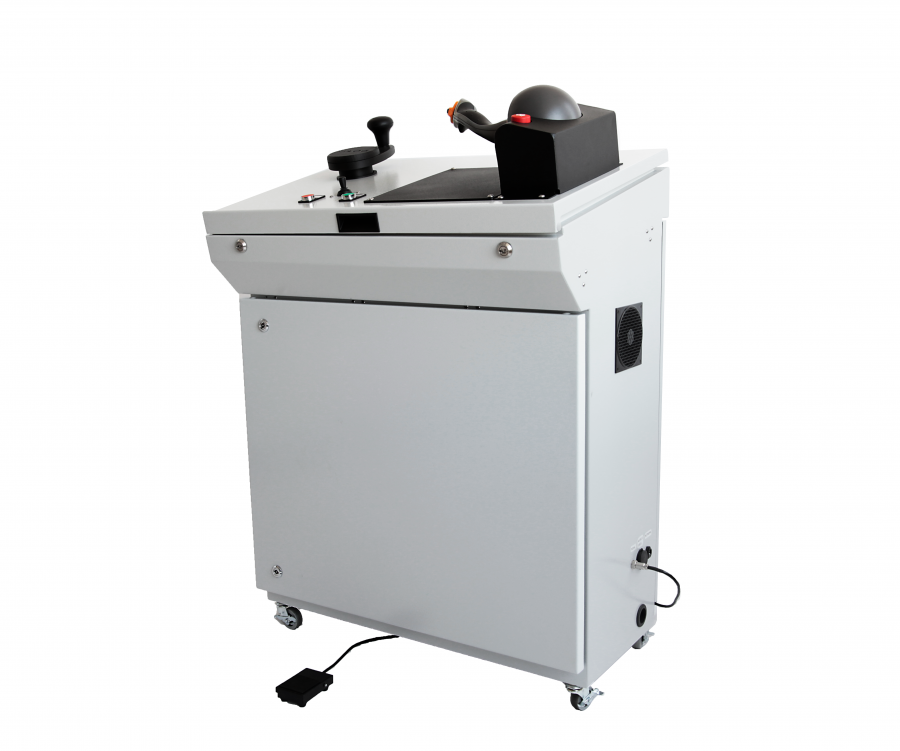
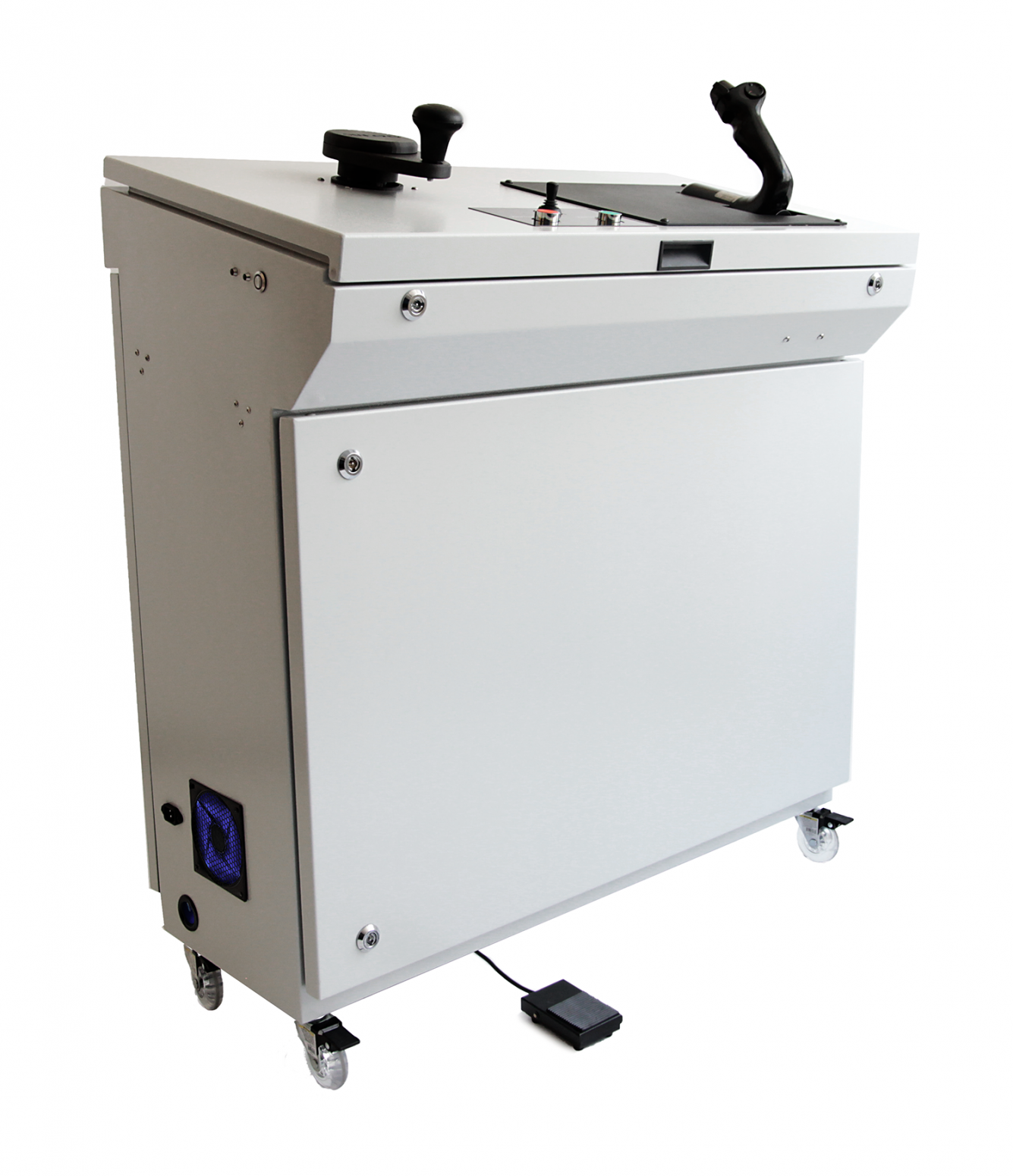
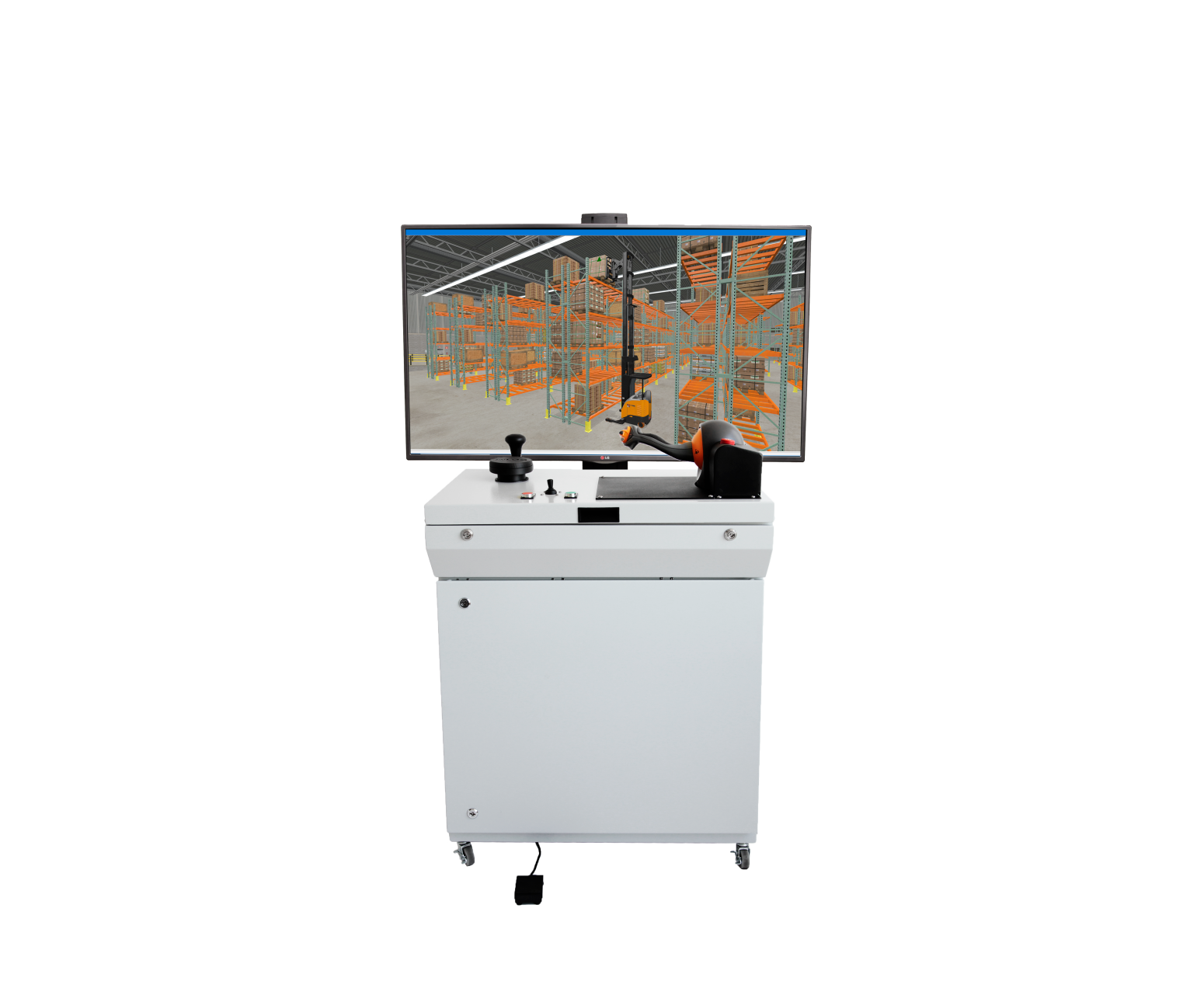
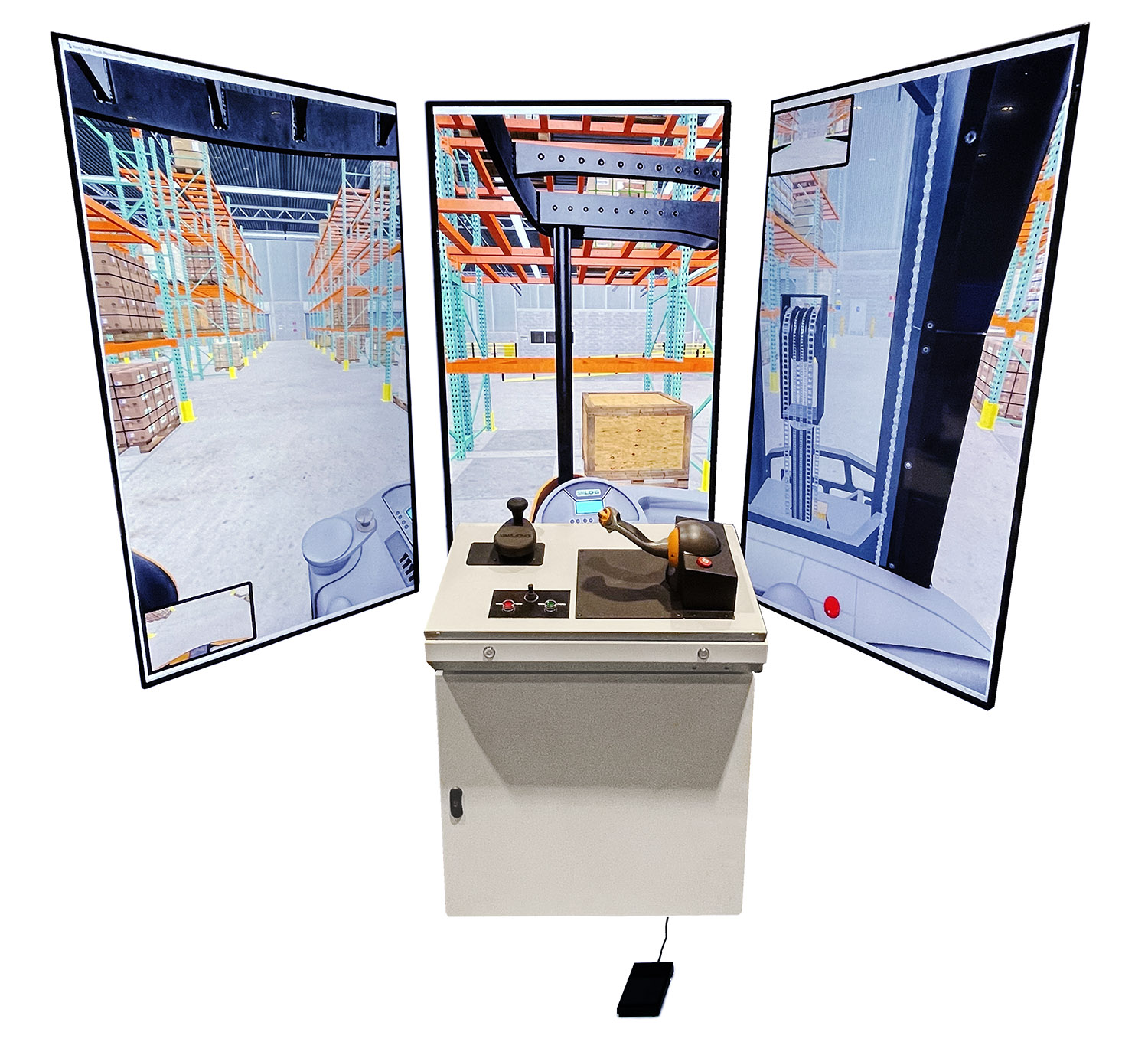
For a higher-fidelity training experience, Simlog’s USB-ready Industrial Controls are mounted on a mobile console for stand-up operation. The system arrives assembled and can connect to an off-the-shelf Windows PC and display setup.
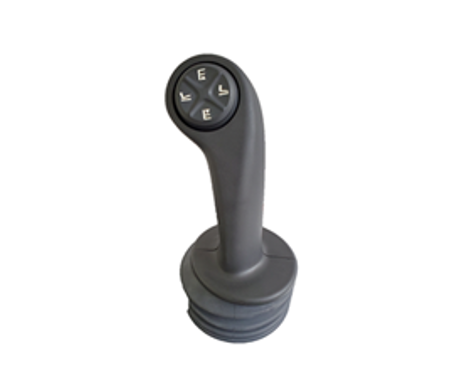
- Authentic OEM control handle, with three choices representing seven equipment brands
- Steering tiller designed to reproduce the look and feel of reach truck steering
- Foot brake pedal
- Two buttons for alternate viewpoints
- Mini-joystick for panning and tilting the current viewpoint
- Emergency power disconnect and front-panel key lock
- Heavy-duty casters and fatigue mat
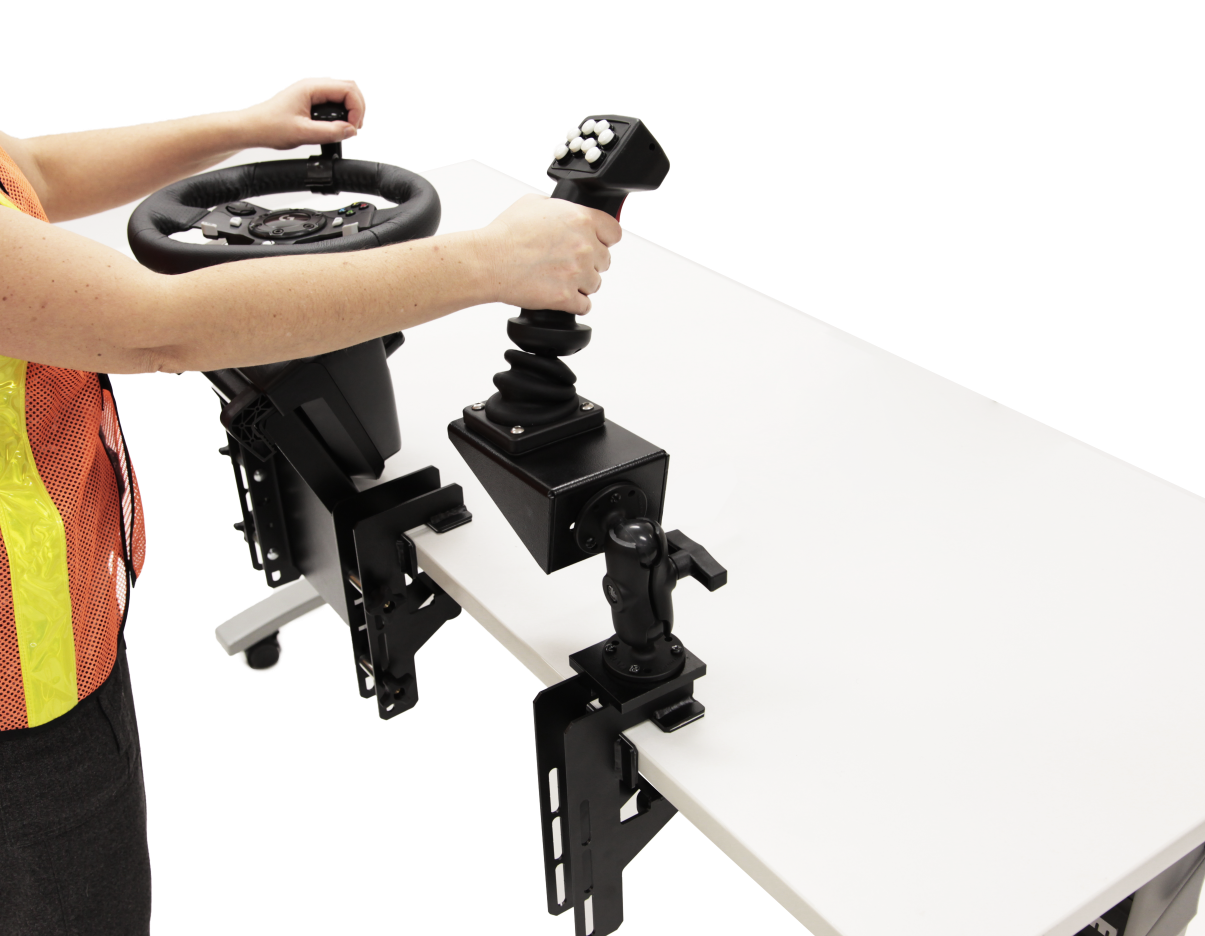
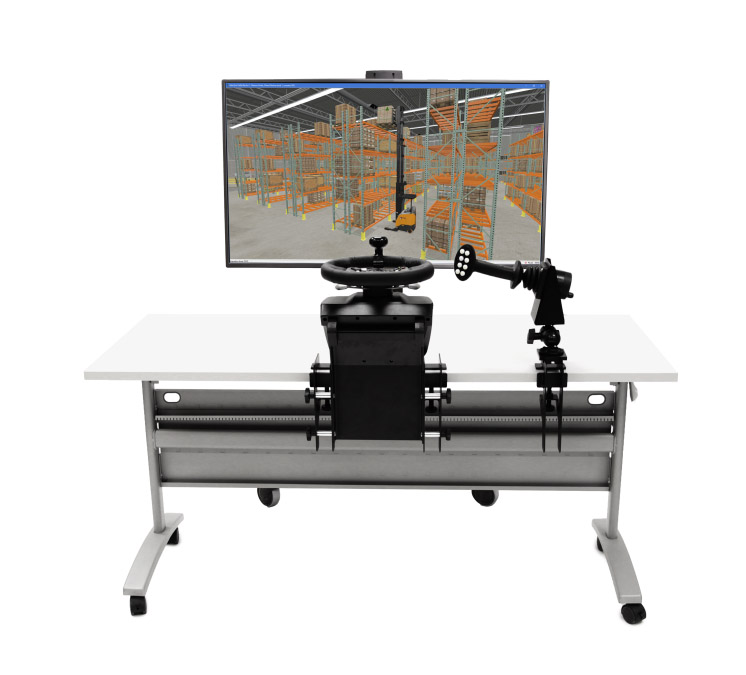
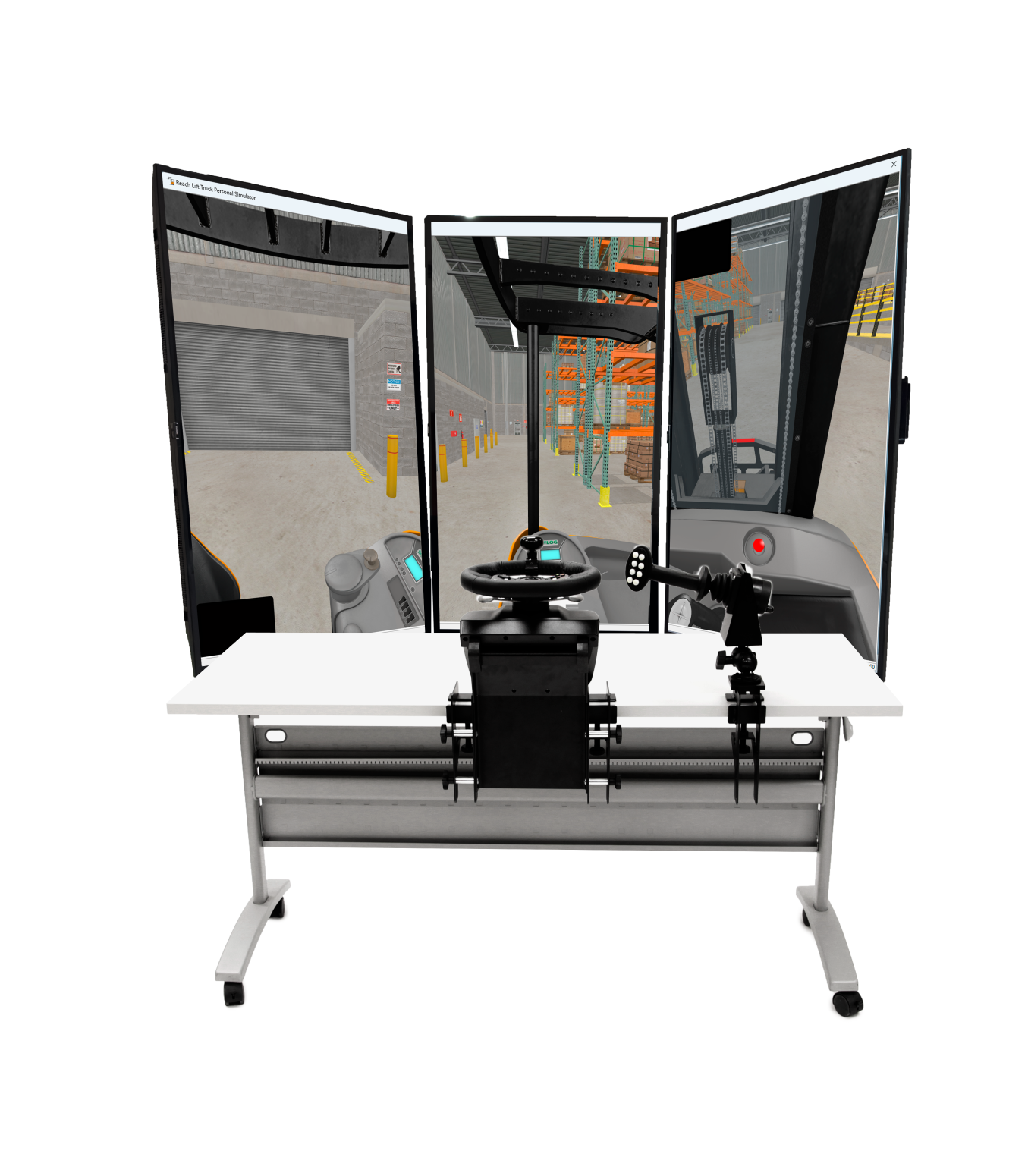
The more compact Replica Controls use industrial-strength, USB-ready input devices and tabletop mounting brackets for operation from a standing position. A horizontal steering wheel supports one-handed operation, while a proportional joystick controls travel and lift functions. The control lever can be positioned horizontally or vertically to reproduce common equipment configurations.
Flexible Display and Computer Options
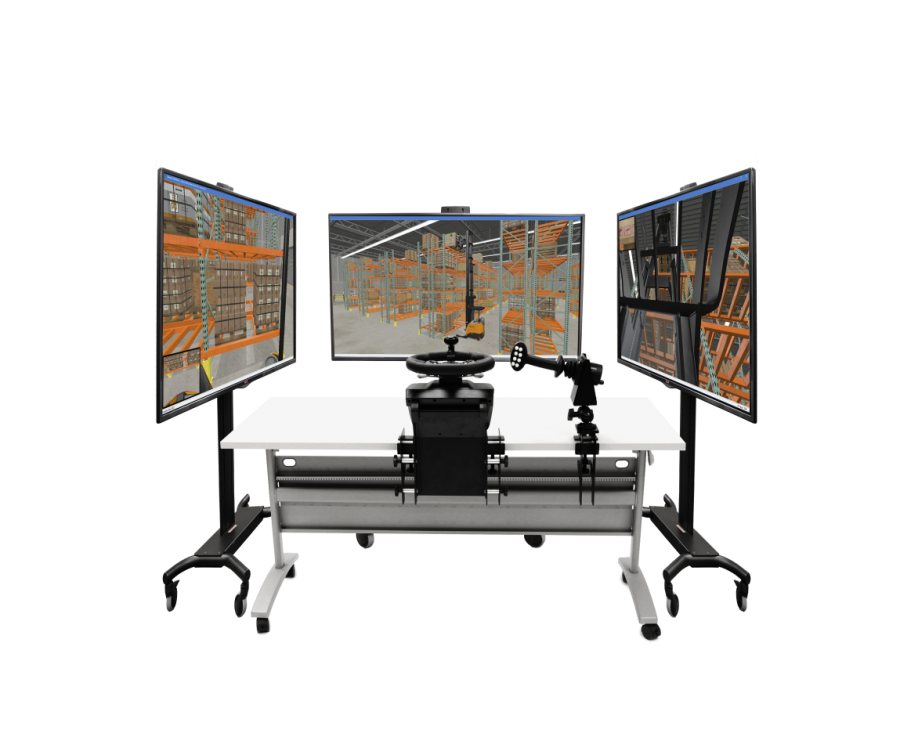
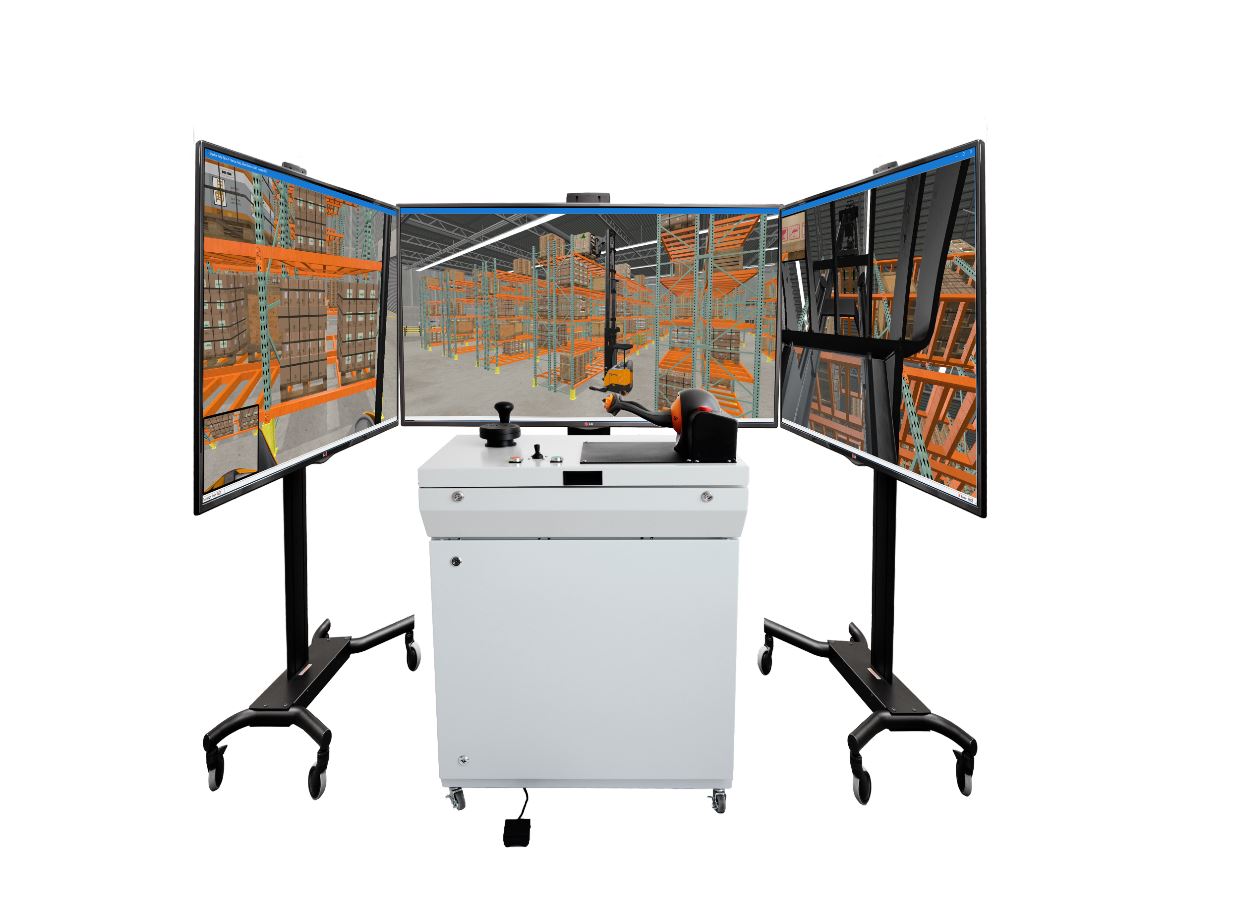
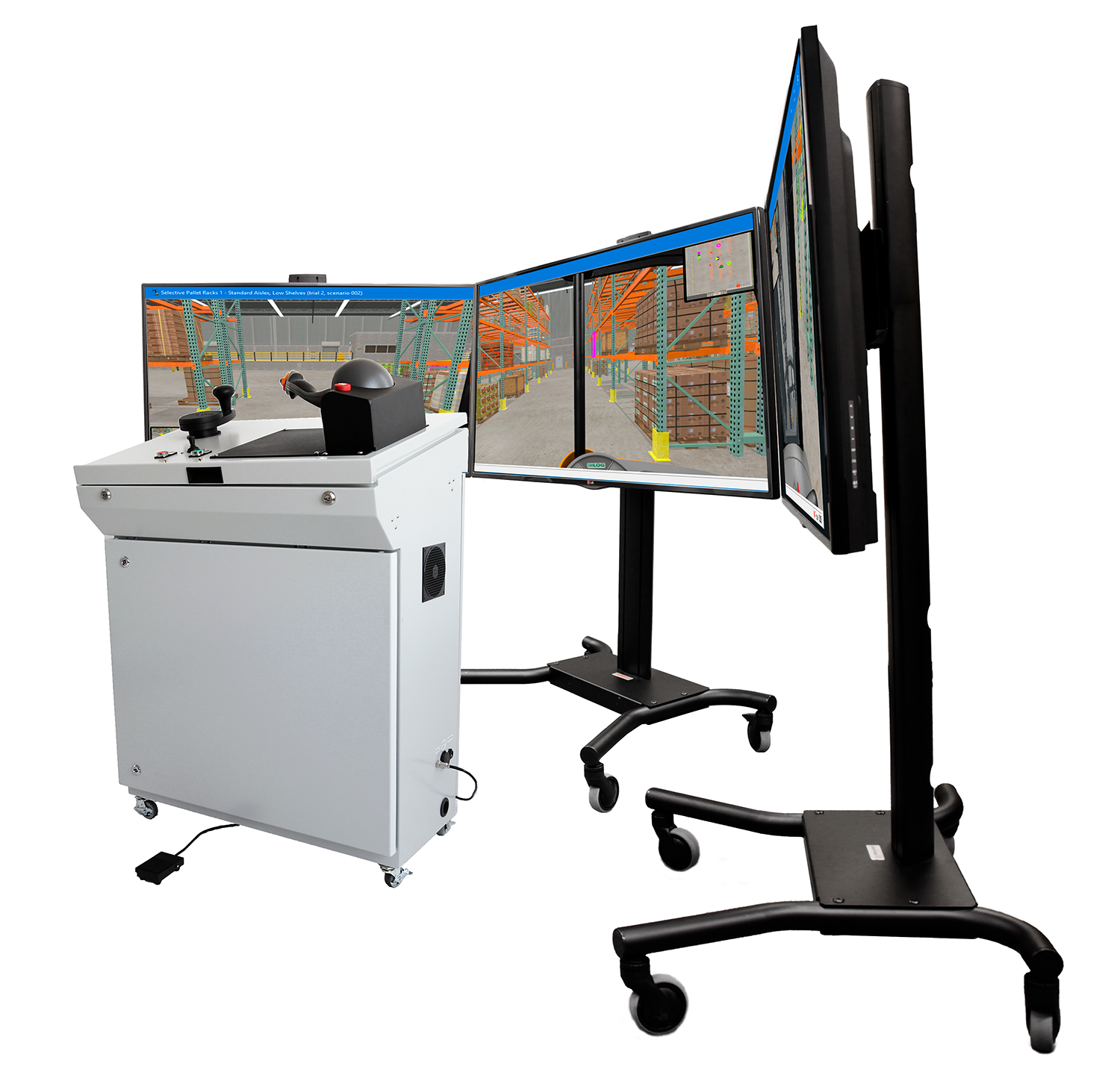
Configure the simulator with one front display when space is limited, or use three displays positioned to the left, front, and right. The three-display arrangement presents the backward, side, and forward views associated with side-stance—also called dock-stance—operation. The viewpoint can also be changed from inside to outside the cab during an exercise.
The software runs on one compatible off-the-shelf Windows PC. Organizations can provide their own computer or choose a PC bundle with the Simlog software installed and licensed. A simulated forks camera system provides an additional view for high-shelf load handling and automatically disappears during faster travel to reinforce appropriate visual attention.
Extend the Value of Your Simulation Station
The Reach Lift Truck Personal Simulator can share controls, displays, a computer, and Simulation Manager with Simlog’s Stand Up Counterbalanced Lift Truck Personal Simulator. This multi-purpose approach can help programs address both narrow-aisle racking and loading-dock applications while making efficient use of training space and equipment.
Existing Version 1 customers can reuse their current simulator controls and purchase the Version 2 software upgrade. Contact Tech-Labs to confirm compatibility, compare control configurations, or design a complete material-handling simulation lab.
Reach Lift Truck Simulator Frequently Asked Questions
Version 2 adds improved graphics, an optional semi-transparent mast, four new simulation modules, and a productivity indicator that measures loads placed per hour. The complete program now includes 11 modules and 48 unique performance indicators.
The new modules cover Load Put-Away and Load Pull-Down work in both standard and narrow aisles. They are designed to help learners prepare for certification activities performed at the controls of a real reach truck.
Yes. The simulator is suitable for use in an OSHA Class 2 operator training program. It supports instruction and skill practice, but employers must still meet all applicable OSHA training and evaluation requirements, including practical evaluation on the type of truck the operator will use.
Yes. According to Simlog, Version 1 customers can reuse their existing simulator controls and purchase the Version 2 software upgrade. Contact Tech-Labs to confirm the appropriate upgrade for your configuration.
No. The simulation software is designed to run on a compatible off-the-shelf Windows PC. A preconfigured PC bundle is also available for organizations that prefer a ready-to-use option.
More Information
Manufacturer:
Videos:
Industrial Controls for the Reach Lift Truck Simulator | Simlog
See how Simlog’s industrial controls create a realistic reach lift truck training experience with OEM-style controls, steering, braking, and multiple views.
Simlog's Reach Lift Truck Personal Simulator: Selective Pallet Racks 2, Standard Aisles
Simlog's Reach Lift Truck Personal Simulator: Selective Pallet Racks 2, Standard Aisles - Working with selective pallet racks, pick up each marked load and place it at its target position, using the overhead map for guidance. The loads and their target positions are mixed among the various heights of rack shelves.
Simlog's Reach Lift Truck Personal Simulator: Selective Pallet Racks, Narrow Aisles
Simlog's Reach Lift Truck Personal Simulator: Selective Pallet Racks, Narrow Aisles - working with selective pallet racks, pick up each marked load and place it at its target position, using the overhead map for guidance. The loads and their target positions are mixed among the various heights of rack shelves.
Simlog's Reach Lift Truck Personal Simulator: Slalom 1
Simlog's Reach Lift Truck Personal Simulator: Slalom 1 Forward Driving - pick up the load, drive forward through the slalom course, and place the load on the floor at the target position defined by a red outline.
Simlog's Reach Lift Truck Personal Simulator: Slalom 2
Simlog's Reach Lift Truck Personal Simulator: Slalom 2 - Pick up the load, drive in reverse through the slalom course, and place the load on the floor at the target position defined by a red outline.