Prepare for NABCEP certification with Amatrol’s Solar Thermal Installation Training System (950-STF1). Learn hands-on solar thermal system installation and commissioning for commercial and residential applications.
Simlog Mobile Crane Personal Simulator's Corridor Following 4 Module has trainees move the concrete bucket along the three-section, z-shaped corridor on the ground from one end to the other, keeping the bucket at a constant height directly above the corridor while controlling sway.
Advanced Edition features lift planning exercises that require a solid understanding of load charts and Signal Person training, i.e. learning to provide appropriate signals to the crane operator (to complete a lift), while at the same time teaching that crane operator to understand and follow those signals.
Simlog Mobile Crane Personal Simulator's Pick, Lift, and Place Module has trainees configure the boom angle, extension mode, and length and then place the hook in the rigging target (blue sphere) above the load. Once triggered, lift the load and place it into the target. Each trial ends when the load is sufficiently well placed (the target will turn green), the speed of the load is sufficiently small, and the operator activates the horn.
Simlog Mobile Crane Personal Simulator's Signaling Module has trainees move a load to a target destination hidden from the view of the crane operator, and so a signal person is required.
The signal person must view the lift using the dedicated signal-person display and provide hand or voice signals to the crane operator to safely move the load into the target (the target changes color as the load gets closer).
Each trial ends when the load is sufficiently well placed (the target will turn green), the speed of the load is sufficiently small, and the crane operator activates the horn. Telescope extend/retract control is disabled for this module.
Advanced Edition features lift planning exercises that require a solid understanding of load charts and Signal Person training, i.e. learning to provide appropriate signals to the crane operator (to complete a lift), while at the same time teaching that crane operator to understand and follow those signals.
Simlog Off-Highway Truck Personal Simulator's Corridor Driving 1 Module has trainees drive the truck through the corridor to the target. Each trial ends when the truck is over the target and parked (gear in Park, or gear in Neutral with parking brake engaged).
Simlog Off-Highway Truck Personal Simulator's Complete Haul Cycle 2 Module has trainees drive the truck from the dumping zone to the wheel loader. After the truck is fully loaded by the loader, return the dumping zone, dump the load and drive away.
Simlog's Reach Lift Truck Personal Simulator: Slalom 1 Forward Driving - pick up the load, drive forward through the slalom course, and place the load on the floor at the target position defined by a red outline.
Simlog's Reach Lift Truck Personal Simulator: Slalom 2 - Pick up the load, drive in reverse through the slalom course, and place the load on the floor at the target position defined by a red outline.
Simlog's Reach Lift Truck Personal Simulator: Selective Pallet Racks 2, Standard Aisles - Working with selective pallet racks, pick up each marked load and place it at its target position, using the overhead map for guidance. The loads and their target positions are mixed among the various heights of rack shelves.
Simlog's Reach Lift Truck Personal Simulator: Selective Pallet Racks, Narrow Aisles - working with selective pallet racks, pick up each marked load and place it at its target position, using the overhead map for guidance. The loads and their target positions are mixed among the various heights of rack shelves.
Simlog Mining Truck Personal Simulator - Corridor Driving Module: Trainees drive the truck through the corridor to the target. The trial ends when the truck is over the target and parked (gear in Park or Neutral with parking brake engaged).
Pages
-
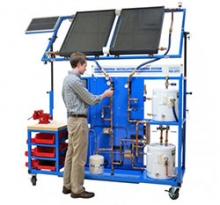 Item Number:950-STF1
 -
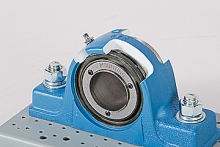 Item Number:200-2045DAC Worldwide’s Spherical Roller Bearing Pillow Block Assembly Cutaway (200-2045) is a carefully-sectioned, industrial-quality spherical roller bearing pillow block assembly designed to be used in either classroom or laboratory mechanical drives training. Each unit is an actual piece of industrial equipment chosen from common models by well-known U.S. manufacturers for training relevance.
 -
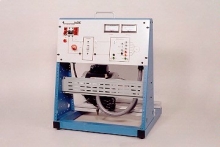 Item Number:410-000
AC electric motors are found in a wide variety of industrial, commercial, and residential applications. Industrial maintenance technicians must develop industry-relevant skills, such as how to operate, install, design, and troubleshoot AC electric motor control circuits for various applications.
-
 Item Number:SLTTrain operators efficiently and safely with Simlog's Stand Up Counterbalanced Lift Truck Personal Simulator. Perfect for OSHA Class 2 training, it features photo-realistic graphics, configurable controls, and multi-display options.
 -
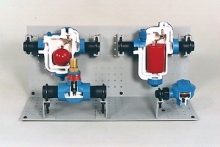 Item Number:274DAC Worldwide’s Steam Trap Cutaway Assortment - 4 Components (274) includes four industrial traps – float and thermostatic trap, inverted bucket trap, thermodynamic trap, and thermostatic trap – for hands-on skill-building using industrial steam traps.
 -
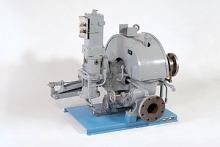 Item Number:249-PACDAC's 249-PAC is a complete steam turbine training aid used on industrial equipment, such as pumps, fans, blowers, and air compressors.
 -
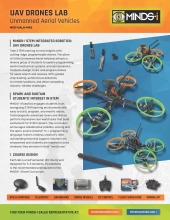 Item Number:MCK-UALB-MR2Students design, build, and program drones for aerial search and rescues, GPS-guided crop dusting, autonomous deliveries to remote locations, and other compelling industry-related challenges.
 -
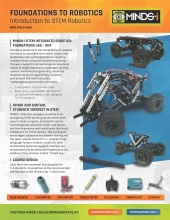 Item Number:MCK-FDLB-4x4Introduce students to robotics with easy to assemble and modify rovers that feature real-world applications. Working collaboratively, students build and program advanced robots.
 -
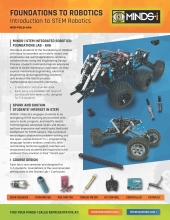 Item Number:MCK-FDLB-6X6The MINDS-i Foundations Curriculum as an introduction to STEM and Robotics designed as an interactive approach to applied science, technology, engineering, and math. In this course, students will become familiar with the basics of robotics and programming through teamwork
 -
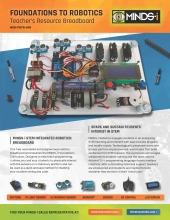 Item Number:MCK-FDTR-001This fully assembled and programmed robotics breadboard accompanies the MINDS-i Foundations Curriculum. Designed to help teach programming, it allows you and your students to physically interact with the sensors on a stationary platform and can be used as a quick and easy method for checking your students' wiring and code.