The Backfilling 1 module of Simlog’s Bulldozer Personal Simulator introduces trainees to essential earthmoving tasks in a controlled, virtual setting. Operators learn how to manage blade position, material flow, and movement control to efficiently backfill trenches and depressions—skills critical on real-world construction sites.
This video demonstrates how the simulator reinforces key techniques like forward pushing, blade leveling, and maintaining smooth, consistent backfill layers. With a focus on safety, precision, and production efficiency, this module helps new operators gain confidence while reducing risk and training costs.
Simlog Mobile Crane Personal Simulator's Pole Topping Module has trainees lifting a rubber tire load onto the tops of a series of poles in order. The target pole is marked with blue rings that will turn green once the pole has been topped.
Simlog Mobile Crane Personal Simulator's Pole Placement Module has trainees carefully lift the pole off the ground and then place it into the target hole (the target changes color as the pole gets closer) while avoiding obstacles and unstable positions.
Simlog Mobile Crane Personal Simulator's Corridor Following 4 Module has trainees move the concrete bucket along the three-section, z-shaped corridor on the ground from one end to the other, keeping the bucket at a constant height directly above the corridor while controlling sway.
Advanced Edition features lift planning exercises that require a solid understanding of load charts and Signal Person training, i.e. learning to provide appropriate signals to the crane operator (to complete a lift), while at the same time teaching that crane operator to understand and follow those signals.
Simlog Mobile Crane Personal Simulator's Pick, Lift, and Place Module has trainees configure the boom angle, extension mode, and length and then place the hook in the rigging target (blue sphere) above the load. Once triggered, lift the load and place it into the target. Each trial ends when the load is sufficiently well placed (the target will turn green), the speed of the load is sufficiently small, and the operator activates the horn.
Simlog Mobile Crane Personal Simulator's Signaling Module has trainees move a load to a target destination hidden from the view of the crane operator, and so a signal person is required.
The signal person must view the lift using the dedicated signal-person display and provide hand or voice signals to the crane operator to safely move the load into the target (the target changes color as the load gets closer).
Each trial ends when the load is sufficiently well placed (the target will turn green), the speed of the load is sufficiently small, and the crane operator activates the horn. Telescope extend/retract control is disabled for this module.
Advanced Edition features lift planning exercises that require a solid understanding of load charts and Signal Person training, i.e. learning to provide appropriate signals to the crane operator (to complete a lift), while at the same time teaching that crane operator to understand and follow those signals.
Simlog Off-Highway Truck Personal Simulator's Corridor Driving 1 Module has trainees drive the truck through the corridor to the target. Each trial ends when the truck is over the target and parked (gear in Park, or gear in Neutral with parking brake engaged).
Simlog Off-Highway Truck Personal Simulator's Complete Haul Cycle 2 Module has trainees drive the truck from the dumping zone to the wheel loader. After the truck is fully loaded by the loader, return the dumping zone, dump the load and drive away.
Simlog's Reach Lift Truck Personal Simulator: Slalom 1 Forward Driving - pick up the load, drive forward through the slalom course, and place the load on the floor at the target position defined by a red outline.
Simlog's Reach Lift Truck Personal Simulator: Slalom 2 - Pick up the load, drive in reverse through the slalom course, and place the load on the floor at the target position defined by a red outline.
Pages
-
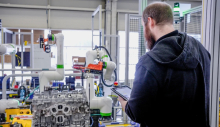
Item Number:202-PACDAC Worldwide’s Fan Balancing Training System Plus (202-PAC) is a hands-on industrial training system that allows learners to gain experience with fan balancing to achieve maximum fan efficiency and stability.
-
A large working envelope with a reach of 717 mm, and a payload of 7 kg, combine to provide solutions for high productivity handling and assembly applications.
-
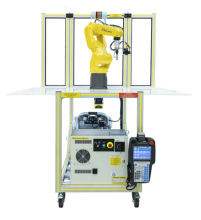
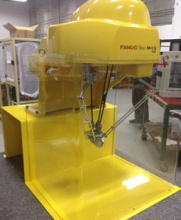
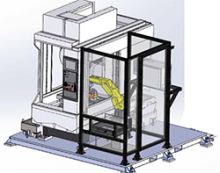
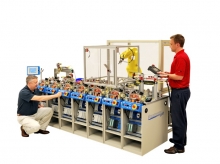
With FANUC Robotics’ CERT Program, new courses and project based activities prepare students for a workplace that will be increasing in robotic automation. The Fanuc Robotics Education Training Cart incorporates the compact M-1+A robot housed in a self contained, mobile enclosure. The lightweight parallel-link M-1+A robot is designed for small part handling, high speed picking and assembly applications.
-
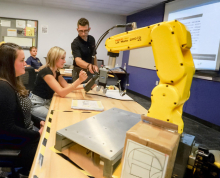
FANUC America now offers Certified Education Robot Training (CERT) to qualifying High Schools, Community Colleges, and Universities. With FANUC America's educational robots, students can learn to utilize the latest automation technology while applying Science, Technology, Engineering, and Math. Industrial robotics training in the classroom can safely be achieved through the CERT program. FANUC America provides the necessary training to the instructor as well as a curriculum to introduce students to robot applications.
-
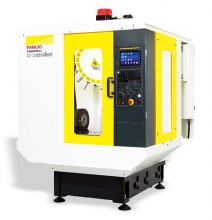
The FANUC CNC Certified Education Training program is an industry certification available to qualified high schools, community colleges, and universities. The program certifies instructors at educational institutions to train their students to program, set-up and operate CNC machine tools using FANUC’s control platform.
-
Item Number:D73F-0320-PB00Experience the cutting-edge in CNC machining simulation with FANUC's D73F-0320-PB00 simulator. Equipped with real kinematics, live machine movement, and advanced features like collision detection, immerse yourself in a true-to-life machining experience. Discover the power of virtual milling or lathe operations with our software-only version for seamless integration. Get ready to revolutionize your CNC training!
-
Item Number:A02B-0158-B100#USThe FANUC CNC simulator is a perfect addition to the classroom and an essential component to gain maximum exposure to FANUC CNC controls when actual machine time is limited.
-
Item Number:CR-7iA/LAllows for a collaborative operation with human operators due to no need of safety fences, and enables to locate the robots close together in the manufacturing processes where operators also work, with using the compact size.
-
Item Number:FANUC ER-4iADesigned with students in mind, this all-in-one robotics-training bundle enables individuals to gain first-hand experience of programming and operating cutting-edge industrial robots. Package content is highly relevant for modern factory applications and contains everything instructors require to teach students to program and operate robots.
-
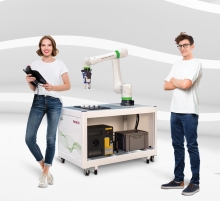
The FANUC Fenceless Collaborative Cert Cart was developed by combining FANUC DCS Position and Speed Check software with an Allen Bradley SafeZone Mini Safety Laser Scanner. The result is FANUC’s NEW FENCELESS CERT Cart, which still fits through a standard door and runs off 110V power. The FENCELESS cart allows a greater work envelope and introduces students to the latest integrated safety products from FANUC and Allen Bradley.