
With a payload of up to 15kg, the 3FG15 is ideal for gripping a wide range of cylindrical objects in machine-tending applications such as CNC lathe machines and offers seamless integration with the robots of your choice.
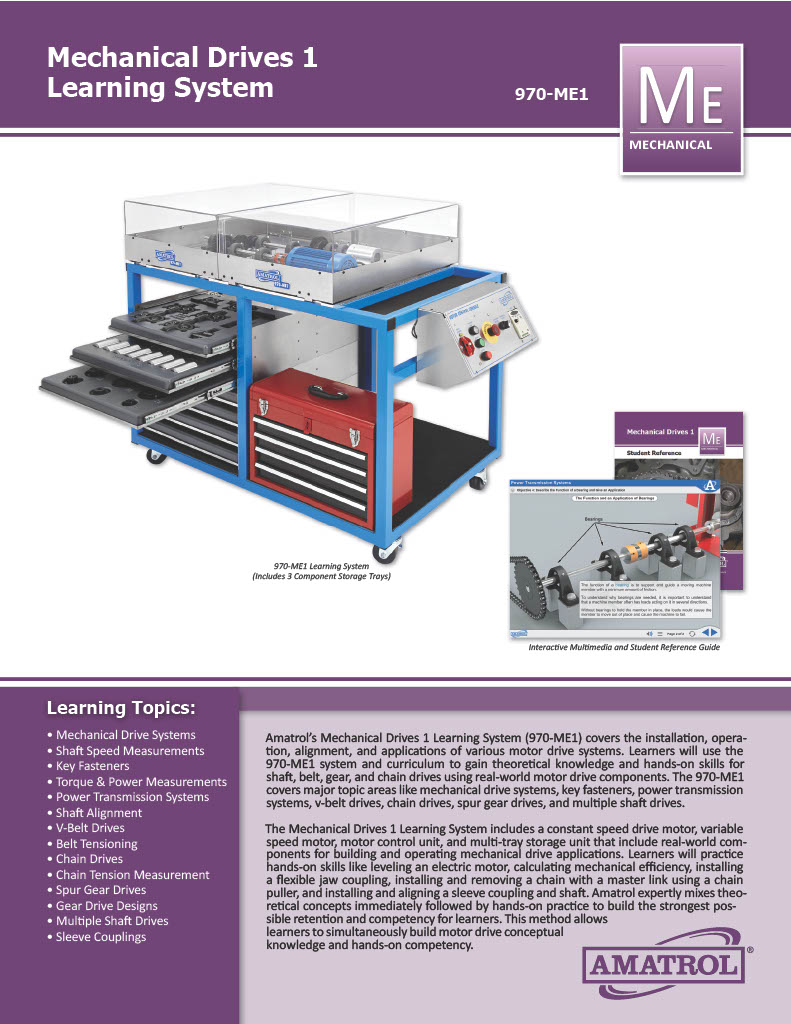
Amatrol’s Mechanical Drives 1 Learning System (970-ME1) covers mechanical drive installation, mechanical drive operation, motor drive alignment, and applications of various motor drive systems. Learners will use the mechanical drives training system and the interactive online mechanical drives curriculum to gain theoretical knowledge and hands-on skills for shaft, belt, gear, and chain drives using real-world motor drive components. This hands-on mechanical drives skill-building system covers topic areas like mechanical drive systems, key fasteners, power transmission systems, v-belt drives, chain drives, spur gear drives, and multiple shaft drives.
This hands-on industrial training system includes a 2-panel mobile workstation with a constant speed drive motor, variable speed motor, motor control unit, and multi-drawer storage unit that include real-world components for building and operating mechanical drive applications. Learners will practice hands-on skills like leveling an electric motor, calculating mechanical efficiency, installing a flexible jaw coupling, installing and removing a chain with a master link using a chain puller, and installing and aligning a sleeve coupling and shaft. Amatrol expertly mixes theoretical concepts immediately followed by hands-on practice to build the strongest possible retention and competency for learners. This method allows learners to simultaneously build motor drive conceptual knowledge and hands-on competency.
In this video, Amatrol’s Industry Sales Manager, Mark Goodman, demonstrates on Amatrol’s 970-ME1 how to adjust belt tension using an adjustable mounting base after learners have worked through the eLearning lessons, “how to determine belt tension for an application” and “methods of adjusting belt tension.”
Amatrol’s Mechanical Drives 1 Learning System (970-ME1) covers mechanical drive installation, mechanical drive operation, motor drive alignment, and applications of various motor drive systems. Learners will practice hands-on skills like leveling an electric motor, calculating mechanical efficiency, installing a flexible jaw coupling, installing and removing a chain with a master link using a chain puller, and installing and aligning a sleeve coupling and shaft.
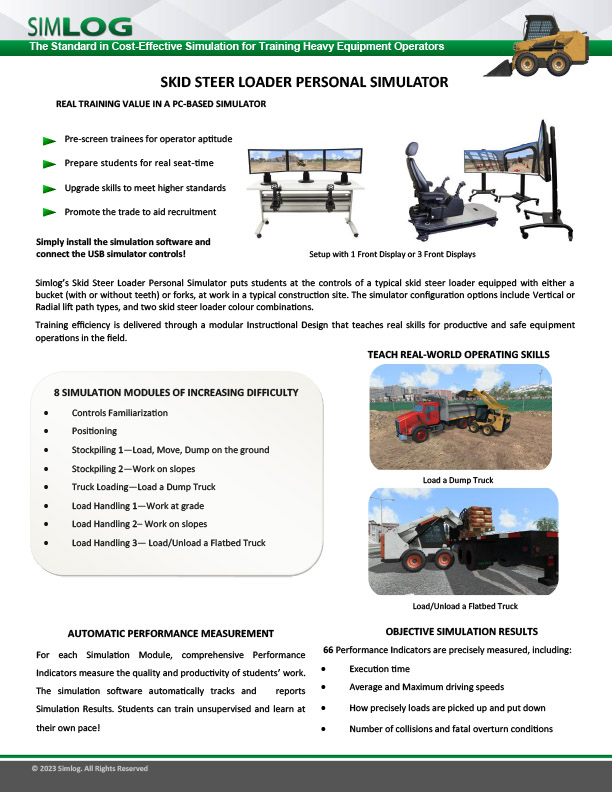
Simlog’s Skid Steer Loader Personal Simulator puts students at the controls of a typical skid steer loader equipped with either a bucket (with or without teeth) or forks, at work in a typical construction site. The simulator configuration options include Vertical or Radial lift path types, and two skid steer loader color combinations.
Replica Controls
The most cost-effective option featuring industrial-strength controls.
Key Benefits
- Easy to assemble and USB-ready
- Light weight and portable
- Ability to create your own operator chair
- Multi-Purpose Replica Controls
- Optional Two-Pedal Replica Control Unit
- ISO, H-Pattern, or Standard (with pedals)
Simlog’s Skid Steer Loader Personal Simulator puts students at the controls of a typical skid steer loader equipped with either a bucket (with or without teeth) or forks, at work in a typical construction site. The simulator configuration options include Vertical or Radial lift path types, and two skid steer loader color combinations.
Operator Chair
A superior simulation experience with an authentic operator seat.
Key Benefits
- Fully assembled and USB-ready
- Steel platform on casters
- Adjustable seat and arm consoles
- Multi-purpose configurations
- Optional Two-Pedal Replica Control Unit
- ISO, H-Pattern or Standard (with pedals)
Simlog’s new Skid Steer Loader Personal Simulator, the world’s first, puts you at the controls of a typical skid steer loader equipped with either a bucket (there are two kinds) or forks, at work in a typical construction site.
Simlog’s Skid Steer Loader Personal Simulator puts students at the controls of a typical skid steer loader equipped with either a bucket (with or without teeth) or forks, at work in a typical construction site. The simulator configuration options include Vertical or Radial lift path types, and two skid steer loader color combinations.
Training efficiency is delivered through a modular Instructional Design that teaches real skills for productive and safe equipment operations in the field.
The Standard in Cost-Effective Simulation for Training Heavy Equipment Operators
Simlog Personal Simulators have been delivering cost-e ective training simulation to education and industry since 1999. Today, our Personal Simulators are used in over 500 vocational programs. Simlog Personal Simulators have helped place hundreds of thousands of students around the world on a pathway to becoming superior heavy equipment operators.
Pages
-
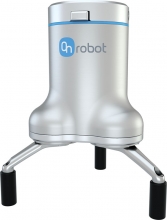 Item Number:3FG15
 -
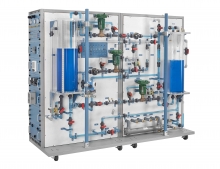 Item Number:603-000Hands-on exercises include industry-relevant process control skills, such as: setting and adjusting pressure switches; installation and calibration of an electronic flow measurement channel; and determining a temperature, pressure, level, and flow process’ operation characteristics.
 -
 Item Number:970-DRV1FTrain students and technicians on AC electronic drives using the Allen-Bradley PowerFlex 755. The Amatrol 970-DRV1F delivers hands-on VFD wiring, programming, communications, and troubleshooting with FaultPro and interactive eLearning.
 -
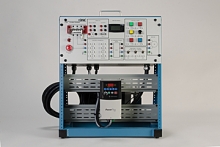 Item Number:429EDAC Worldwide’s AC Variable Frequency Drive Training System Plus (429E) examines AC variable speed drive principles. Learners will explore variable frequency AC solid-state control of 3-phase electric motors in various automation applications.
 -
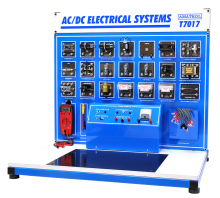 Item Number:T7017AThe model T7017A includes a bench top-mount workstation, AC power supply, DC power supply, electrical components set, lead set, hand-held multimeter, circuit tester, built-in instrumentation console, electrical circuit simulation software, student learning materials for both theory and lab, and teacher’s assessment guide. This system uses industrial quality components to help students become better prepared for what they will encounter on the job.
 -
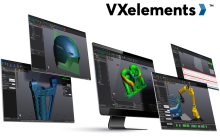 VXelements is a powerful integrated 3D scanning software platform that works in complete synergy with the entire fleet of Creaform’s 3D measurement solutions. It combines both acquisition and application modules into the same simple, easy-to-use interface, providing a complete solution rather than a simple measurement device alone.
 -
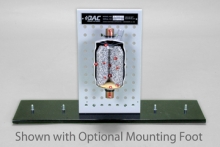 Item Number:373-601DAC Worldwide’s ACR Liquid Line Filter/Drier Cutaway is a carefully-crafted, sectioned example of a commonly-encountered liquid line filter/drier.
 -
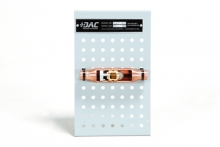
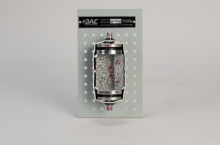 Item Number:373-602This economical, sectioned example showcases the device’s operating principle, internal components, and related installation concerns. Multiple cutaways unveil all internal components, which enhances classroom training in HVAC system design, maintenance, troubleshooting, and preventive/predictive maintenance.
 -
 Item Number:373-510This sectioned example showcases the device’s operating principle, internal components, and related installation concerns. Color coding, flow arrows, and numbered call-outs combine to make the device more informative to the inquiring student and more useful to the instructor.
 -
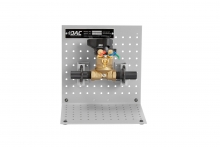 Item Number:373-551This ACR Manual Balancing Valve Cutaway provides a full cutaway view of a balancing valve that exposes the complete internal components and operating principles. The device can be used independently using an optional tabletop mounting foot, or combined with similar devices on optional display and storage frame assemblies.