Introduce students to robotics with easy to assemble and modify rovers that feature real-world applications. Working collaboratively, students build and program advanced robots.
The Backfilling 1 module of Simlog’s Bulldozer Personal Simulator introduces trainees to essential earthmoving tasks in a controlled, virtual setting. Operators learn how to manage blade position, material flow, and movement control to efficiently backfill trenches and depressions—skills critical on real-world construction sites.
This video demonstrates how the simulator reinforces key techniques like forward pushing, blade leveling, and maintaining smooth, consistent backfill layers. With a focus on safety, precision, and production efficiency, this module helps new operators gain confidence while reducing risk and training costs.
Simlog Mobile Crane Personal Simulator's Pole Topping Module has trainees lifting a rubber tire load onto the tops of a series of poles in order. The target pole is marked with blue rings that will turn green once the pole has been topped.
Simlog Mobile Crane Personal Simulator's Pole Placement Module has trainees carefully lift the pole off the ground and then place it into the target hole (the target changes color as the pole gets closer) while avoiding obstacles and unstable positions.
Simlog Mobile Crane Personal Simulator's Corridor Following 4 Module has trainees move the concrete bucket along the three-section, z-shaped corridor on the ground from one end to the other, keeping the bucket at a constant height directly above the corridor while controlling sway.
Advanced Edition features lift planning exercises that require a solid understanding of load charts and Signal Person training, i.e. learning to provide appropriate signals to the crane operator (to complete a lift), while at the same time teaching that crane operator to understand and follow those signals.
Simlog Mobile Crane Personal Simulator's Pick, Lift, and Place Module has trainees configure the boom angle, extension mode, and length and then place the hook in the rigging target (blue sphere) above the load. Once triggered, lift the load and place it into the target. Each trial ends when the load is sufficiently well placed (the target will turn green), the speed of the load is sufficiently small, and the operator activates the horn.
Simlog Mobile Crane Personal Simulator's Signaling Module has trainees move a load to a target destination hidden from the view of the crane operator, and so a signal person is required.
The signal person must view the lift using the dedicated signal-person display and provide hand or voice signals to the crane operator to safely move the load into the target (the target changes color as the load gets closer).
Each trial ends when the load is sufficiently well placed (the target will turn green), the speed of the load is sufficiently small, and the crane operator activates the horn. Telescope extend/retract control is disabled for this module.
Advanced Edition features lift planning exercises that require a solid understanding of load charts and Signal Person training, i.e. learning to provide appropriate signals to the crane operator (to complete a lift), while at the same time teaching that crane operator to understand and follow those signals.
Simlog Off-Highway Truck Personal Simulator's Corridor Driving 1 Module has trainees drive the truck through the corridor to the target. Each trial ends when the truck is over the target and parked (gear in Park, or gear in Neutral with parking brake engaged).
Simlog Off-Highway Truck Personal Simulator's Complete Haul Cycle 2 Module has trainees drive the truck from the dumping zone to the wheel loader. After the truck is fully loaded by the loader, return the dumping zone, dump the load and drive away.
Simlog's Reach Lift Truck Personal Simulator: Slalom 1 Forward Driving - pick up the load, drive forward through the slalom course, and place the load on the floor at the target position defined by a red outline.
Simlog's Reach Lift Truck Personal Simulator: Slalom 2 - Pick up the load, drive in reverse through the slalom course, and place the load on the floor at the target position defined by a red outline.
Pages
-
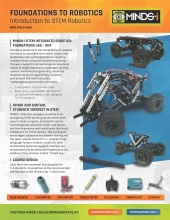 Item Number:MCK-FDLB-4x4
 -
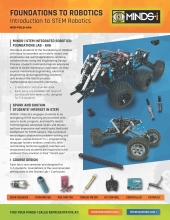 Item Number:MCK-FDLB-6X6The MINDS-i Foundations Curriculum as an introduction to STEM and Robotics designed as an interactive approach to applied science, technology, engineering, and math. In this course, students will become familiar with the basics of robotics and programming through teamwork
 -
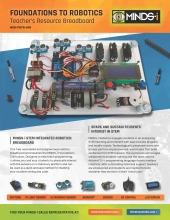 Item Number:MCK-FDTR-001This fully assembled and programmed robotics breadboard accompanies the MINDS-i Foundations Curriculum. Designed to help teach programming, it allows you and your students to physically interact with the sensors on a stationary platform and can be used as a quick and easy method for checking your students' wiring and code.
 -
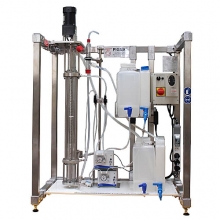 Item Number:ELA/100The unit is used manually, with flows controlled by manual valves and flowmeters. The unit has a stirred glass column, which enhances the visual experience of the extraction process. Students will learn how to determine the interphase level, material balance, efficiency of the column, and more.
 -
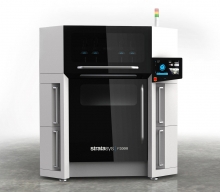 Elevate Your 3D Printing Game with Stratasys' F3300 FDM 3D Printer: Experience Cost Savings, Increased Throughput, Superior Quality, and User-Friendly Operation – Unleash Innovation Today!
 -
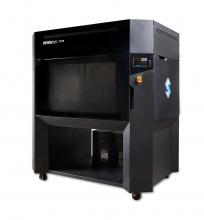 Item Number:F770Print big without the high capital investment of exclusive, large-format printers. The Stratasys F770™ 3D printer makes printing large, complex parts affordable, reliable, and easy.
 -
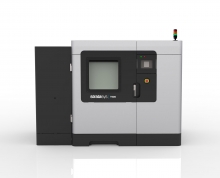 Item Number:F900The F900 gives you the ability to create large parts or multiple smaller parts in the broadest array of FDM materials. With the largest build chamber available among FDM printers, the F900 enables additive manufacturing at scale while delivering consistent, accurate results.
 -
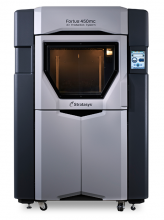 Item Number:450mc and 380mcThe Fortus 450mc can run standard, engineering, and high-performance FDM thermoplastics in a 16 x 14 x 16 in. build envelope. It features improved ease of use, including a touchscreen user interface, and builds complex parts faster than its predecessor, the 400mc.
 -
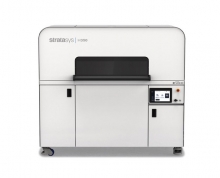 Meet high production demands with the Stratasys H350 powder bed fusion 3D printer. Leveraging Selective Absorption Fusion, SAF technology, into the H-Series production platform, the Stratasys H350 is designed to deliver functional, production-grade parts with unrivaled consistency.
 -
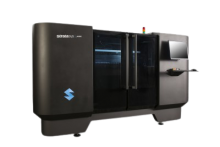 Item Number:J4100Whatever the complexity, the J4100 can handle any design. An ultra-large build tray, multi-material capabilities, fast throughput, and a wide range of material properties mean unlimited design possibilities and improved productivity.