
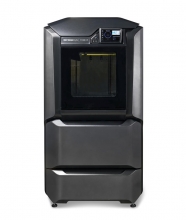
It starts with high-strength composite materials, but the Stratasys composite-ready F Series offers much more. More materials, more reliability – more capability than other similar printers.
Simlog’s Forklift Personal Simulator Version 2 puts trainees at the controls of a typical sit-down, counter-balanced factory forklift with rear-wheel steering. Training scenarios are typical of factories, warehouses, and distribution centers, with various loads and storage arrangements, truck bays for loading and unloading, and a flatbed truck outside.
Simlog’s Replica Controls for the Forklift Personal Simulator are the most cost-effective set-up option and feature industrial strength components suitable for table-top mounting and Simlog’s Operator Chair. If you are a Simlog customer, you may be able to re-use the Replica Controls that you already have.
You will need three or four USB-ready Forklift Levers. (The fourth lever controls the separation of the forks, so if you use three levers instead of four, the simulation software will change the separation of the forks for you.) Simlog’s table-top mounting brackets will bring the joysticks down from table-top height to the sides of an ordinary chair, to better mimic the positioning of real controls in the cabin of real heavy equipment.
To complete the Replica Controls, add the Logitech “G920 Driving Force Racing Wheel” consisting of a steering wheel and a three-pedal unit, and the “G920 Driving Force Shifter,” a gear shifter that can also be used with many other Personal Simulators. In most countries, the G920 is for sale in retail stores that sell computers or video games, but it may also be purchased from Logitech’s online store. Logitech’s previous version, the “G27 Racing Wheel” can still be used.
Key Benefits:
- Easy to assemble USB controls
- Lightweight and portable
- Ability to create your own operator chair
- 3 or 4-lever configurations available
Possible Setups
There are four commonly used arrangements, one with a single display in front, one with a first display in front and a second display in back (to teach people to turn their heads to look behind when backing up), one with three displays in front arranged side-by-side in portrait mode and one with three displays in front and a fourth display in back.
Custom Travel Cases for Replica Controls
For all setups, Simlog’s Custom Travel Case makes transportation easy.
Key Features
- Made-to-measure, with dedicated slots for levers, joysticks, pedals, steering wheel, and table-top mounting brackets
- Space for a laptop PC, cables, and documentation
- Pull-out handle, with multiple positions
- Wheels (casters)
- Cases are “stackable,” for easy transport.
Specifications
- Overall dimensions: 30″ x 24″ x 19″
- Approximate weight: 50 lbs. when empty, up to 100 lbs. when full (depending upon the Replica Controls.)
Simlog's Forklift training person simulator features fifteen modules of increasing difficulty. Module 4: Slalom 3 - Reverse, Tall Loads has trainees pick up the load, drive through the slalom course in reverse, and place the load on the floor at the target position defined by a red outline.
Simlog's Forklift training person simulator features fifteen modules of increasing difficulty. Module 11: Loading Docks 6, Loading, to Maximize Cube Utilization has trainees working with trucks at the loading docks, picking up each marked load from the loading dock and placing it at an appropriate position inside the truck.
The goal is to minimize wasted space with a compact arrangement of loads in the truck, either on the truck floor or stacked on other loads while giving special consideration to any tall or hazardous loads.
The Selective Pallet Racks 1 – Low Shelves module in Simlog’s Stand Up Counterbalanced Lift Truck Personal Simulator focuses on developing the precision and awareness required to place and retrieve pallets from low rack positions. Operators must carefully align forks, control lift height, and navigate tight aisle space—common challenges in real-world warehousing.
This demo shows how trainees build accuracy and confidence in low-level pallet handling, helping reduce product damage and improve efficiency in distribution centers. It's a foundational skill for both new learners and seasoned operators needing refresh training.
Module 15: Cantilever Racks and Flatbed Truck has trainees working with cantilever racks and a flatbed truck, picking up each marked load and placing it at its target position defined by an outline of the same color as the load, using the overhead map for guidance.
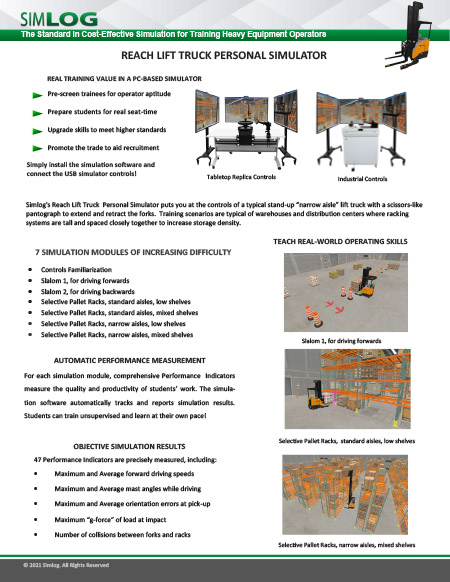
Simlog's Reach Lift Truck Personal Simulator puts you at the controls of a typical stand-up narrow aisle lift truck with a scissors-like pantograph to extend and retract the forks. Training scenarios are typical of warehouses and distribution centers where racking systems are tall and closely spaced to increase storage density.
Industrial Controls:
A superior simulation experience with OEM elements
Key Benefits:
- OEM Multi-Task Handle (two options)
- Steering Tiller
- Foot Brake Pedal Unit
- Two pushbuttons for alternative viewpoints
- Mini-joystick to pan/tilt current viewpoint
- Emergency power disconnect pushbutton
- Front panel key lock
Simlog's Reach Lift Truck Personal Simulator puts you at the controls of a typical stand-up “narrow aisle” lift truck with a scissors-like pantograph to extend and retract the forks. Training scenarios are typical of warehouses and distribution centers where racking systems are tall and closely spaced to increase storage density.
Scalable, Full-Immersion Operator Training Platform
The Vortex Advantage by CM Labs is a high-performance, full-immersion training simulator designed for hands-on, realistic instruction in heavy equipment operations. Engineered for flexibility and longevity, it supports a wide variety of crane and earthmoving equipment with hot-swappable control sets and scalable display configurations.
Built with a rugged steel frame and industrial-grade components, the Vortex Advantage withstands the demands of round-the-clock training—whether in classrooms or mobile trailers. Its three-screen and five-screen options offer lifelike equipment sightlines, while the motion platform replicates real equipment vibrations and movement, enhancing operator realism and skill transfer.
Operators can easily navigate training modules using a built-in touchscreen interface that replicates the operator dashboard, including LMI/SLI indicators, auxiliary controls, and more. Instructors benefit from built-in classroom management tools and optional instructor stations, enabling progress tracking, exercise switching, and even multi-simulator crew coordination for tandem lift training.
Monitor, assess, and engage construction equipment operator trainees from a single workstation
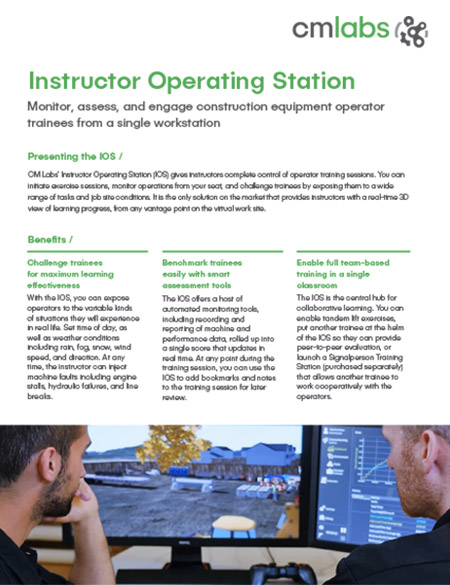
CM Labs’ Instructor Operating Station (IOS) gives instructors complete control of operator training sessions. You can initiate exercise sessions, monitor operations from your seat, and challenge trainees by exposing them to various tasks and job site conditions. It is the only solution on the market that provides instructors with a real-time 3D view of learning progress from any vantage point on the virtual work site.
Benefits
- Challenge trainees for maximum learning effectiveness
- Benchmark trainees easily with smart assessment tools
- Enable full team-based training in a single classroom
Operator training and assessment, whenever and wherever needed.
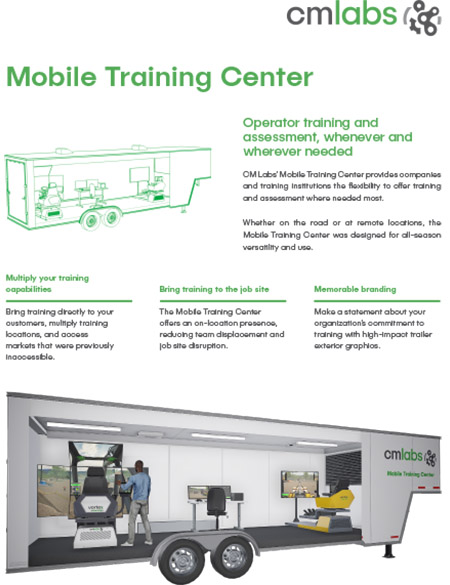
CM Labs’ Mobile Training Center allows organizations to offer training and assessment where needed most. Whether on the road or at remote locations, the Mobile Training Center was designed for all-season versatility and use.
Benefits
- Multiply your training capabilities
- Bring training to the job site
- Memorable branding
Pages
-
 Item Number:F190CR and F370CR
 -
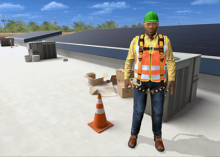 The Fall Protection awareness simulation is ideal for future employees and supervisors who will work in or around construction environments. The primary goal of this course is to teach workers safe procedures when working at heights on a construction site.
 -
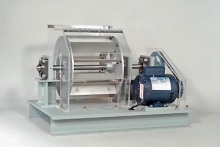 Item Number:202-000DAC Worldwide’s Fan Balancing Trainer (202-000) is a precision assembly allowing for convenient demonstration and training in fan balancing and other vibration analysis-related topics. Based on the design of a typical squirrel cage fan, this heavy-duty aluminum device allows for assembly in a variety of configurations, creating a broad range of balancing scenarios.
 -
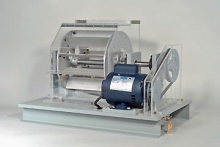 Item Number:202-PACDAC Worldwide’s Fan Balancing Training System Plus (202-PAC) is a hands-on industrial training system that allows learners to gain experience with fan balancing to achieve maximum fan efficiency and stability.
 -
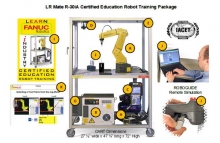 A large working envelope with a reach of 717 mm, and a payload of 7 kg, combine to provide solutions for high productivity handling and assembly applications.
 -
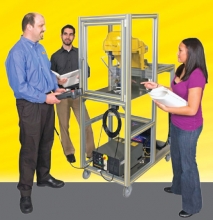 With FANUC Robotics’ CERT Program, new courses and project based activities prepare students for a workplace that will be increasing in robotic automation. The Fanuc Robotics Education Training Cart incorporates the compact M-1+A robot housed in a self contained, mobile enclosure. The lightweight parallel-link M-1+A robot is designed for small part handling, high speed picking and assembly applications.
 -
 FANUC America now offers Certified Education Robot Training (CERT) to qualifying High Schools, Community Colleges, and Universities. With FANUC America's educational robots, students can learn to utilize the latest automation technology while applying Science, Technology, Engineering, and Math. Industrial robotics training in the classroom can safely be achieved through the CERT program. FANUC America provides the necessary training to the instructor as well as a curriculum to introduce students to robot applications.
 -
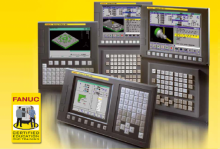 The FANUC CNC Certified Education Training program is an industry certification available to qualified high schools, community colleges, and universities. The program certifies instructors at educational institutions to train their students to program, set-up and operate CNC machine tools using FANUC’s control platform.
 -
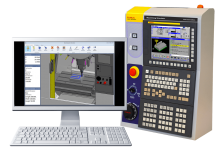 Item Number:D73F-0320-PB00Experience the cutting-edge in CNC machining simulation with FANUC's D73F-0320-PB00 simulator. Equipped with real kinematics, live machine movement, and advanced features like collision detection, immerse yourself in a true-to-life machining experience. Discover the power of virtual milling or lathe operations with our software-only version for seamless integration. Get ready to revolutionize your CNC training!
 -
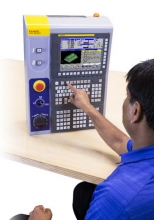 Item Number:A02B-0158-B100#USThe FANUC CNC simulator is a perfect addition to the classroom and an essential component to gain maximum exposure to FANUC CNC controls when actual machine time is limited.