
Amatrol’s Portable Smart Machine Sensor Learning System (990-SD10) offers training for building skills with smart capacitive, inductive, photo, ultrasonic, and more, all within an easily portable case. The Smart Machine Sensor training system is instrumental for learners to understand Industry 4.0 concepts and practice with components commonly found in Industrial Internet of Things (IIoT) environments.
Simlog’s Forklift Personal Simulator Version 2 puts trainees at the controls of a typical sit-down, counter-balanced factory forklift with rear-wheel steering. Training scenarios are typical of factories, warehouses, and distribution centers, with various loads and storage arrangements, truck bays for loading and unloading, and a flatbed truck outside.
Simlog’s Replica Controls for the Forklift Personal Simulator are the most cost-effective set-up option and feature industrial strength components suitable for table-top mounting and Simlog’s Operator Chair. If you are a Simlog customer, you may be able to re-use the Replica Controls that you already have.
You will need three or four USB-ready Forklift Levers. (The fourth lever controls the separation of the forks, so if you use three levers instead of four, the simulation software will change the separation of the forks for you.) Simlog’s table-top mounting brackets will bring the joysticks down from table-top height to the sides of an ordinary chair, to better mimic the positioning of real controls in the cabin of real heavy equipment.
To complete the Replica Controls, add the Logitech “G920 Driving Force Racing Wheel” consisting of a steering wheel and a three-pedal unit, and the “G920 Driving Force Shifter,” a gear shifter that can also be used with many other Personal Simulators. In most countries, the G920 is for sale in retail stores that sell computers or video games, but it may also be purchased from Logitech’s online store. Logitech’s previous version, the “G27 Racing Wheel” can still be used.
Key Benefits:
- Easy to assemble USB controls
- Lightweight and portable
- Ability to create your own operator chair
- 3 or 4-lever configurations available
Possible Setups
There are four commonly used arrangements, one with a single display in front, one with a first display in front and a second display in back (to teach people to turn their heads to look behind when backing up), one with three displays in front arranged side-by-side in portrait mode and one with three displays in front and a fourth display in back.
Custom Travel Cases for Replica Controls
For all setups, Simlog’s Custom Travel Case makes transportation easy.
Key Features
- Made-to-measure, with dedicated slots for levers, joysticks, pedals, steering wheel, and table-top mounting brackets
- Space for a laptop PC, cables, and documentation
- Pull-out handle, with multiple positions
- Wheels (casters)
- Cases are “stackable,” for easy transport.
Specifications
- Overall dimensions: 30″ x 24″ x 19″
- Approximate weight: 50 lbs. when empty, up to 100 lbs. when full (depending upon the Replica Controls.)
Simlog's Forklift training person simulator features fifteen modules of increasing difficulty. Module 4: Slalom 3 - Reverse, Tall Loads has trainees pick up the load, drive through the slalom course in reverse, and place the load on the floor at the target position defined by a red outline.
Simlog's Forklift training person simulator features fifteen modules of increasing difficulty. Module 11: Loading Docks 6, Loading, to Maximize Cube Utilization has trainees working with trucks at the loading docks, picking up each marked load from the loading dock and placing it at an appropriate position inside the truck.
The goal is to minimize wasted space with a compact arrangement of loads in the truck, either on the truck floor or stacked on other loads while giving special consideration to any tall or hazardous loads.
The Selective Pallet Racks 1 – Low Shelves module in Simlog’s Stand Up Counterbalanced Lift Truck Personal Simulator focuses on developing the precision and awareness required to place and retrieve pallets from low rack positions. Operators must carefully align forks, control lift height, and navigate tight aisle space—common challenges in real-world warehousing.
This demo shows how trainees build accuracy and confidence in low-level pallet handling, helping reduce product damage and improve efficiency in distribution centers. It's a foundational skill for both new learners and seasoned operators needing refresh training.
Module 15: Cantilever Racks and Flatbed Truck has trainees working with cantilever racks and a flatbed truck, picking up each marked load and placing it at its target position defined by an outline of the same color as the load, using the overhead map for guidance.
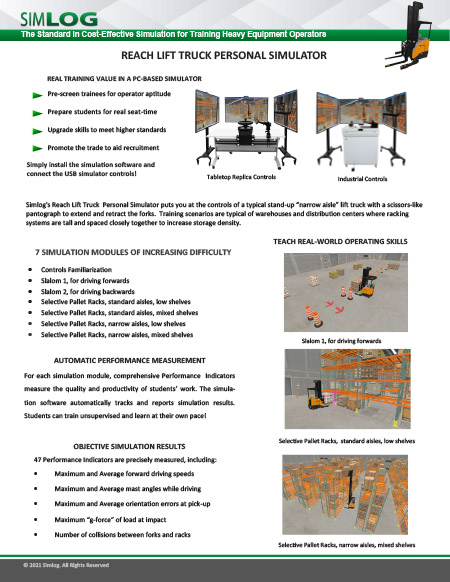
Simlog's Reach Lift Truck Personal Simulator puts you at the controls of a typical stand-up narrow aisle lift truck with a scissors-like pantograph to extend and retract the forks. Training scenarios are typical of warehouses and distribution centers where racking systems are tall and closely spaced to increase storage density.
Industrial Controls:
A superior simulation experience with OEM elements
Key Benefits:
- OEM Multi-Task Handle (two options)
- Steering Tiller
- Foot Brake Pedal Unit
- Two pushbuttons for alternative viewpoints
- Mini-joystick to pan/tilt current viewpoint
- Emergency power disconnect pushbutton
- Front panel key lock
Simlog's Reach Lift Truck Personal Simulator puts you at the controls of a typical stand-up “narrow aisle” lift truck with a scissors-like pantograph to extend and retract the forks. Training scenarios are typical of warehouses and distribution centers where racking systems are tall and closely spaced to increase storage density.
Scalable, Full-Immersion Operator Training Platform
The Vortex Advantage by CM Labs is a high-performance, full-immersion training simulator designed for hands-on, realistic instruction in heavy equipment operations. Engineered for flexibility and longevity, it supports a wide variety of crane and earthmoving equipment with hot-swappable control sets and scalable display configurations.
Built with a rugged steel frame and industrial-grade components, the Vortex Advantage withstands the demands of round-the-clock training—whether in classrooms or mobile trailers. Its three-screen and five-screen options offer lifelike equipment sightlines, while the motion platform replicates real equipment vibrations and movement, enhancing operator realism and skill transfer.
Operators can easily navigate training modules using a built-in touchscreen interface that replicates the operator dashboard, including LMI/SLI indicators, auxiliary controls, and more. Instructors benefit from built-in classroom management tools and optional instructor stations, enabling progress tracking, exercise switching, and even multi-simulator crew coordination for tandem lift training.
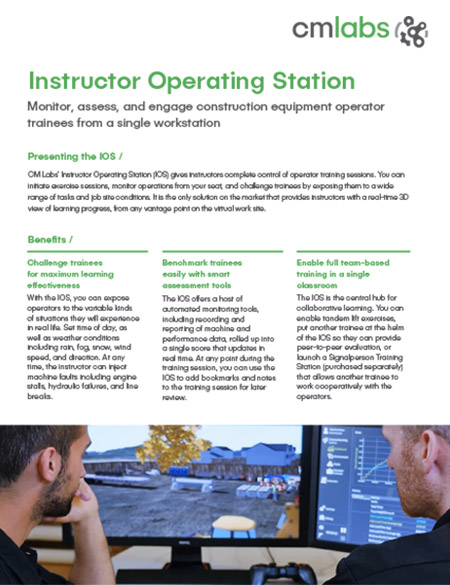
Monitor, assess, and engage construction equipment operator trainees from a single workstation
CM Labs’ Instructor Operating Station (IOS) gives instructors complete control of operator training sessions. You can initiate exercise sessions, monitor operations from your seat, and challenge trainees by exposing them to various tasks and job site conditions. It is the only solution on the market that provides instructors with a real-time 3D view of learning progress from any vantage point on the virtual work site.
Benefits
- Challenge trainees for maximum learning effectiveness
- Benchmark trainees easily with smart assessment tools
- Enable full team-based training in a single classroom
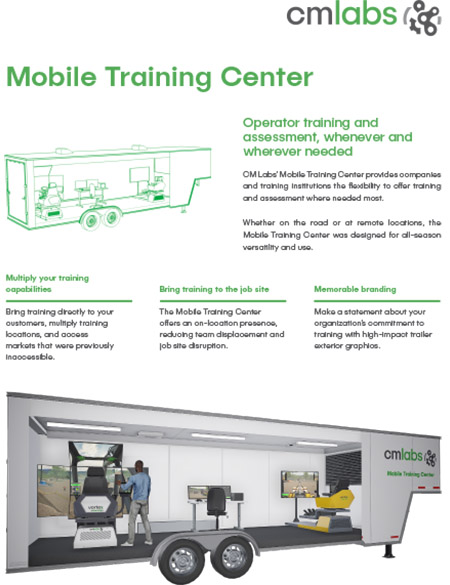
Operator training and assessment, whenever and wherever needed.
CM Labs’ Mobile Training Center allows organizations to offer training and assessment where needed most. Whether on the road or at remote locations, the Mobile Training Center was designed for all-season versatility and use.
Benefits
- Multiply your training capabilities
- Bring training to the job site
- Memorable branding
Pages
-
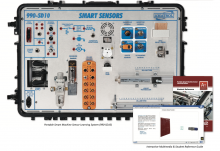 Item Number:990-SD10
 -
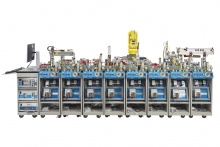 Amatrol Smart Factory training system and in-depth curriculum teaches all aspects of smart factory maintenance and operation.
 -
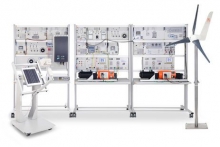 Item Number:ESG 1Features 9 stations that can be individually configured.
 -
 Item Number:603-SPDiscover the DAC Worldwide Smart Process Plant Training System (603-SP). Equip learners with hands-on training in process control systems, including level, pressure, temperature, flow, and pH, using industry-standard components and advanced software.
 -
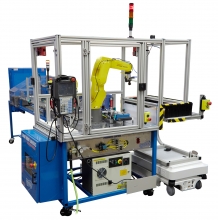 Item Number:87-SWPF1VThe 87-SWPF1V Smart Robot Logistics Palletizing Workcell, which includes a mobile workstation with a FANUC 6-axis robotic arm, teaches students how to operate, program, maintain, and troubleshoot a robotic palletizing workcell.
 -
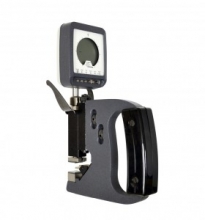 Item Number:99-PG2The 99-PG2 includes a digital snap gauge and a master part turned to precisely 0.500”, which learners use to calibrate the device. As the learners work their way through the curriculum, they use the snap gauge to measure custom parts from the 990-PG1 that ensure a complete learning experience.
 -
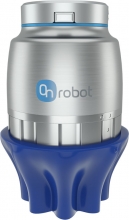 Item Number:SG-a-H, SG-a-S, SG-b-HThe OnRobot Soft Gripper is able to pick a wide array of irregular shapes and delicate items, making it ideal for pick-and-place applications in food and beverage production, as well as manufacturing or packaging.
 -
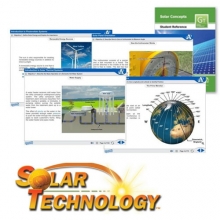 Item Number:950-SC1Amatrol’s Solar Concepts Learning System (950-SC1) introduces learners to a broad range of basic concepts in solar energy and technology.
 -
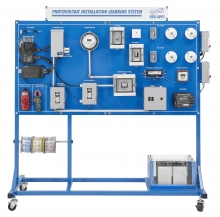 Item Number:950-SPF1Train future solar technicians with Amatrol’s Solar PV Installation Learning System (950-SPF1), a hands-on trainer that prepares learners for NABCEP certification and solar industry careers.
 -
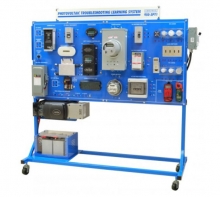 Item Number:950-SPT1Master solar energy troubleshooting with Amatrol’s 950-SPT1. This hands-on training system teaches PV system operation, maintenance, and diagnostics using real industrial components and multimedia eLearning.