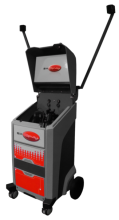
SimSpray 3.0 Edge-Blending Add-On

  • SimSpray 3.0 edge-blending add-on with three automotive repair projects

Build automotive refinishing skills with focused virtual reality practice for blending new and existing paint.

The SimSpray 3.0 Edge-Blending Add-On provides three projects that help learners practice spray-gun movement across a repair area. A specialized visual cue guides spray distance and angle while learners develop the controlled arcing motion used to create a gradual blend.

Edge-Blending Training Content

  • Vertical panel repair
  • Door and fender repair
  • Car hood repair
  • Visual guidance for spray distance and angle
  • Practice using HVLP, airless, and air-assisted airless spray processes

Focused Automotive Refinishing Practice

The projects give instructors a repeatable way to introduce edge blending before learners work with paint, vehicles, and spray-booth resources. Immediate visual guidance helps learners recognize how gun position and movement affect the transition between repaired and existing finishes.

How to Use This Guide

  1. Review the three included automotive repair projects.
  2. Identify the spray processes that align with the program's training objectives.
  3. Confirm compatibility with the selected SimSpray 3.0 Paint configuration.

This add-on is available for SimSpray 3.0 models configured with Paint processes.
Content availability may vary by software version and system configuration.

  • SimSpray Virtual Reality Painting Training
    Train painters and coaters with SimSpray VR. Practice HVLP, airless, powder coating and abrasive blasting with immediate, measurable feedback.