Cyber Science 3D is a comprehensive package of detailed, interactive virtual reality experiences focused on aiding in the learning and exploration of natural phenomena, biological concepts, physics, and mechanical systems as well as many more.
The Backfilling 1 module of Simlog’s Bulldozer Personal Simulator introduces trainees to essential earthmoving tasks in a controlled, virtual setting. Operators learn how to manage blade position, material flow, and movement control to efficiently backfill trenches and depressions—skills critical on real-world construction sites.
This video demonstrates how the simulator reinforces key techniques like forward pushing, blade leveling, and maintaining smooth, consistent backfill layers. With a focus on safety, precision, and production efficiency, this module helps new operators gain confidence while reducing risk and training costs.
Simlog Mobile Crane Personal Simulator's Pole Topping Module has trainees lifting a rubber tire load onto the tops of a series of poles in order. The target pole is marked with blue rings that will turn green once the pole has been topped.
Simlog Mobile Crane Personal Simulator's Pole Placement Module has trainees carefully lift the pole off the ground and then place it into the target hole (the target changes color as the pole gets closer) while avoiding obstacles and unstable positions.
Simlog Mobile Crane Personal Simulator's Corridor Following 4 Module has trainees move the concrete bucket along the three-section, z-shaped corridor on the ground from one end to the other, keeping the bucket at a constant height directly above the corridor while controlling sway.
Advanced Edition features lift planning exercises that require a solid understanding of load charts and Signal Person training, i.e. learning to provide appropriate signals to the crane operator (to complete a lift), while at the same time teaching that crane operator to understand and follow those signals.
Simlog Mobile Crane Personal Simulator's Pick, Lift, and Place Module has trainees configure the boom angle, extension mode, and length and then place the hook in the rigging target (blue sphere) above the load. Once triggered, lift the load and place it into the target. Each trial ends when the load is sufficiently well placed (the target will turn green), the speed of the load is sufficiently small, and the operator activates the horn.
Simlog Mobile Crane Personal Simulator's Signaling Module has trainees move a load to a target destination hidden from the view of the crane operator, and so a signal person is required.
The signal person must view the lift using the dedicated signal-person display and provide hand or voice signals to the crane operator to safely move the load into the target (the target changes color as the load gets closer).
Each trial ends when the load is sufficiently well placed (the target will turn green), the speed of the load is sufficiently small, and the crane operator activates the horn. Telescope extend/retract control is disabled for this module.
Advanced Edition features lift planning exercises that require a solid understanding of load charts and Signal Person training, i.e. learning to provide appropriate signals to the crane operator (to complete a lift), while at the same time teaching that crane operator to understand and follow those signals.
Simlog Off-Highway Truck Personal Simulator's Corridor Driving 1 Module has trainees drive the truck through the corridor to the target. Each trial ends when the truck is over the target and parked (gear in Park, or gear in Neutral with parking brake engaged).
Simlog Off-Highway Truck Personal Simulator's Complete Haul Cycle 2 Module has trainees drive the truck from the dumping zone to the wheel loader. After the truck is fully loaded by the loader, return the dumping zone, dump the load and drive away.
Simlog's Reach Lift Truck Personal Simulator: Slalom 1 Forward Driving - pick up the load, drive forward through the slalom course, and place the load on the floor at the target position defined by a red outline.
Simlog's Reach Lift Truck Personal Simulator: Slalom 2 - Pick up the load, drive in reverse through the slalom course, and place the load on the floor at the target position defined by a red outline.
Pages
-
-
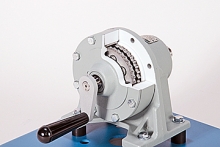 Item Number:205-270Tech-Labs technical training solutions.aDAC Worldwide's Cycloidal Gear Reducer Cutaway (205-270) is a sectioned industrial, mounted cycloidal gear reducer for use in classroom and laboratory training relating to mechanical drives.
 -
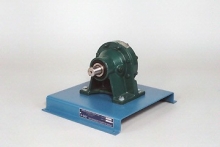 Item Number:205-170The dissectible features a carefully restored, industrial cycloidal gear reducer to provide learners with a realistic training experience.
 -
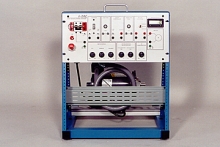 Item Number:426-000DAC Worldwide’s DC Permanent Magnet Motor Control Training System (426-000) is a motor control-related device for training in the operational principles, wiring, fault troubleshooting, and application of industrial three-phase, reversing magnetic starters.
 -
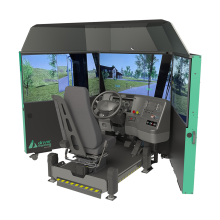 Train last-mile, paratransit, and delivery drivers with the Acron Aviation DeliverySim™ driving simulator. Includes performance tracking, advanced scenario training, and Replay Studio™ After-Action Review Software.
 -
 Discover the Denford Duo—an educational CNC training package that combines the Micromill Pro and Microturn Pro. Ideal for schools and colleges, this compact, safe, and versatile solution teaches both CNC milling and turning in one complete setup.
 -
 Bring precision manufacturing to STEM education with the MCR-100, a compact CNC router purpose-built for F1 in Schools programs.
 -
 A compact 3 axis CNC micromill milling machine with totally enclosed interlocking guards - the ideal introduction to small part CNC manufacture. Variable spindle speeds and feed rates make the MicroMill ideal for cutting resistant materials such as wax, plastic, acrylic, aluminum, and free-cutting alloys.
 -
 Explore the Denford Microturn Pro, a compact 2-axis CNC lathe built for educational environments. Safe, reliable, and perfect for introducing students to turning operations, tooling, and CNC programming.
 -
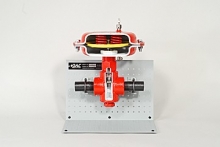 Item Number:295-702Through carefully planned sectioning and color-coding, the complete internal configuration of the valve is exposed and showcased in DAC's Diaphragm Dump Valve Cutaway (295-702).