With payloads up to 20kg, the OnRobot VGP20 is a powerful electric powered universal robot vacuum gripper ideal for quickly and cost-effectively automating the palletizing of cardboard boxes, as well as handling bulky, porous, and irregularly shaped objects.
The Backfilling 1 module of Simlog’s Bulldozer Personal Simulator introduces trainees to essential earthmoving tasks in a controlled, virtual setting. Operators learn how to manage blade position, material flow, and movement control to efficiently backfill trenches and depressions—skills critical on real-world construction sites.
This video demonstrates how the simulator reinforces key techniques like forward pushing, blade leveling, and maintaining smooth, consistent backfill layers. With a focus on safety, precision, and production efficiency, this module helps new operators gain confidence while reducing risk and training costs.
Simlog Mobile Crane Personal Simulator's Pole Topping Module has trainees lifting a rubber tire load onto the tops of a series of poles in order. The target pole is marked with blue rings that will turn green once the pole has been topped.
Simlog Mobile Crane Personal Simulator's Pole Placement Module has trainees carefully lift the pole off the ground and then place it into the target hole (the target changes color as the pole gets closer) while avoiding obstacles and unstable positions.
Simlog Mobile Crane Personal Simulator's Corridor Following 4 Module has trainees move the concrete bucket along the three-section, z-shaped corridor on the ground from one end to the other, keeping the bucket at a constant height directly above the corridor while controlling sway.
Advanced Edition features lift planning exercises that require a solid understanding of load charts and Signal Person training, i.e. learning to provide appropriate signals to the crane operator (to complete a lift), while at the same time teaching that crane operator to understand and follow those signals.
Simlog Mobile Crane Personal Simulator's Pick, Lift, and Place Module has trainees configure the boom angle, extension mode, and length and then place the hook in the rigging target (blue sphere) above the load. Once triggered, lift the load and place it into the target. Each trial ends when the load is sufficiently well placed (the target will turn green), the speed of the load is sufficiently small, and the operator activates the horn.
Simlog Mobile Crane Personal Simulator's Signaling Module has trainees move a load to a target destination hidden from the view of the crane operator, and so a signal person is required.
The signal person must view the lift using the dedicated signal-person display and provide hand or voice signals to the crane operator to safely move the load into the target (the target changes color as the load gets closer).
Each trial ends when the load is sufficiently well placed (the target will turn green), the speed of the load is sufficiently small, and the crane operator activates the horn. Telescope extend/retract control is disabled for this module.
Advanced Edition features lift planning exercises that require a solid understanding of load charts and Signal Person training, i.e. learning to provide appropriate signals to the crane operator (to complete a lift), while at the same time teaching that crane operator to understand and follow those signals.
Simlog Off-Highway Truck Personal Simulator's Corridor Driving 1 Module has trainees drive the truck through the corridor to the target. Each trial ends when the truck is over the target and parked (gear in Park, or gear in Neutral with parking brake engaged).
Simlog Off-Highway Truck Personal Simulator's Complete Haul Cycle 2 Module has trainees drive the truck from the dumping zone to the wheel loader. After the truck is fully loaded by the loader, return the dumping zone, dump the load and drive away.
Simlog's Reach Lift Truck Personal Simulator: Slalom 1 Forward Driving - pick up the load, drive forward through the slalom course, and place the load on the floor at the target position defined by a red outline.
Simlog's Reach Lift Truck Personal Simulator: Slalom 2 - Pick up the load, drive in reverse through the slalom course, and place the load on the floor at the target position defined by a red outline.
Pages
-
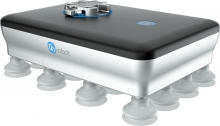 Item Number:VGP20
 -
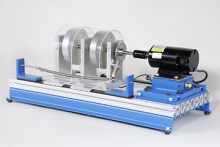 Item Number:203-000DAC Worldwide’s Vibration Analysis Training System (203-000) is a heavy-duty learning package that allows for in-depth training in vibration analysis, using a vibration meter, gear/belt drives, and bearing faults.
 -
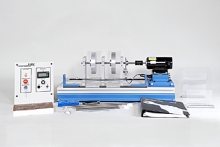 Item Number:203-PACDAC Worldwide’s Vibration Analysis Training System Plus (203-PAC) is a heavy-duty learning package that allows for in-depth training in vibration analysis, using a vibration meter, gear/belt drives, and bearing faults.
 -
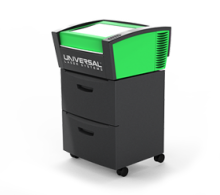 Item Number:VLS 2.30DTThe VLS2.30DT Desktop is a compact and economical entry-level platform. It offers a material processing envelope of 16" x 12" x 4" or 768 in³ and can be equipped with one 10.6µm CO2 laser source ranging in power from 10 to 30 watts or one 9.3µm CO2 30 watt laser source.
 -
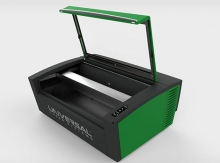 Item Number:VLS3.60DTThe VLS3.60DT is a compact and economical entry-level platform that offers a material processing envelope of 24" x 12" x 4" or 1,152 in³. The VLS3.60DT can be equipped with one of five 10.6µm CO2 laser sources ranging in power from 10 to 60 watts or one 9.3µm CO2 30 watt or 50-watt laser source.
 -
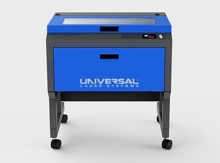 Item Number:VLS3.75The VLS3.75 is a free-standing platform with a materials processing envelope of 24" x 12" x 8.5" or 2,448 in³. The single laser platform supports a 10.6µm CO2 laser source ranging in power from 10 to 75 watts or one 9.3µm CO2 30 watt, 50 watt, or 75 watt laser source.
 -
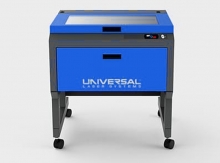 Item Number:VLS4.75The VLS4.75 is a free-standing platform with a materials processing envelope of 24" x 18" x 8.5" or 3,672 in³. The single laser platform supports a 10.6µm CO2 laser source ranging in power from 10 to 75 watts or one 9.3µm CO2 30 watt, 50 watt, or 75 watt laser source.
 -
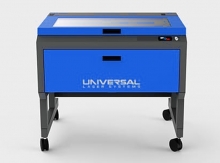 Item Number:VLS6.75The VLS6.75 is a free-standing platform with a material processing envelope of 32" x 18" x 8.5" or 4,896 in³. The single laser platform supports a 10.6µm CO2 laser source ranging in power from 10 to 75 watts or one 9.3µm CO2 30 watt, 50 watt, or 75 watt laser source.
 -
 Learn about the VMC 1300 Pro CNC Milling Machine, a precision 3-axis solution ideal for advanced educational training and industrial applications.
 -
 The CM Labs Vortex Advantage is a scalable simulator platform designed for 1-screen to 5-screen configurations, supporting full equipment control sets and immersive training experiences.