Interactive VR training for electrical switchboard operation, feeder breaker use, relay functions, and live-dead-live testing—designed to strengthen safety and workforce readiness.
Expanding Applied Learning
Students Gain High-Demand Skills with 3D Printing
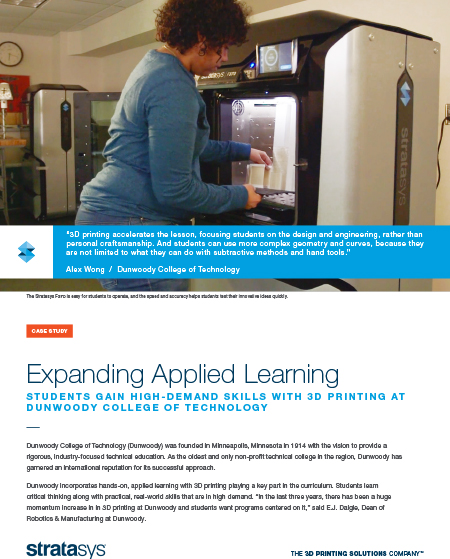
Dunwoody College of Technology (Dunwoody) was founded in Minneapolis, Minnesota, in 1914 to provide a rigorous, industry-focused technical education. As the region's oldest and only non-profit technical college, Dunwoody has garnered an international reputation for its successful approach.
Dunwoody incorporates hands-on, applied learning with 3D printing playing a crucial part in the curriculum. Students learn critical thinking and practical, real-world skills in high demand. “In the last three years, there has been a huge momentum increase in 3D printing at Dunwoody, and students want programs centered on it,” said E.J. Daigle, Dean of Robotics & Manufacturing at Dunwoody."
Complex Designs Fast
Deisgn Firm 3D Prints to Refine Ideas with Speed
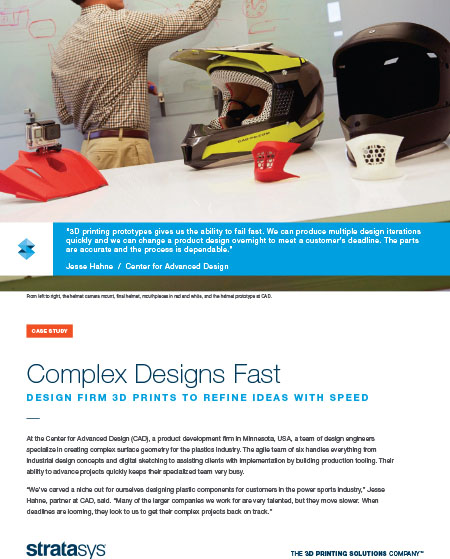
At the Center for Advanced Design (CAD), a product development firm in Minnesota, USA, a team of design engineers specializes in creating complex surface geometry for the plastics industry. The agile team of six handles everything from industrial design concepts and digital sketching to assisting clients with implementation by building production tooling. Their ability to advance projects quickly keeps their specialized team very busy.
“We’ve carved a niche out for ourselves designing plastic components for customers in the power sports industry,” Jesse Hahne, partner at CAD, said. “Many of the larger companies we work for are very talented, but they move slower. When deadlines loom, they look to us to get their complex projects back on track.”
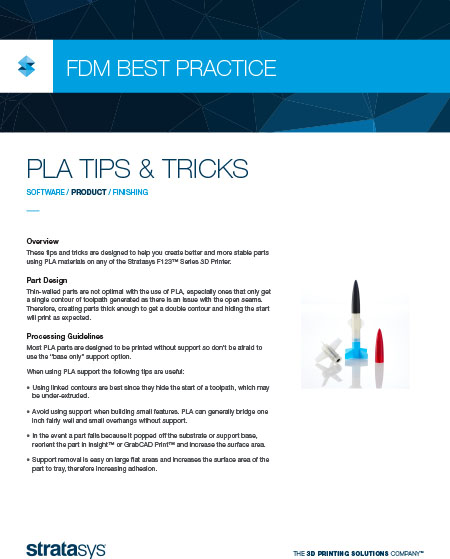
These tips and tricks are designed to help you create better and more stable parts using PLA materials on any of the Stratasys F123™ Series 3D Printer.
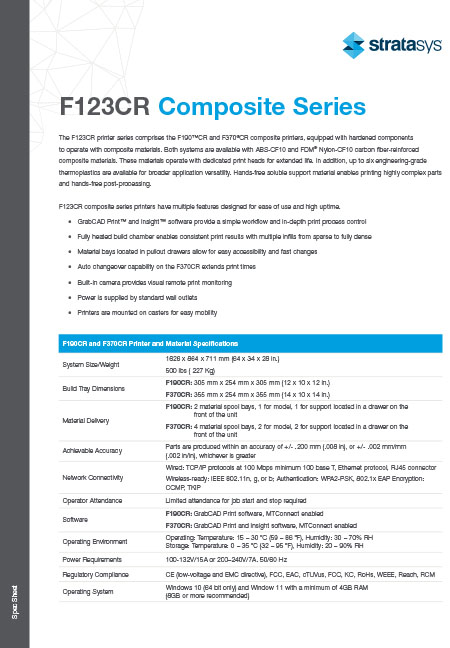
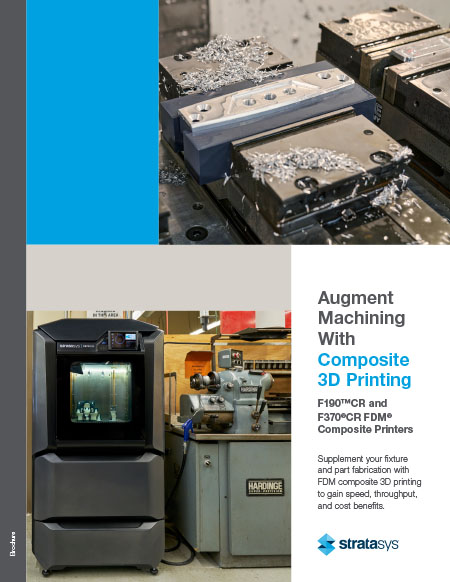
The F123CR printer series comprises the F190™CR and F370®CR composite printers, equipped with hardened components to operate with composite materials. Both systems are available with ABS-CF10 and FDM® Nylon-CF10 carbon fiber-reinforced composite materials. These materials operate with dedicated print heads for extended life. In addition, up to six engineering-grade thermoplastics are available for broader application versatility. Hands-free soluble support material enables printing highly complex parts and hands-free post-processing.
F123CR composite series printers have multiple features for ease of use and high uptime.
- GrabCAD Print™ and Insight™ software provide a simple workflow and in-depth print process control
- Fully heated build chamber enables consistent print results with multiple infills from sparse to fully dense
- Material bays located in pullout drawers allow for easy accessibility and fast changes
- Auto changeover capability on the F370CR extends print times
- Built-in camera provides visual remote print monitoring
- Power is supplied by standard wall outlets
- Printers are mounted on casters for easy mobility
Augment Machining With Composite 3D Printing
F190™CR and F370®CR FDM®
Composite Printers Supplement your fixture and part fabrication with FDM composite 3D printing to gain speed, throughput, and cost benefits.
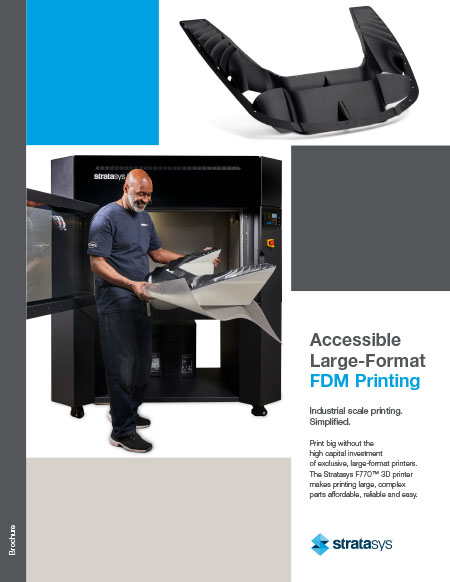
Accessible Large-Format FDM Printing
Industrial scale printing. Simplified.
Print big without the high capital investment of exclusive, large-format printers. The Stratasys F770™ 3D printer makes printing large, complex parts affordable, reliable, and easy.
Print large or print many.
The F770 is designed with size in mind. Print one or several large parts or take advantage of the printer’s generous capacity to make multiple parts for maximum productivity.
With the longest fully heated build chamber on the market, you can print a part that is 46 inches long on the diagonal. The spacious 13 cubic-foot build envelope opens up new opportunities for manufacturing, prototyping, and production-part part applications that aren’t available with smaller printers.
There’s no need to sacrifice part complexity either. The F770 uses soluble support material, which lets you design and print your parts free from design-for-manufacturability constraints or the limitations of printers with inferior support capability. The hands-free support removal process also minimizes post-processing, increasing your productivity.
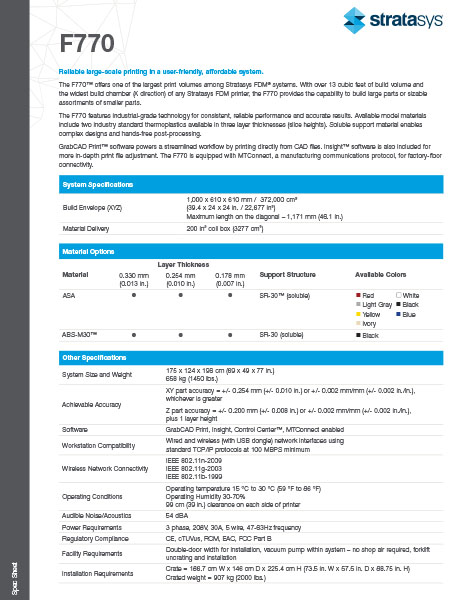
Reliable large-scale printing in a user-friendly, affordable system.
The F770™ offers one of the largest print volumes among Stratasys FDM® systems. With over 13 cubic feet of build volume and the widest build chamber (X direction) of any Stratasys FDM printer, the F770 provides the capability to build large parts or sizable assortments of smaller parts.
The F770 features industrial-grade technology for consistent, reliable performance and accurate results. Available model materials include two industry-standard thermoplastics available in three-layer thicknesses (slice heights). Soluble support material enables complex designs and hands-free post-processing.
GrabCAD Print™ software powers a streamlined workflow by printing directly from CAD files. Insight™ software is also included for more in-depth print file adjustment. The F770 is equipped with MTConnect, a manufacturing communications protocol, for factory-floor connectivity.
Built for large-scale manufacturing.
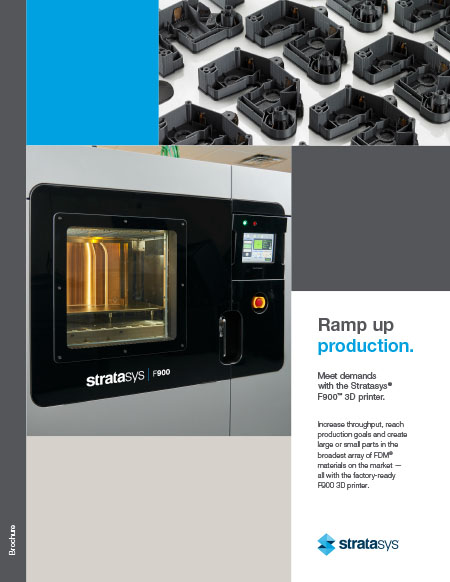
Meet demands with the Stratasys® F900™ 3D printer.
Increase throughput, reach production goals, and create large or small parts in the broadest array of FDM® materials on the market — all with the factory-ready F900 3D printer.
Designed and built for size, throughput, precision, and repeatability.
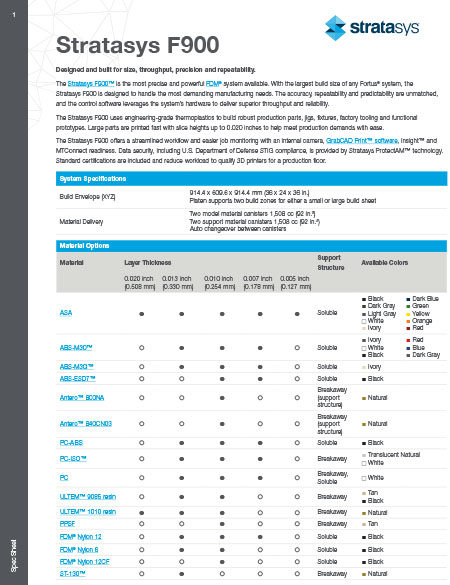
The Stratasys F900™ is the most precise and powerful FDM® system available. With the largest build size of any Fortus® system, the Stratasys F900 is designed to handle the most demanding manufacturing needs. The accuracy, repeatability, and predictability are unmatched, and the control software leverages the system’s hardware to deliver superior throughput and reliability.
The Stratasys F900 uses engineering-grade thermoplastics to build robust production parts, jigs, fixtures, factory tooling, and functional prototypes. Large parts are printed fast with slice heights up to 0.020 inches to help easily meet production demands.
The Stratasys F900 offers a streamlined workflow and easier job monitoring with an internal camera, GrabCAD Print™ software, Insight™, and MTConnect readiness. Data security, including U.S. Department of Defense STIG compliance, is provided by Stratasys ProtectAM™ technology. Standard certifications are included and reduce the workload to qualify 3D printers for a production floor.
How is the Fortus 450mc different?
Create complex geometries
- Create low-volume production parts, high-quality custom tools and functional prototypes
- The large build platform has the capability to meet industrial application needs
- Hands-free soluble support materials reduce labor while aiding in complex designs
- Easy to operate and integrate into your factory floor
Wide range of materials
- The 14 available materials support a variety of applications
- From the stiff strength of carbon fiber to the chemical resistance and ESD performance of Antero™ thermoplastics, there’s a material to meet your needs
Unparalleled consistency and precision
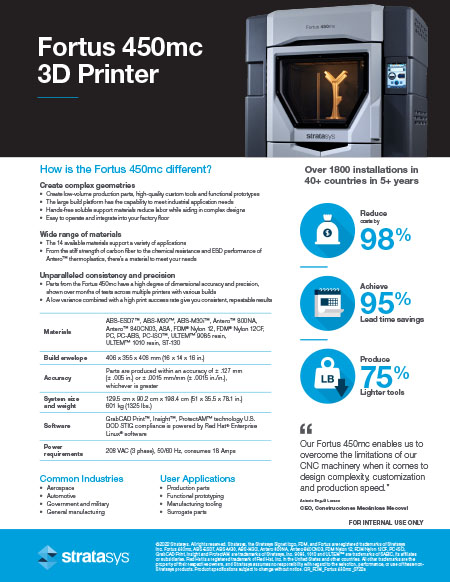
- Parts from the Fortus 450mc have a high degree of dimensional accuracy and precision, shown over months of tests across multiple printers with various builds
- A low variance combined with a high print success rate give you consistent, repeatable results
Pages
-
-
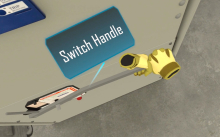
 Intellia Team Training enables multiple operators to collaborate in the same virtual environment to complete shared tasks—developing the communication and coordination skills essential for real-world worksite success. This safe, immersive solution replicates complex team-based scenarios.
 -
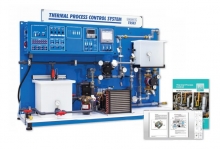 Item Number:T5553Amatrol’s Temperature Process Control Learning System (T5553) demonstrates how to install, calibrate, operate, adjust, and tune thermal process control systems in a wide variety of industrial applications, including food processing, chemical manufacturing, and biotechnology.
 -
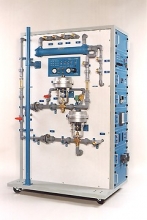 Item Number:602-PACProcess control systems maintain precise control of liquid and gas variables, such as liquid level, flow rate, pressure, temperature, and pH level. These multifaceted systems are a critical part of major industries like power generation, refineries, petrochemicals, chemical manufacturing, pharmaceuticals, biotechnology, and food processing and bottling.
 -
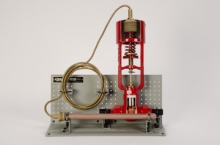 Item Number:295-701DAC Worldwide's Temperature Regulator Cutaway (295-701) is a sectioned temperature regulator allowing for convenient classroom or lab training in the design, operation, construction, and maintenance of this common control device used in oil and gas production.
 -
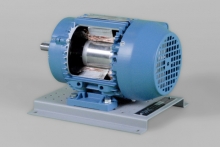 Item Number:273-920This 3-phase, squirrel-cage, induction motor cutaway supports industrial training activities related to electric motor types, as well as repair and troubleshooting. An integral horsepower, industrial-duty motor is modified for training purposes.
 -
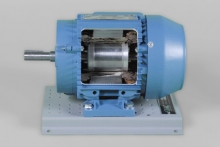 Item Number:273-925The 3-phase, squirrel-cage, explosion-proof induction motor cutaway supports industrial training activities related to electric motor types, as well as repair and troubleshooting. An integral horsepower, industrial-duty motor is modified for training purposes.
 -
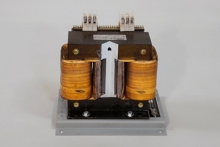 Item Number:273-915DAC Worldwide’s Three-Phase Transformer Cutaway (273-915) is a detailed and professionally-crafted three-phase transformer cutaway that depicts a common coaxially-wound, three-phase, delta-wye wired transformer.
 -
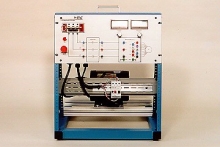 Item Number:412-000DAC Worldwide’s Three-Phase, Squirrel Cage Rotor, AC Motor Training System (412-000) provides a starting point for understanding a common, widely-used industrial induction motor. These self-starting, 56 frame, simply constructed motors are used in applications like generators or where low starting torque is required.
 -
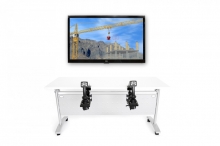 Item Number:TCRSimlog's simulation software puts you at the controls of a modern freestanding top-slewing tower crane with trolley jib. Instrument readings include working slew angle, working radius, lowering depth (hook height), and load weight. There is also a simulated three-way switch for hoist gear selection. You can even change the viewpoint during the simulation at the touch of a button.